How to Create a Feedback Form (15+ Free Templates)
A good feedback form makes it easy for people to tell you what worked, what did not, and what they want you to change.
The best forms are usually short and specific. A support feedback form should not ask the same questions as an employee survey. A post-event survey should not feel like a full research study. Start with one clear thing you want to learn, then ask only the questions you need.
This guide covers how to create a feedback form, what questions to ask, how to make it anonymous, and which free templates you can use for different types of feedback.
What is a feedback form?
A feedback form is used to collect opinions, ratings, and suggestions from a specific group of people.
It is usually tied to a recent experience, such as buying a product, attending an event, completing a course, using a feature, or contacting customer support.
A feedback form should:
- ask about one clear topic or experience
- keep the number of questions low
- include a mix of ratings and written comments
- tell respondents what happens after they submit the form
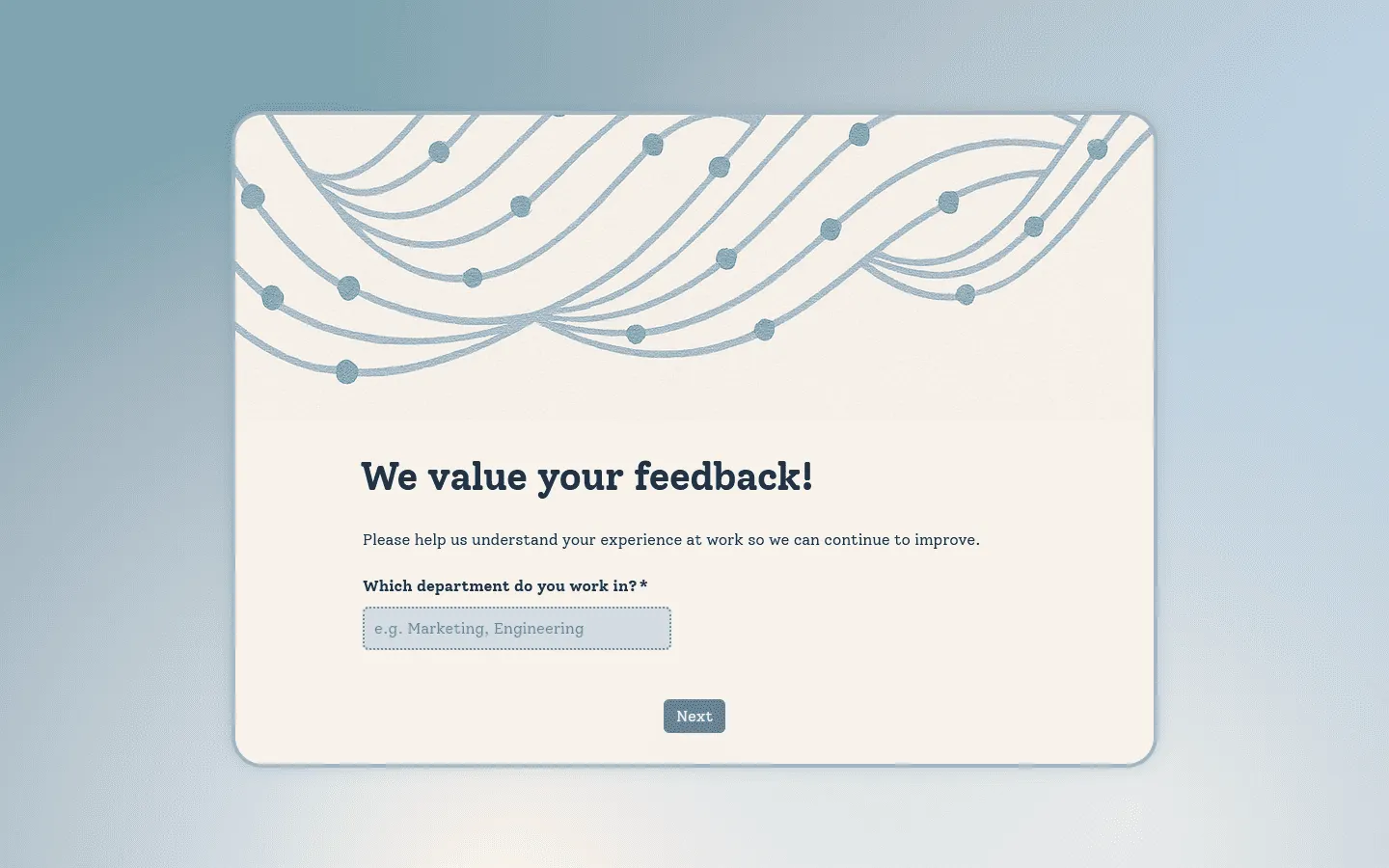
Here is an example of a clean feedback form created in FormGrid:
How to create a feedback form for free
You can create a useful feedback form in a few steps.
Step 1: Define the goal of your feedback form
Before choosing a tool or writing questions, decide what you want to learn.
Broad questions like “How are we doing?” often lead to vague answers. A more specific goal makes the form easier to answer and easier to act on.
For example, you might want to find out:
- whether customers are happy after a support interaction
- what attendees thought about an event
- why users are not completing a signup flow
- how employees feel about workload or communication
- what people liked or disliked about a new feature
Once you know the goal, it is easier to choose the right questions and keep the form short.
Step 2: Choose the right questions
Most feedback forms work best with a short rating question followed by one open-ended question.
Rating questions give you structured data. Text questions give people room to explain the reason behind their answer.
A simple feedback form might ask:
- How satisfied were you with your experience?
- What is the main reason for your rating?
- What could we improve?
- Would you recommend us to others?
You do not need many questions. In most cases, 3 to 7 questions are enough. If every question is marked as required, or the form asks for too much detail, fewer people will finish it.
Step 3: Choose a form builder
You can create a feedback form online for free with tools like FormGrid or Google Forms.
- FormGrid works well for public feedback forms, website embeds, and forms that need more control over layout and design. You can create unlimited forms and collect unlimited responses for free.
- Google Forms is a simple option for internal surveys and basic feedback collection. It is free and saves responses in a Google Sheet. The design options are limited, but it is quick to set up. If you want to use it, read our guide to creating a feedback form in Google Forms.
Check the response limits before you choose a tool. Some free form builders cap submissions, while others let you collect unlimited responses. See our guide to free form builders with unlimited submissions for a more detailed comparison.
Teams that collect customer feedback regularly may need more than a basic form. Our guide to customer feedback survey tools compares options for collecting, organizing, and reviewing feedback over time.
Step 4: Make the form easy to complete
Once you have the questions, look at the form from the respondent’s side.
Can they understand what you are asking without rereading the question? Are you asking for a long written answer when a simple rating would be enough? Are required fields actually required, or are they just nice to have?
A few simple checks usually make a big difference:
- Put the most important question near the top.
- Keep the intro short.
- Group related questions together.
- Make comment fields optional unless you truly need a written answer.
- Use conditional logic for follow-up questions.
For example, if someone gives a low rating, you can ask what went wrong. If they give a high rating, you can ask what worked well. That keeps the form shorter for everyone.
Step 5: Test, publish, and share
Before you send the form out, submit a test response yourself.
Fill it out like a real respondent. This is the easiest way to catch confusing wording, broken logic, unclear rating scales, required fields that should be optional, or a confirmation message that feels too abrupt.
Check that:
- required fields work correctly
- rating scales are clearly labeled
- conditional questions appear at the right time
- the form works well on mobile
- responses are saved in the right place
After that, share the form where people are most likely to see it. That might be a direct link, a website embed, a post-purchase page, a newsletter, an email, Slack, or a feedback button on your site.
How to create an anonymous feedback form
Anonymous feedback forms are useful when people may not feel comfortable sharing honest opinions with their name attached. This is common for employee feedback, workplace culture surveys, internal retrospectives, sensitive product feedback, and course or event feedback.
To create an anonymous feedback form:
- Turn off email collection.
- Do not require sign-in.
- Avoid asking for names, employee IDs, or personal contact details.
- Be careful with demographic questions, especially if the group is small.
- Add a short note explaining that responses are anonymous.
For example:
This form is anonymous. We do not collect names, email addresses, or login details.
If you are using Google Forms, check the settings carefully. Make sure email collection is turned off and respondents are not required to sign in.
How to create a feedback form in Google Forms
Google Forms is a quick way to create a basic feedback form. To create one:
- Open Google Forms and start a blank form.
- Add a clear title and short description.
- Add a rating question.
- Add one or two open-ended follow-up questions.
- Mark only the fields that truly need to be required.
- Update the confirmation message.
- If the form should be anonymous, turn off email collection and sign-in requirements.
- Submit a test response before sharing the form.
Google Forms works well for simple internal surveys and basic feedback collection. For a more detailed walkthrough, read our guide on how to create a feedback form in Google Forms.
If you need more privacy, control, or design options, you may want to use a Google Forms alternative.
How to create a feedback form in FormGrid
FormGrid is a free form builder for creating feedback forms without a response cap. It gives you more room to shape the full form page, not only the questions.
You can add context around the form with text, images, sections, and custom layouts. That makes it easier to create customer feedback forms, product feedback forms, event feedback surveys, employee surveys, and other forms that need more than a basic questionnaire.
To create a custom feedback form, generate a first draft in FormGrid by describing what you want to collect.
For example:
Create an anonymous employee feedback form about workload, communication, and team support. Include a 1-to-5 rating scale, two optional comment fields, and a clean professional design.
FormGrid will create a first draft with the questions, structure, and design in place. Review the wording, remove anything you do not need, add logic if needed, update the confirmation message, then publish the form or embed it on your website.
Free feedback form templates
Need a form for customer satisfaction, support feedback, product feedback, customer complaints, employee feedback, event feedback, or training feedback? Browse the examples below, or explore all feedback form and survey templates in our template library.
Customer feedback form template
Customer feedback is easiest to act on when it is tied to a specific moment. Our customer feedback form template helps you ask for a quick rating, collect a short explanation, and give customers an easy way to share suggestions or report issues.
Customer satisfaction survey template
Our customer satisfaction survey template works well when you want a general CSAT survey after a purchase, appointment, support interaction, service, project, or account check-in. It helps you measure satisfaction and understand the reason behind each rating.
Customer service survey template
Support feedback should show whether the customer got a clear, helpful answer. Our customer service survey template helps you ask about response time, resolution, clarity, helpfulness, and anything that still needs follow-up.
Customer effort score survey template
When you want to understand friction, start with the customer effort score survey template. It helps you measure how easy it was to complete a task, get support, finish setup, book a service, check out, or resolve an issue.
NPS survey template
Our NPS survey template helps you measure loyalty and likelihood to recommend. Ask the standard 0-to-10 NPS question, collect the reason behind the score, and use follow-up questions for promoters, passives, and detractors.
Customer experience survey template
Customer experience feedback looks at the wider journey, not only one interaction. This customer experience survey template helps you ask about onboarding, product or service quality, communication, support, value, and likelihood to continue.
Customer onboarding feedback survey template
Onboarding feedback helps you find confusion early. Our customer onboarding feedback survey template asks about setup, training, handoff, clarity, support, and how confident customers feel after getting started.
Customer retention survey template
Our customer retention survey template helps you understand why customers stay, what makes them hesitate, and what would make them more likely to renew, repurchase, or keep using your product or service.
Customer complaint form template
A complaint form should make it easy for customers to explain a specific issue and ask for follow-up. This customer complaint form template helps you collect complaint details, route issues by category, and review recurring problems.
Client feedback form template
Project wrap-ups, milestone reviews, and retainer check-ins all need feedback that covers both the work and the working relationship. Our client feedback form template helps you ask about communication, timelines, collaboration, quality, results, testimonial permission, and what should be clearer next time.
Restaurant feedback form template
Restaurants, cafes, bars, and food businesses can collect guest feedback with our restaurant feedback form template. Ask about food, service, wait time, atmosphere, cleanliness, and the overall dining experience.
Hotel feedback form template
Hotel teams can send our hotel feedback form template after checkout to review the parts of a stay guests actually notice: check-in, room cleanliness, comfort, noise, staff service, breakfast, amenities, Wi-Fi, value, and anything that needs follow-up.
Product feedback form template
Trying to understand how people actually use your product? A product feedback form template can help you ask about use cases, unclear parts, missing features, bugs, and changes people would like to see next.
Beta testing feedback form template
Bugs, screenshots, device details, confusing flows, and feature requests are much easier to review when they arrive in one format. Our beta testing feedback form template works for app betas, SaaS products, websites, games, tools, and early product releases.
Website feedback form template
Website visitors often notice problems while they are still on a page. With this website feedback form template, you can collect comments about broken links, confusing copy, missing information, mobile issues, checkout friction, or exit feedback.
Event feedback survey template
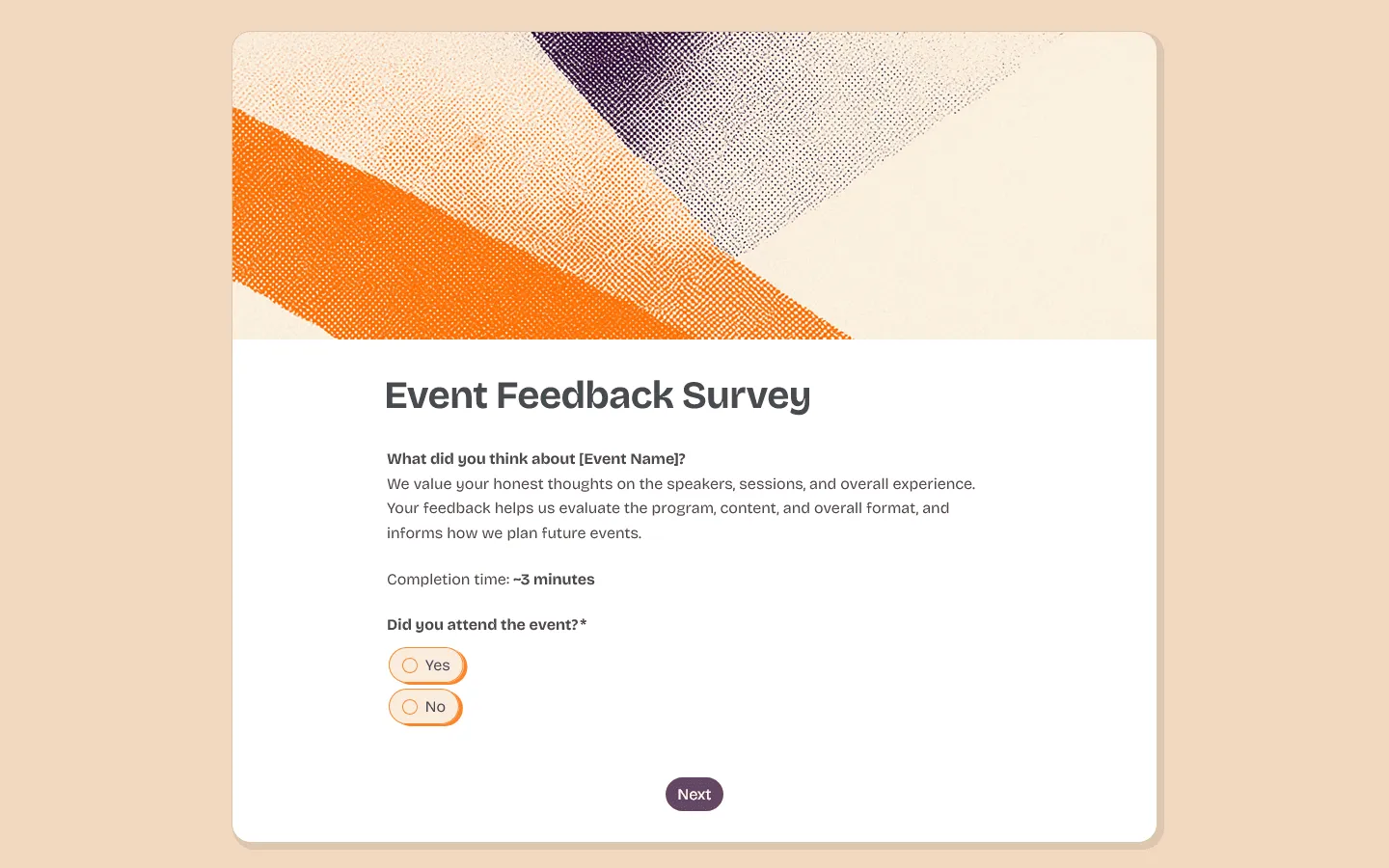
Send an event feedback survey template while attendee impressions are still fresh. Ask about speakers, schedule, venue, content, organization, and overall experience, then add one open question about what should change next time.
Post-event feedback form template
After the event is over, our post-event feedback form template helps you collect attendee feedback while the details are still fresh. It works for conferences, workshops, fundraisers, webinars, meetups, and internal events.
Recruitment feedback form template
Candidate experience is easier to improve when feedback is tied to real hiring steps. This recruitment feedback form template covers application clarity, recruiter communication, interview scheduling, assessment tasks, fairness, accessibility, timelines, and overall impressions.
Employee feedback survey template
For workload, communication, management support, team culture, or engagement, start with an employee feedback survey template. If the topic is sensitive, keep responses anonymous and avoid questions that could identify someone in a small team.
Training feedback form template
For employee training, onboarding, compliance sessions, and professional development, feedback should show whether people can use what they learned. This training feedback form template focuses on trainer clarity, pacing, materials, job relevance, confidence after the session, remaining questions, and follow-up support.
Meeting feedback survey template
Meeting feedback should stay short. This meeting feedback survey template asks whether the meeting was useful, whether the goal was clear, and what should change next time. One rating question and one optional comment field are usually enough.
Class feedback form template
After a lesson, class series, or short program, our class feedback form template gives students a quick way to comment on the pace, instructor clarity, materials, activities, workload, and anything they want changed before the next session.
Course evaluation form template
After a course, workshop, training session, or class, our course evaluation form template helps you review the course content, instructor, pacing, workload, materials, and what students would improve for the next group.
Workshop feedback form template
Our workshop feedback form template works well after a training session, webinar, class, or hands-on workshop. It helps you collect feedback on the facilitator, content, pacing, activities, materials, and what participants would improve next time.
Patient feedback form template
Clinics and healthcare practices can send a patient feedback form template after appointments, consultations, or visits. Cover booking, wait time, check-in, staff communication, provider communication, facility cleanliness, follow-up instructions, and overall satisfaction.
Useful feedback metrics to know
Not every feedback form needs a formal metric. Sometimes a simple rating and comment field are enough. If you want to track satisfaction over time, these are the most common metrics to know.
Customer Satisfaction (CSAT)
CSAT measures satisfaction with a specific interaction, product, or service. A common CSAT question is: How satisfied were you with your experience? This is usually answered on a 1-to-5 scale, such as 1 = Very dissatisfied and 5 = Very satisfied.
Net Promoter Score (NPS)
NPS measures how likely someone is to recommend your company, product, or service. The standard NPS question is: “How likely are you to recommend us to a friend or colleague?"" This is answered on a 0-to-10 scale.
Customer Effort Score (CES)
CES measures how easy or difficult it was to complete a task. For example, you might ask: How easy was it to resolve your issue today? CES is useful when you want to understand friction in a support process, checkout flow, onboarding flow, or product task.
Best practices for feedback forms
A feedback form is only useful if people finish it and give answers you can act on.
Keep it short
The biggest mistake is trying to learn everything at once. For most feedback forms, 3 to 7 questions are enough. Ask for a rating, add 1 or 2 follow-up questions, and leave room for comments. Longer forms can work, but only when people expect a full survey and have a good reason to complete it.
Ask about one thing at a time
Avoid questions that combine two topics. For example, this question is hard to answer clearly:
How would you rate the speed and quality of our support?
Someone may have received a fast reply that was not helpful. Another person may have waited longer but received a great answer. Split it into two questions instead:
How quickly did we respond? How helpful was the response?
You will get cleaner answers and fewer confusing results.
Label your rating scales
Do not assume everyone understands your scale the same way. If you use a 1-to-5 rating, explain what the numbers mean. For example:
1 = Very dissatisfied, 5 = Very satisfied
This makes the answers easier to compare later.
Make long answers optional
Do not force people to write a paragraph before they can submit the form. Open-ended questions are useful, but they also take more effort. Keep them optional unless the written answer is the main thing you need.
Tell people what happens next
People are more likely to give feedback when they know it will be read. You do not need to promise a personal reply to every submission. A short note is enough:
We review every response and use the feedback to improve future events.
For employee, customer, or community feedback, it also helps to share what changed later. When people see that their feedback led to something concrete, they are more likely to answer next time.
FAQs
What is the best way to ask for feedback?
The best way to ask for feedback is to be direct, polite, and specific. Tell people what you want feedback on and how long the form will take. Send the request close to the experience, such as after an event, purchase, support interaction, or course.
How do I make a feedback form in Google Forms?
To make a feedback form in Google Forms, go to Google Forms, create a blank form, add a title, then add your rating and text questions. Update the confirmation message, check the settings, and use the Send button to share the form link.
Can a feedback form be completely anonymous?
Yes. A feedback form can be anonymous if you turn off email collection, remove sign-in requirements, and avoid asking for identifying details. You should also avoid small-group demographic questions that could reveal who answered.
How many questions should a feedback form have?
Most feedback forms should have 3 to 7 questions. If the form takes more than 2 or 3 minutes, fewer people are likely to finish it.
Can I embed a feedback form on my website?
Yes. Most online form builders let you embed a feedback form on your website. Copy the embed code from your form builder and paste it into your website, landing page, blog post, or help center page.