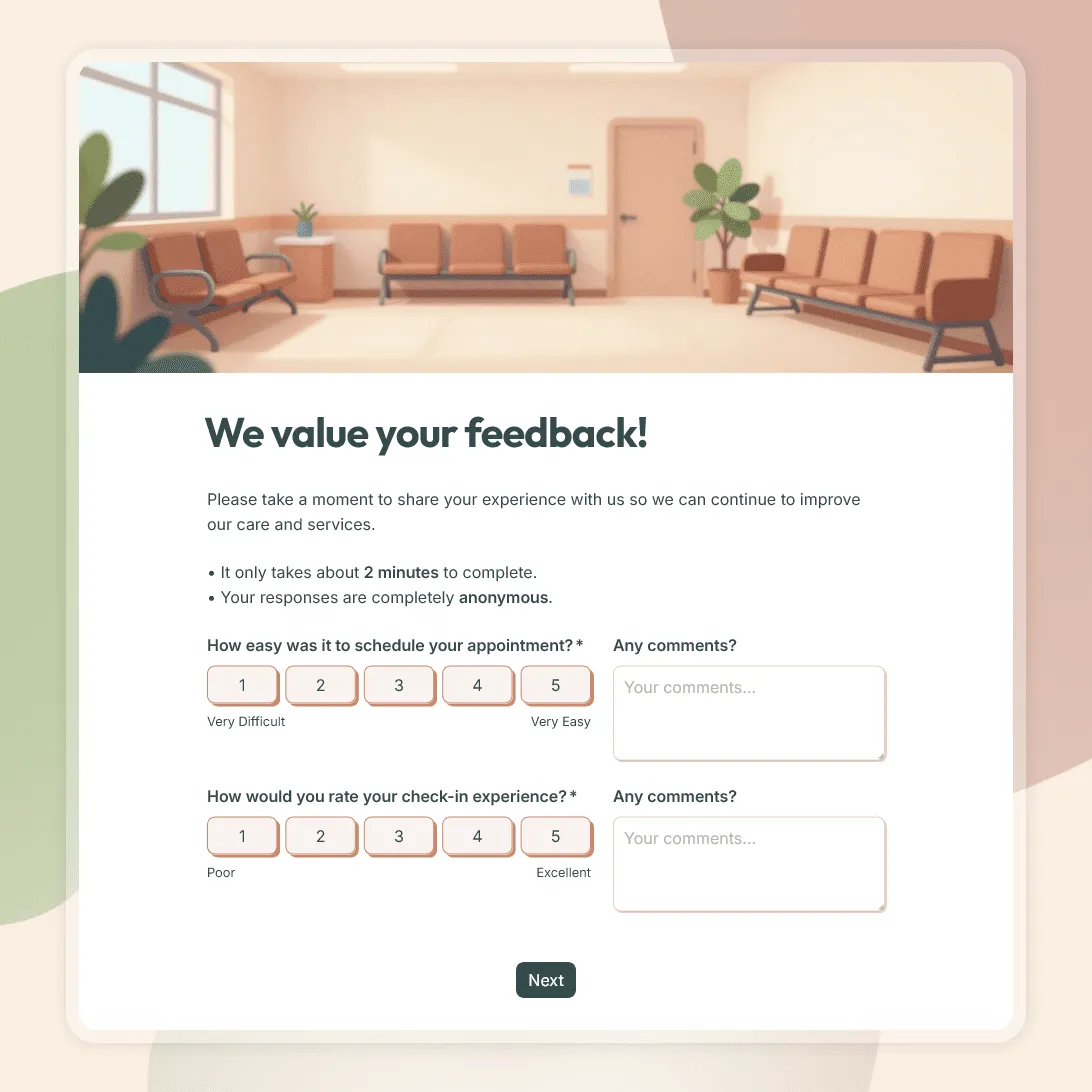
Patient Feedback Form Template
Use this free patient feedback form template to collect feedback on staff, communication, facilities, and overall patient experience.
Need a custom patient feedback form?
Describe the feedback you want to collect, and FormGrid will generate a tailored form for you.
About this patient feedback form template
A patient feedback form helps you understand how people experience your clinic, practice, or care team. Patients can share feedback about booking, check-in, wait times, reception, communication, facilities, follow-up instructions, and overall satisfaction.
This editable patient feedback form template gives you a practical starting point for collecting visit feedback after appointments, consultations, checkups, dental visits, therapy sessions, outpatient visits, and telehealth appointments. You can use it as-is or adjust the questions to match your practice and the type of care you provide.
What this patient feedback form collects
Use this template to collect feedback on the main parts of the patient visit:
- appointment booking
- check-in experience
- wait time
- reception and staff courtesy
- provider communication
- clarity of explanations
- comfort asking questions
- facility cleanliness
- follow-up instructions
- overall satisfaction
- likelihood to recommend
- open comments
- optional contact details
- permission to follow up
Keep the form short for routine visits. Patients are more likely to answer when the form takes only a minute or two.
Patient feedback form questions
This template includes a mix of rating questions and open-ended questions. Rating questions make it easier to compare responses over time. Open-ended questions help you understand the reason behind the score.
Appointment and check-in
- How easy was it to book your appointment?
- Was the appointment time convenient?
- How would you rate the check-in process?
- Were you informed about any delays?
- How long did you wait before being seen?
Staff and communication
- How would you rate the courtesy of the reception team?
- Were staff members helpful and respectful?
- Did the provider listen carefully to your concerns?
- Were explanations clear and easy to understand?
- Did you have enough time to ask questions?
Visit experience
- Did you feel comfortable during your visit?
- Was the facility clean and well organized?
- Were follow-up instructions clear?
- Did you know what to do next after the appointment?
- Was there anything that made the visit harder than expected?
Overall feedback
- Overall, how satisfied were you with your visit?
- How likely are you to recommend this practice to a friend or family member?
- What went well during your visit?
- What could we improve?
- Would you like someone from our team to follow up with you?
How to use this patient feedback form
Send the form soon after the appointment while the visit is still fresh. For most practices, a short email or SMS after checkout works well.
You can also share the form in other places:
- add a QR code at reception or checkout
- include the link in appointment follow-up emails
- send it after telehealth appointments
- place the link or embed the form on your clinic website
- use a tablet at the front desk for quick responses
For routine visit feedback, start with a short version of the form. Ask about booking, wait time, staff communication, provider communication, overall satisfaction, and one open comment field. Add optional email fields or phone fields if you want to follow up with patients about their response. You can also use conditional logic to show the contact fields only when they request a follow-up.
Tips for better patient feedback
A patient feedback form works better when it feels easy to answer. Avoid long question lists unless you are running a more detailed patient experience review.
A few practical tips:
- Ask about one visit, not the entire patient relationship.
- Keep rating scales consistent.
- Put the most important questions first.
- Make name and contact details optional.
- Use plain language.
- Review comments in your dashboard by theme, such as wait time, communication, reception, and follow-up.
- Share useful patterns with the team, especially recurring issues.
If you need to collect sensitive clinical information, use the privacy, consent, and compliance process required for your practice and location.
Related templates and guides
These related pages can help you collect feedback in other contexts:
- How to create a feedback form: for a broader guide to choosing questions, structuring the form, and collecting useful responses.
- New patient registration form template: for collecting patient details, insurance information, medical history, and more.
- Satisfaction survey templates: for more templates built around ratings, NPS, and service feedback.
Patient feedback form FAQs
What should a patient feedback form include?
A patient feedback form should include questions about appointment booking, wait time, staff courtesy, provider communication, clarity of explanations, facility cleanliness, follow-up instructions, overall satisfaction, and open comments. You can also add an optional contact field for patients who want a follow-up.
How long should a patient feedback form be?
For routine visit feedback, keep it to 5 to 8 questions. Ask about the main parts of the visit and include one open comment field. Longer forms can work for occasional patient experience reviews, but they usually get fewer responses.
Should a patient feedback form be anonymous?
Anonymous feedback can make patients more comfortable sharing honest comments. Optional contact details are useful when someone wants a follow-up. A simple setup is to let patients decide whether to leave their name or email address.
When should I send a patient feedback form?
Send it soon after the visit. Many clinics share the form by email or SMS after the appointment. You can also display a QR code at reception, checkout, or on printed follow-up materials.
Can I use this form after telehealth appointments?
Yes. You can add questions about the login process, audio and video quality, privacy, communication, and whether the patient understood the next steps after the appointment.
Can I use this form for a dental practice?
Yes. You can adapt the form for dental visits by asking about appointment booking, comfort during treatment, explanation of treatment options, cost clarity, staff communication, and follow-up instructions.
Can I follow up with patients after they submit feedback?
Yes. Add an optional name, email, or phone field and ask whether the patient is open to being contacted. This is useful when someone reports a problem or asks for a response.
Is this patient feedback form template free?
Yes. This template is free to use. FormGrid also includes unlimited forms and unlimited responses on the free plan, so you can collect patient feedback without response caps.