How to Create a Consultation Form (+ Free Templates)
Consultation forms help you prepare before a client call, appointment, project discussion, or service recommendation. They collect the details you need before the conversation begins, so the actual consultation can focus on advice, fit, scope, and next steps.
The right structure depends on the service. A business consultant may need company goals, current challenges, decision makers, and budget range. A salon may need service history, allergies, photos, and styling goals. A florist may need the wedding date, venue, color palette, and inspiration images.
This guide walks through how to create a consultation form, what questions to include, and how to choose the right consultation form template for your workflow.
What is a consultation form?
A consultation form is a form clients fill out before a call, appointment, meeting, or service. It helps the person providing the consultation understand the client’s needs, background, goals, constraints, preferences, and any details that should be reviewed in advance.
Here is an example of a consultation form created in FormGrid:
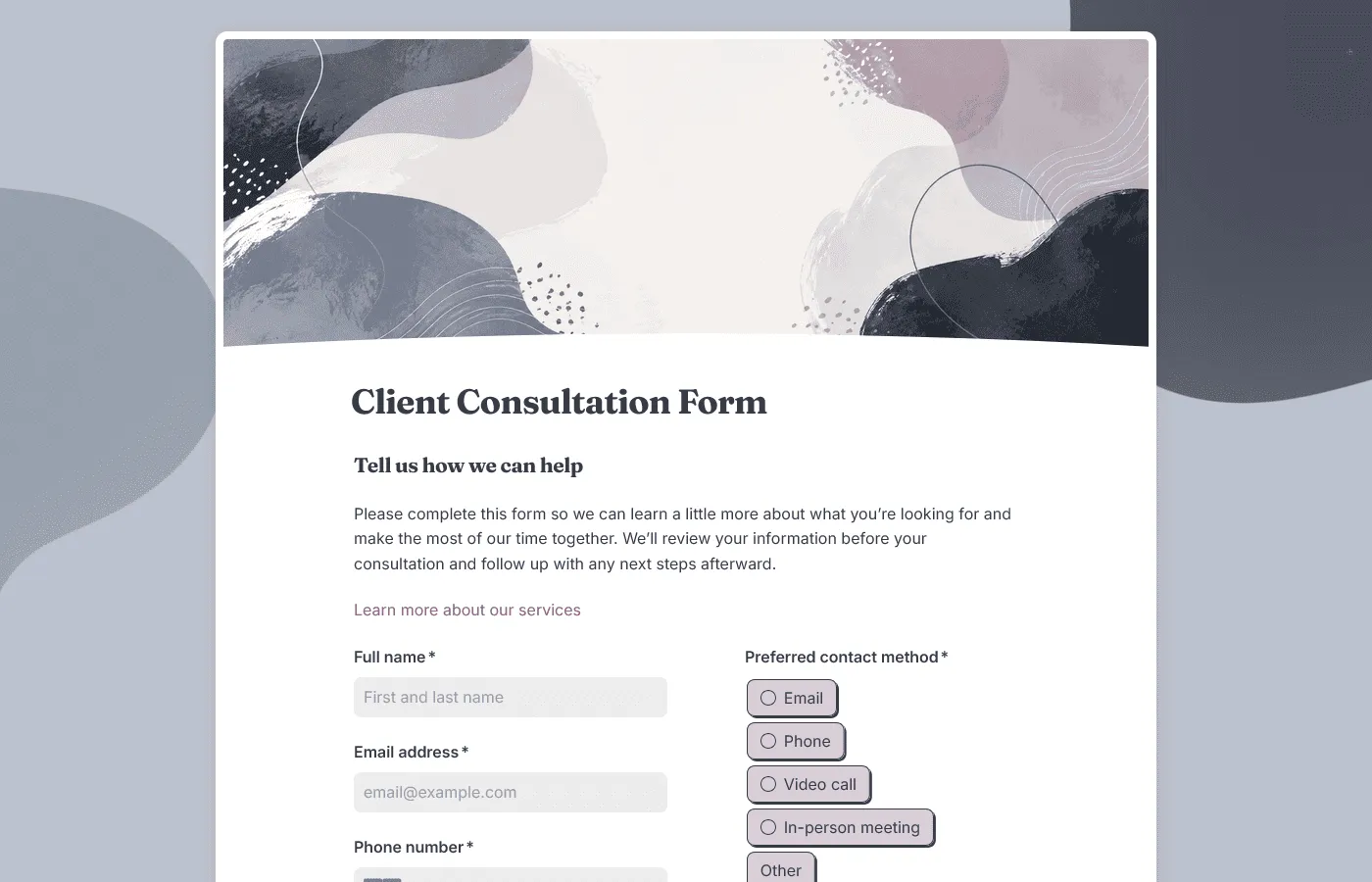
Consultation forms are commonly used by consultants, agencies, coaches, salons, beauty professionals, wellness providers, florists, lawyers, accountants, designers, photographers, event vendors, and other service-based businesses.
A consultation form can be used before:
- Discovery calls
- Paid consultations
- Project discussions
- Strategy sessions
- Salon appointments
- Wedding vendor consultations
- Coaching sessions
- Service recommendations
- Quotes or proposals
- Client onboarding
How to create a consultation form in 7 steps
Most consultation forms follow the same basic setup, even when the questions change by industry. In FormGrid, you can start with a consultation form template, build from a blank form, or describe the form you need and let the AI chat create a first draft.
1. Decide what the consultation needs to accomplish
Before adding questions, get clear on what the form should help you do.
Ask yourself:
- Is this form for a first inquiry, a booked consultation, or an existing client?
- Do I need to qualify the client before the call?
- Do I need to prepare advice, pricing, recommendations, or a proposal?
- Should the consultation be confirmed automatically, or reviewed first?
- Are there safety, policy, consent, or file-upload requirements?
- What would I normally ask during the first 10 minutes of the call?
The form should collect enough information to prepare for the next step. It should not make the client complete the whole consultation in writing.
2. Choose the fastest starting point
Pick the option that gets you closest to the form you need.
Start with a template when your consultation matches a common workflow. You can use a client consultation form template, business consultation form template, or another template from the consultation form templates collection.
Use the AI chat when your process is more specific. For example, you could write:
Create a consultation form for a small branding studio. Ask about the client’s business, current brand, project goals, timeline, budget range, competitors, design preferences, files or links to review, and whether they are ready to book a discovery call. Show different follow-up questions for logo design, website design, and full rebrand projects.
Start from a blank form when you already know the exact structure, questions, and order you want.
3. Add a clear title and short description
Start with a title that makes the purpose obvious.
Examples:
- Client Consultation Request
- Business Strategy Consultation
- New Hair Client Consultation
- Wedding Flower Consultation
- Free Discovery Call Form
Then add a short description explaining what the form is for and what happens after submission.
For example:
Tell us a little about your project before the consultation. We’ll review your answers and follow up with the next step.
Or:
Please complete this form before your appointment so your stylist can review your hair goals, history, and inspiration photos in advance.
That way, clients know why the form matters before they start filling it out.
4. Collect the client details you need to follow up
Most consultation forms need a few contact fields:
- Name
- Email address
- Phone number
- Company or organization, if relevant
- Website or social profile, if useful
- Preferred contact method
- Best time to follow up
For business consultations, you may also want company size, industry, role, or decision-maker details.
For appointment-based services, you may need appointment date, preferred location, booking reference, or the staff member they are seeing.
5. Ask what they want help with
This is the core of the form. The client should have room to explain what they need in their own words.
Good questions include:
- What would you like help with?
- What prompted you to request a consultation?
- What are you hoping to get out of the consultation?
- What is the main problem or question you want to discuss?
- Is there anything you want us to review before we meet?
For service businesses, this question is often more useful than a long checklist. It gives the client space to describe the request in their own language.
6. Add service-specific questions and files
The next questions should depend on the type of consultation.
For example:
- A business consultation form might ask about growth goals, current challenges, business stage, decision makers, and priority areas.
- A hair consultation form might ask about color history, allergies, scalp sensitivity, current hair photos, and inspiration images.
- A wedding flower consultation form might ask about the wedding date, venue, color palette, budget range, and must-have arrangements.
Do not make every client answer the same detailed questions. Use conditional logic so each person sees the questions that match their service, appointment type, or request.
In FormGrid, the AI chat can create those paths for you. For example:
Show hair color history questions only if the client selects color or corrective color.
If clients need to share photos, documents, reports, screenshots, mood boards, or briefs, add a file upload field. For websites, dashboards, shared folders, Pinterest boards, or online documents, a link field may be easier.
7. Set expectations, publish, and review responses
End the form with a clear next step. Use a custom end page to explain whether:
- The consultation is confirmed
- Your team will review the request first
- The client should book a time
- Payment is required
- Someone will reply within a specific timeframe
- They should prepare anything before the call
- They should wait for an email with next steps
You can also add a send email block to send a confirmation email automatically. That email can include a booking link, preparation notes, response time, payment instructions, or contact details.
When the form is ready, publish it and share the link. You can add it to your website, booking flow, service page, client portal, or landing page with an embed code.
As consultation requests come in, they will show up in the response table. You can export responses when you want to prepare call notes, share requests with a team, or keep a separate record.
What should a consultation form include?
The exact fields depend on your service, but most consultation forms include a mix of client details, goals, background, service-specific questions, and next-step information.
Client information
Start with the basic details you need to follow up.
Common fields:
- Full name
- Email address
- Phone number
- Company or organization
- Website
- Location or time zone
- Preferred contact method
For B2B services, add role, company size, industry, or decision-maker details if they affect the consultation.
Consultation details
Ask what the consultation is about.
Useful questions:
- What type of consultation do you need?
- What would you like to discuss?
- What is the main goal for the consultation?
- What question do you most want answered?
- Is this urgent?
- Have you worked with us before?
If you offer several services, use a multiple choice field so responses are easier to review and route.
Background and context
This section helps you prepare before the call.
Depending on the service, you might ask:
- What have you already tried?
- What is working well right now?
- What is not working?
- What changed recently?
- What outcome would make this consultation useful?
- Are there any constraints we should know about?
- Who else is involved in the decision?
Keep this section focused. A few strong questions are better than a long intake questionnaire.
Budget, timeline, or scope
Budget and timeline questions are useful when they affect fit, pricing, recommendations, or scheduling.
You can ask:
- Do you have a target timeline?
- Is there a deadline we should know about?
- Do you have a budget range in mind?
- Are you looking for a one-time consultation or ongoing support?
- Are you ready to move forward, or are you still exploring options?
A budget range usually feels easier to answer than an exact number. Add a short note explaining why you are asking.
Consent, policies, and follow-up
Some consultation forms need a short agreement before submission.
This might include:
- Consent to be contacted
- Agreement to consultation terms
- Privacy acknowledgment
- Cancellation policy
- Patch test note
- Health or allergy acknowledgment
- Minimum spend note
- Retainer or proposal timeline
- Permission to review submitted materials
For legal, medical, financial, beauty, wellness, or treatment-related services, use wording that fits your process and get professional advice where needed.
Free consultation form templates
These consultation form templates can give you a faster starting point when you already know the type of consultation you need.
Client consultation form template
Use our client consultation form template for general-purpose consultations, discovery calls, service recommendations, project discussions, and client follow-up. It works well when you need a flexible form that can fit many service types: consulting, coaching, design, marketing, legal, accounting, wellness, photography, and other client-facing work.
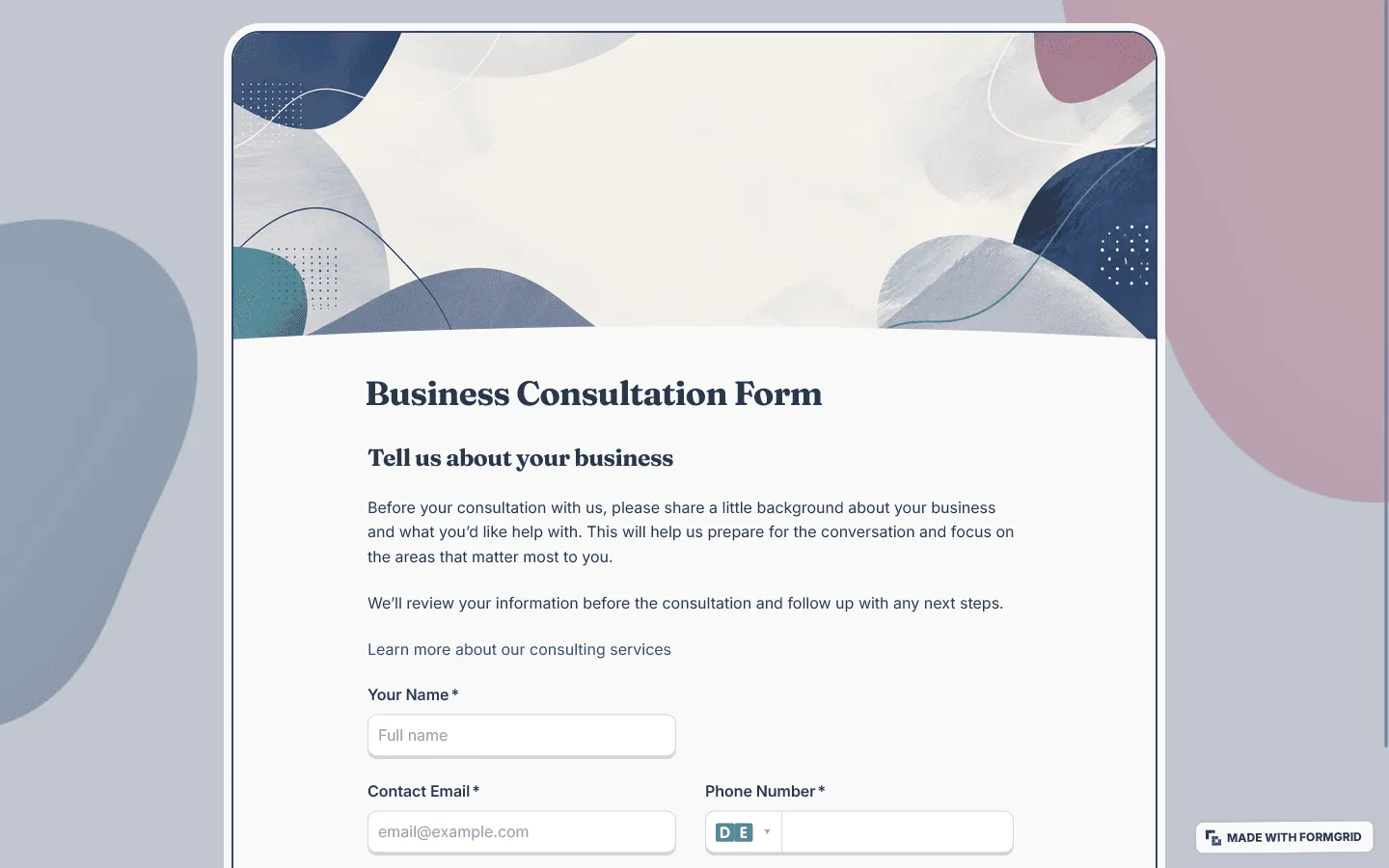
Business consultation form template
This business consultation form template is built for strategy calls, growth audits, advisory sessions, operations reviews, sales discussions, marketing consultations, and proposal conversations. It asks about the company, business stage, current challenge, goals, decision makers, timeline, and materials to review before the call.
Salon consultation form template
Use this salon consultation form template before hair, beauty, or personal care appointments. It helps salons collect service goals, client history, allergies, preferences, appointment notes, and anything the stylist or provider should review first.
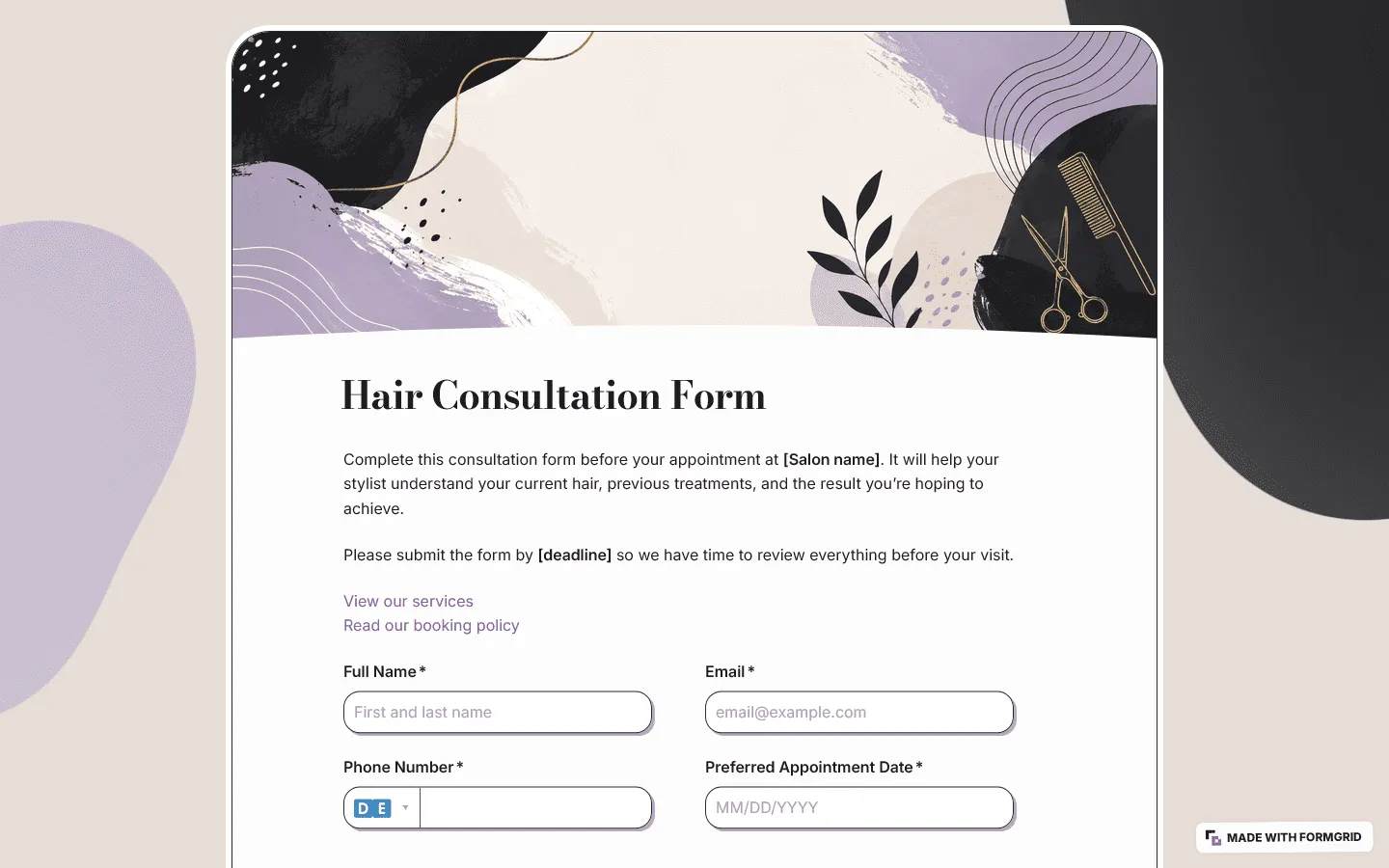
Hair consultation form template
Our hair consultation form template is more specific to haircuts, color, balayage, highlights, corrective color, extensions, treatments, and first-time hair clients. It includes questions about hair goals, color history, scalp concerns, allergies, product use, current hair photos, and inspiration images.
Spa consultation form template
Use this spa consultation form template before facials, massage appointments, body treatments, waxing, skincare consultations, and first-time spa visits. It helps you collect treatment goals, service preferences, allergies, sensitivities, recent treatments, health notes, consent, and anything the therapist or esthetician should review before the appointment.
Personal trainer consultation form template
Use this personal trainer consultation form template before a discovery call, trial session, gym consultation, or online coaching consultation. It helps trainers learn about a prospective client’s fitness goals, current activity, training experience, exercise preferences, availability, and any injuries or limitations they want to discuss before getting started.
Wedding flower consultation form template
Florists can use this wedding flower consultation form template to collect wedding date, venue, color palette, floral style, budget range, ceremony needs, reception flowers, personal flowers, and inspiration photos before the first design conversation. It works for full-service floral design, smaller wedding orders, elopements, rehearsal dinners, bridal showers, and venue walk-through preparation.
How to create a consultation form in Google Forms
Google Forms can work for a simple consultation form, especially if you only need basic questions and a shareable link.
Here is the basic process:
- Go to Google Forms and create a blank form.
- Add a title and short description.
- Add client contact fields.
- Add consultation questions.
- Add any service-specific sections.
- Update the confirmation message.
- Test the form.
- Copy the responder link and share it.
Google Forms is fine for a simple internal form or one-time request. For public consultation forms, service pages, appointment workflows, and more polished client experiences, a dedicated form builder gives you more control over design, layout, follow-up logic, and how the form appears on your website.
Consultation form question examples
Here are question examples you can adapt for different types of consultation forms.
General client consultation questions
- What would you like help with?
- What prompted you to request a consultation?
- What are you hoping to get out of the consultation?
- Have you worked with us before?
- What have you already tried?
- Is there anything we should review before the call?
- What questions do you want to make sure we cover?
- What is your ideal next step after the consultation?
Business consultation questions
- What does your business do?
- What is the main business challenge you want to discuss?
- What changed recently that made this a priority?
- What goal are you working toward?
- Which area do you need help with: strategy, marketing, sales, operations, finance, or growth?
- Who is involved in the decision?
- Do you have a timeline or deadline?
- Are there any reports, decks, links, or documents we should review?
Salon and hair consultation questions
- What service are you interested in?
- What are your hair or beauty goals for this appointment?
- Have you had this service before?
- Do you have any allergies, sensitivities, or reactions we should know about?
- What products do you currently use?
- Have you had color, bleach, chemical treatments, or extensions recently?
- Can you upload current photos and inspiration photos?
- Is there anything you want to avoid?
Wedding flower consultation questions
- What is your wedding date?
- Where is the venue?
- What floral style are you drawn to?
- What colors are you using?
- Which floral pieces are most important to you?
- Do you need ceremony flowers, reception flowers, personal flowers, installations, or rentals?
- Are there any flowers, colors, scents, or styles you want to avoid?
- Can you upload inspiration photos or mood boards?
- Do you have a budget range in mind?
Common mistakes when creating a consultation form
Asking too much before trust is built
A first consultation form should not feel like a full onboarding packet. Ask for the context needed before the call. Save deeper questions for later when the client has decided to move forward.
Using one form for every service
A single broad form can work when the consultation types are similar. If your services are very different, use conditional logic or separate templates so clients only see the questions that apply to them.
Making every question required
Required questions can prevent missing details, but too many required fields make the form harder to finish. Make only the essential fields required. Leave sensitive, complex, or optional context questions open.
Asking vague open-ended questions
Questions like “Tell us about your needs” can be hard to answer. Give the client a clearer starting point, such as “What is the main issue you want to discuss during the consultation?”
Forgetting the confirmation message
After submitting the form, the client should know what happens next. Tell them whether the consultation is confirmed, whether you will review the request first, when they can expect a reply, or whether they should book a time.
Skipping a mobile test
Many clients will open a consultation form from an email, booking text, Instagram message, or website link on their phone. Fill out the form on mobile before sharing it publicly.
Consultation form FAQs
What should a consultation form include?
A consultation form should usually include client contact details, the reason for the consultation, service type, goals, background information, timeline, budget range if relevant, files or links to review, consent or policy notes, and a clear next step after submission.
How long should a consultation form be?
For a first consultation, keep the form short enough to finish in a few minutes. Ask for the details you need before the next conversation, then save deeper questions for the consultation itself or a later intake step.
What is the difference between a consultation form and an intake form?
A consultation form is usually used before a specific conversation, appointment, or recommendation. An intake form is often used when someone is entering a full client, patient, or onboarding process. They can overlap, but the consultation form is usually lighter and more focused on preparing for the first conversation.
Can I use the same consultation form for different services?
Yes, if the services need similar information. If the follow-up questions change by service type, use conditional logic so clients only see the questions that apply to their request. You can ask the AI chat to add or change those branches for you.
Should I send a consultation form before or after someone books?
It depends on your process. Send it before booking if you need to qualify the request first. Send it after booking if the consultation is already confirmed and you only need background details before the meeting.
Can clients upload files or photos?
Yes. In FormGrid, you can add a file upload field so clients can attach documents, screenshots, reports, photos, inspiration images, or other materials before the consultation.
Can I send an automatic confirmation email?
Yes. Add a send email block to confirm that the form was submitted. The email can include a booking link, preparation notes, response time, payment details, or contact information.
Can I embed a consultation form on my website?
Yes. After publishing, you can embed the form on a service page, consultation page, booking page, contact page, or client portal with an embed code. You can also share the direct link in emails, texts, social profiles, or booking messages.
Is FormGrid free for consultation forms?
Yes. You can create consultation forms and collect unlimited responses on the free plan.