10 Best Wufoo Alternatives in 2026 (Free & Paid)
Wufoo was one of the first drag-and-drop form builders to make online data collection easy. For a long time, it was the default choice for anyone who needed a contact form, a registration page, or a simple payment request.
But the web has changed, and Wufoo has not changed much with it. The interface looks dated, the forms feel rigid, and the pricing structure (which limits even paid plans to a low number of submissions) often forces growing businesses to upgrade prematurely.
That is why so many people are looking for Wufoo alternatives.
We tested the best form builders on the market to find the tools that offer better design, smarter logic, and more value than Wufoo.
Wufoo alternatives: Quick summary
If you want the short version, this table compares the top Wufoo competitors based on best use case, pricing, and free plan limits:
| Wufoo alternative | Best Wufoo replacement for | Free plan | Starting price |
|---|---|---|---|
| FormGrid | Visually unique, modern design | Available | $29/month |
| Jotform | Feature-heavy business forms | Available | $34/month |
| Typeform | Conversational experience | Available | $29/month |
| Google Forms | Simple, free internal forms | Available | Free |
| Cognito Forms | Complex logic and calculations | Available | $19/month |
| Paperform | Payment and content-heavy forms | Available | $24/month |
| Formstack | Enterprise workflows | Not available | $83/month |
| Formsite | Secure data collection | Not available | $24.95/month |
| Zoho Forms | Zoho ecosystem integration | Available | $10/month |
| Microsoft Forms | Microsoft 365 users | Available | $9.99/month |
What is Wufoo?
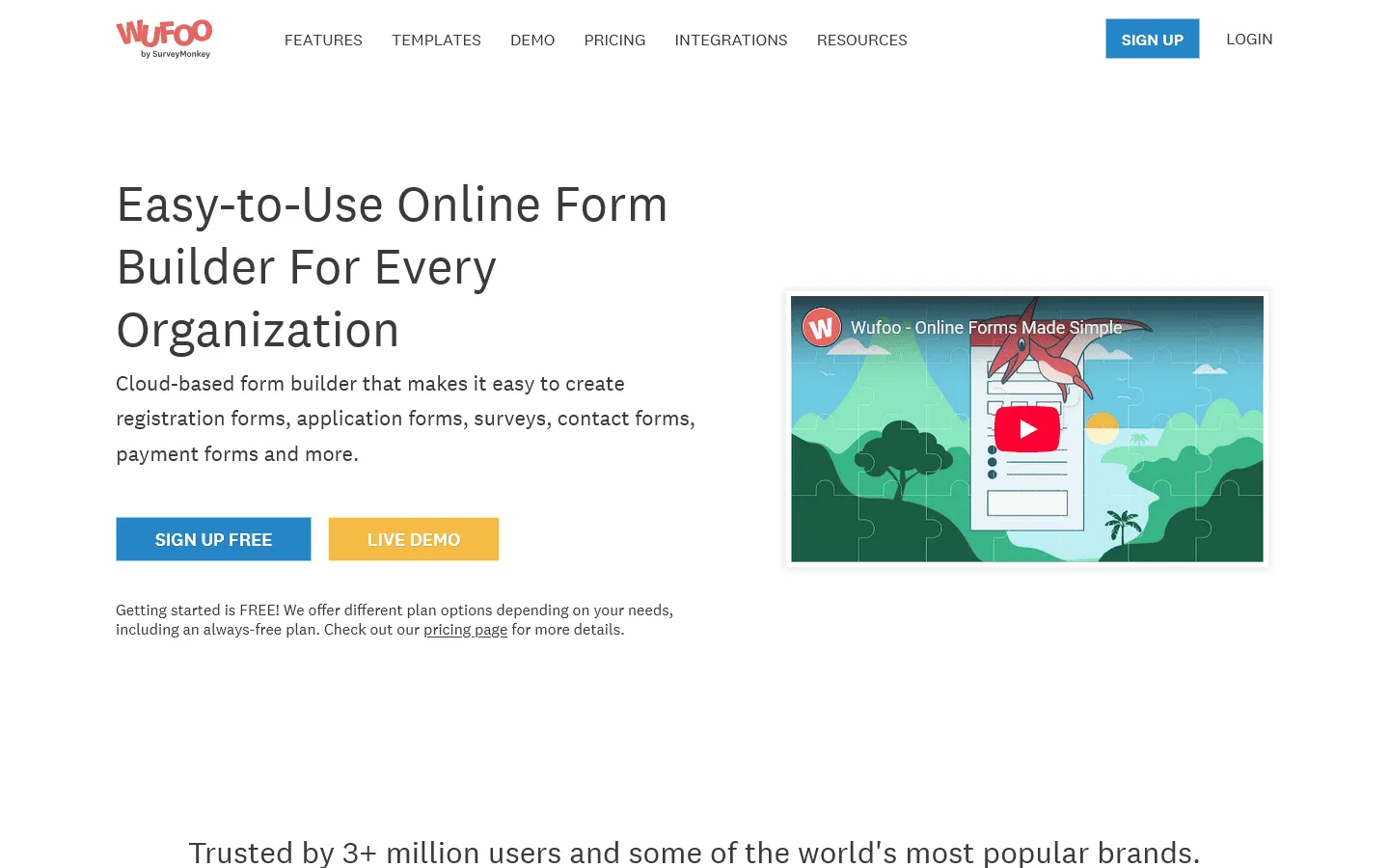 Wufoo is a cloud-based form builder owned by SurveyMonkey. It is known for its quirky branding and straightforward, no-nonsense interface. It allows users to build contact forms, surveys, and event registrations without writing code.
It supports payments, file uploads, and conditional logic, making it a reliable option for basic needs. However, its design engine is based on older web standards, meaning standard forms often look like they belong in the early 2010s unless you know how to write custom CSS.
Why look for a Wufoo alternative?
Most people switch away from Wufoo for one of three reasons: design, limits, or price.
Design feels outdated
Wufoo forms have a distinct, older look. While you can change colors and fonts, the structure is rigid. It is hard to make a Wufoo form look like it naturally belongs on a modern website. If you value brand presentation, this is usually the first dealbreaker.
Strict submission limits
Unlike many modern tools that offer generous submission limits, Wufoo’s plans are capped relatively low. Even efficient teams often find themselves bumping against entry limits on mid-tier plans, forcing an expensive upgrade just to keep accepting responses.
Clunky interface
The form builder works, but it lacks the speed and intuition of newer tools. Dragging elements, setting up logic, and adjusting settings takes more clicks and feels heavier than in modern, document-style editors or visual canvases.
10 best Wufoo alternatives and competitors
1. FormGrid
 FormGrid is the best free design-focused Wufoo alternative. If your main reason for leaving Wufoo is that your forms look like they were built in 2010, this is the fix. Unlike Wufoo’s rigid, single-column layout, FormGrid lets you build modern, branded forms that fit well on any website. You can adjust column widths, spacing, and layout directly in the editor, something Wufoo simply cannot do without custom CSS.
It also solves Wufoo’s pricing problem. Wufoo limits responses even on paid plans, which punishes you for growing. FormGrid gives you unlimited forms and responses for free, making it a much more scalable choice for businesses. You will never hit a “submission limit” wall that forces an expensive upgrade.
The editor uses a modern, document-style interface where you can type questions and drag blocks around freely. Compared to Wufoo’s sidebar-heavy, multi-click interface, it’s more accessible and user-friendly.
You can start from scratch or generate a complete form for free from a short prompt, including the structure, content, and visual theme.

Key features
- Flexible grid layout for custom designs
- Unlimited forms and responses for free
- AI-aided form generation
- Modern, responsive themes
- Easy embedding on any website
Pros
- Beautiful, modern designs out of the box
- Completely free for unlimited use
- Intuitive, fast editor
Cons
- Fewer native integrations than legacy tools
- No dedicated mobile app
FormGrid pricing
- Free: Unlimited forms and responses, access to all core features
- Plus ($29/month): Collaboration, remove FormGrid branding, version history
- Business ($79/month): User roles and permissions, advanced link settings
Why choose FormGrid over Wufoo?
Switch to FormGrid if you want your forms to look better and cost less. It solves the “outdated design” problem of Wufoo instantly, and the unlimited free plan solves the pricing problem.
2. Jotform
 Jotform is the alternative to choose if Wufoo feels too simple for your needs. It is the most feature-rich builder on the market, offering thousands of templates that go far beyond Wufoo’s basic capabilities. While Wufoo has stayed relatively the same for years, Jotform has aggressively added features like app building, store builders, and approval workflows.
Where Wufoo stops at simple data collection, Jotform keeps going. It handles complex payment flows, generates PDFs from submissions, creates mobile apps, and even offers HIPAA compliance on accessible plans. The drag-and-drop builder is more visual than Wufoo’s, making it easier to manage complex forms.
Jotform also has a large ecosystem of widgets. Need to take a photo, scan a barcode, or collect a signature? There is a widget for that. Wufoo relies heavily on basic field types, whereas Jotform allows you to enhance your form with interactive elements that act almost like mini-applications.
If you want to explore more options similar to this powerful builder, check out our guide to Jotform alternatives.
Key features
- Library of over 10,000 form templates
- Native electronic signature and PDF tools
- Integration with over 30 payment gateways
- HIPAA-compliant options
- Smart PDF forms
Pros
- Feature-rich
- Large ecosystem of integrations
- Very flexible design options
Cons
- Can feel like too much for simple forms
- Free plan has Jotform branding and limits
Jotform pricing
- Free: 5 forms, 100 responses/month
- Bronze ($34/month): 25 forms, 1,000 responses/month, no branding
- Silver ($39/month): 50 forms, 2,500 responses/month, more storage and integrations
- Gold ($99/month): 100 forms, 10,000 responses/month, HIPAA, priority support
- Enterprise (custom pricing): Unlimited usage, SSO, SLA
Why choose Jotform over Wufoo?
Choose Jotform if you need power. If you need to collect signatures, generate PDFs, or accept payments through specific gateways that Wufoo doesn’t support, Jotform is the upgrade you need.
3. Typeform
 Typeform replaces Wufoo’s static, long-scrolling forms with a conversational experience. Instead of confronting users with a wall of questions, it shows one question at a time. This feels more like a chat than a form, which often leads to higher completion rates, especially on mobile devices where scrolling through a long Wufoo form can be tedious.
If you are switching from Wufoo because your conversion rates are low, Typeform is a good choice. Its sleek, premium design makes Wufoo look utilitarian by comparison. It is excellent for surveys and lead capture where keeping the user engaged is the top priority. The interface is specifically designed to be “human” and approachable.
Feature-wise, Typeform focuses heavily on logic and flow. You can create different paths for users based on their answers, essentially creating a “choose your own adventure” experience. While Wufoo has basic rule functionality, Typeform’s visual logic map makes it much easier to build and understand complex flows.
If the conversational style appeals to you but the price is too high, you might want to look at other Typeform alternatives.
Key features
- Conversational, one-question-at-a-time interface
- Built-in video and image support
- Logic branching that feels intuitive
- Clean analytics and summary reports
- High-end templates
Pros
- Beautiful, engaging user experience
- Great for mobile users
- Good brand impression
Cons
- Expensive compared to traditional builders
- “One-at-a-time” format isn’t good for data entry
Typeform pricing
- Free: 10 responses/month, limited features
- Basic ($29/month): 100 responses/month, basic integrations
- Plus ($59/month): 1,000 responses/month, more logic, branding options, and integrations
- Business ($99/month): 10,000 responses/month, team features, advanced analytics, priority support
- Enterprise (custom pricing): Custom limits, SSO, custom domains, HIPAA compliance
Why choose Typeform over Wufoo?
Pick Typeform if experience is your priority. If you are losing leads because your Wufoo form looks long and boring, Typeform’s conversational style can help fix that conversion drop-off.
4. Google Forms
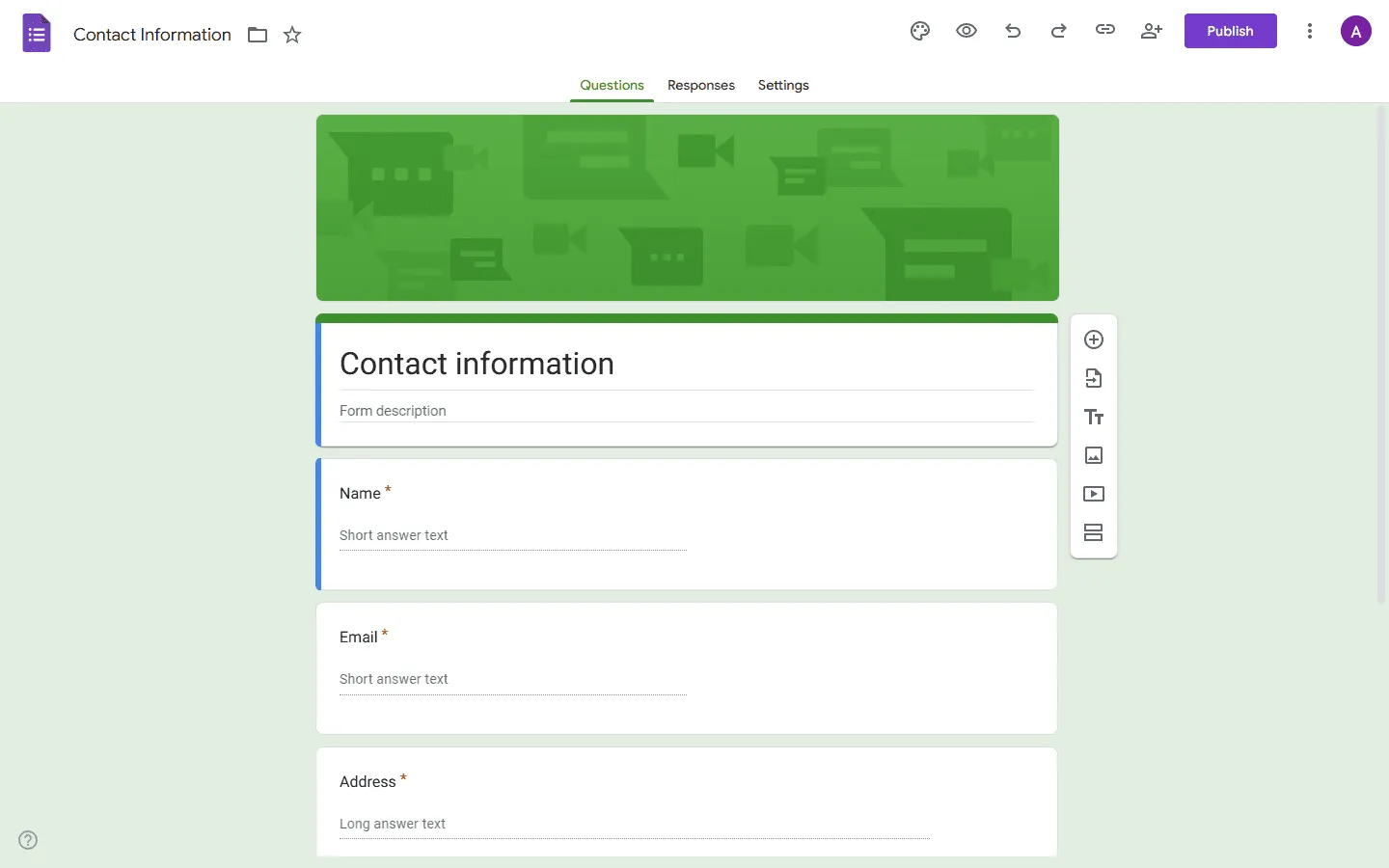 Google Forms is the best alternative if you want to stop paying for Wufoo. It is completely free, with no limits on forms or responses. If you are tired of hitting Wufoo’s submission caps or paying for a plan just to collect basic data, Google Forms is the solution. For internal teams or student projects, paying for Wufoo rarely makes sense when Google Forms exists.
It lacks Wufoo’s payment features and themes, but it is very reliable. The direct integration with Google Sheets is even tighter than Wufoo’s, making it perfect for internal data collection, RSVPs, and quick surveys where value matters more than looks. All data arrives in real-time in a spreadsheet you already know how to use.
While design options are limited to changing a header image and a color, the simplicity is often a benefit. You don’t need to learn a new interface or manage another login. It’s just there, in your Google Drive, ready to go.
If you are considering this free option but want to see what else compares, read our full list of Google Forms alternatives.
Key features
- 100% free with no usage limits
- Real-time collaboration on form building
- Instant export to Google Sheets
- Simple drag-and-drop interface
- Built-in quizzes and grading
Pros
- Completely free
- No learning curve
- Deeply integrated with Google Workspace
Cons
- Very limited design customization
- No payment processing
- Limited logic capabilities
Google Forms pricing
- Free: Unlimited usage
Why choose Google Forms over Wufoo?
Switch to Google Forms if you just want to collect data without paying a monthly fee. If you don’t need payments or fancy branding, it does the job well for $0.
5. Cognito Forms
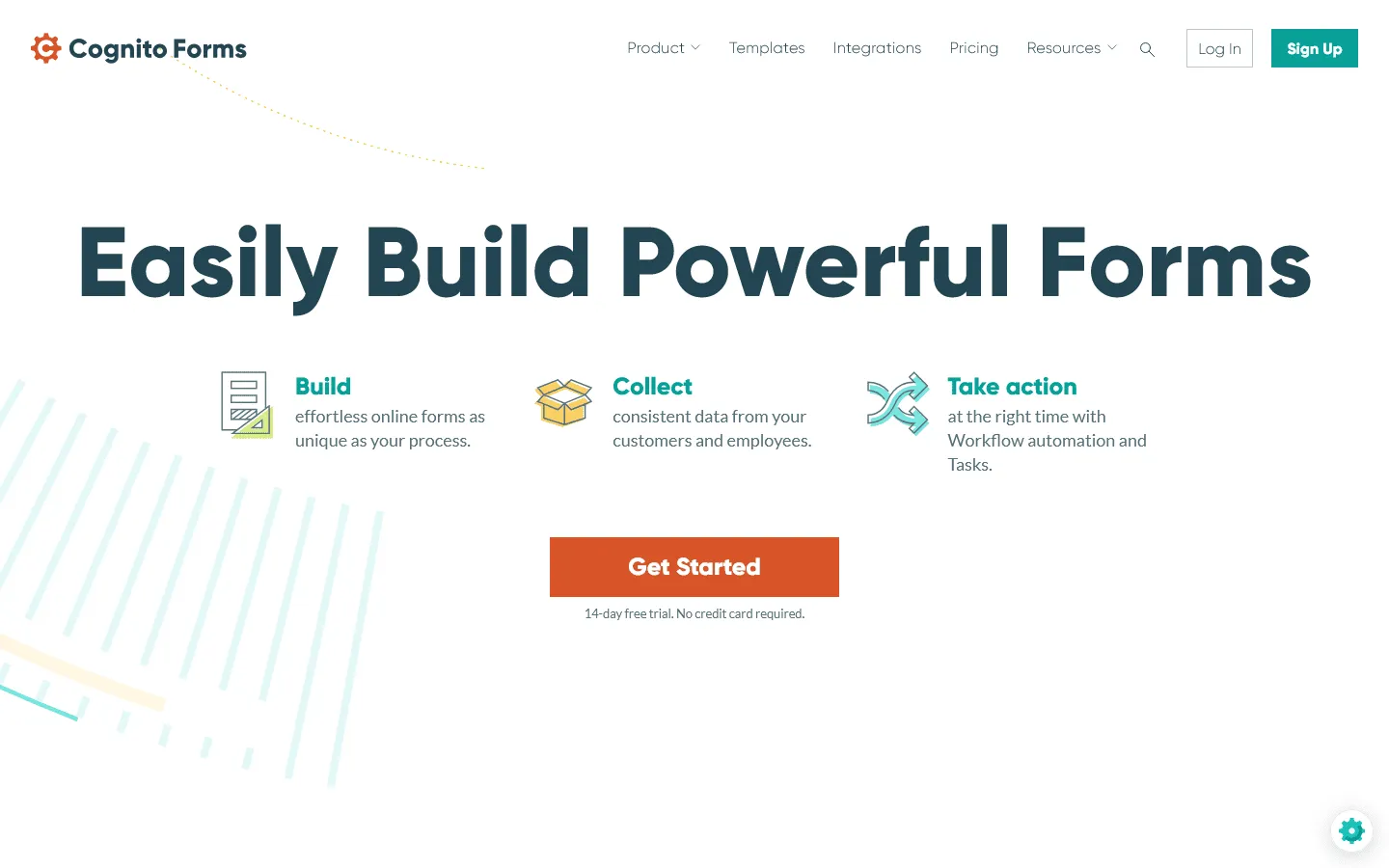 Cognito Forms is the tool to pick if Wufoo’s logic capabilities are holding you back. It is arguably the most powerful builder for calculations and conditional rules. If you need to calculate totals, apply taxes, or show specific fields based on complex criteria, Cognito handles it effortlessly. Wufoo’s logic is functional, but Cognito’s is considerably more capable.
It is also more developer-friendly than Wufoo. You can build powerful registration systems and payment forms (via Stripe, Square, PayPal) without writing code. If Wufoo feels too “basic” for your business logic, Cognito Forms removes those ceiling limits. You can perform actual math on fields, combine text strings, and more.
Another major advantage is the “repeating section” feature. In Wufoo, if you want to collect details for multiple attendees, you have to duplicate fields manually. In Cognito, users can just click “Add Another” to fill out the same set of fields as many times as they need.
If you are evaluating this level of complexity, you might also want to read our guide to other tools like Cognito Forms.
Key features
- Advanced conditional logic and calculations
- Repeating sections for collecting lists of data
- Save and resume functionality
- Document generation
- Payment processing
Pros
- Excellent for complex calculations
- Very capable free plan
- Highly secure
Cons
- Interface is functional but not stylish
- Can be complex to set up initially
Cognito Forms pricing
- Free: 100 responses/month
- Pro ($19/month): 2,000 responses/month, no branding
- Team ($39/month): 10,000 responses/month, shared ownership
- Enterprise ($129/month): Unlimited responses, advanced security, HIPAA compliance
Why choose Cognito Forms over Wufoo?
Choose Cognito Forms if your form needs to do math. If you are building an order form, a registration system, or a calculator, Cognito’s logic engine is much more capable than Wufoo’s.
6. Paperform
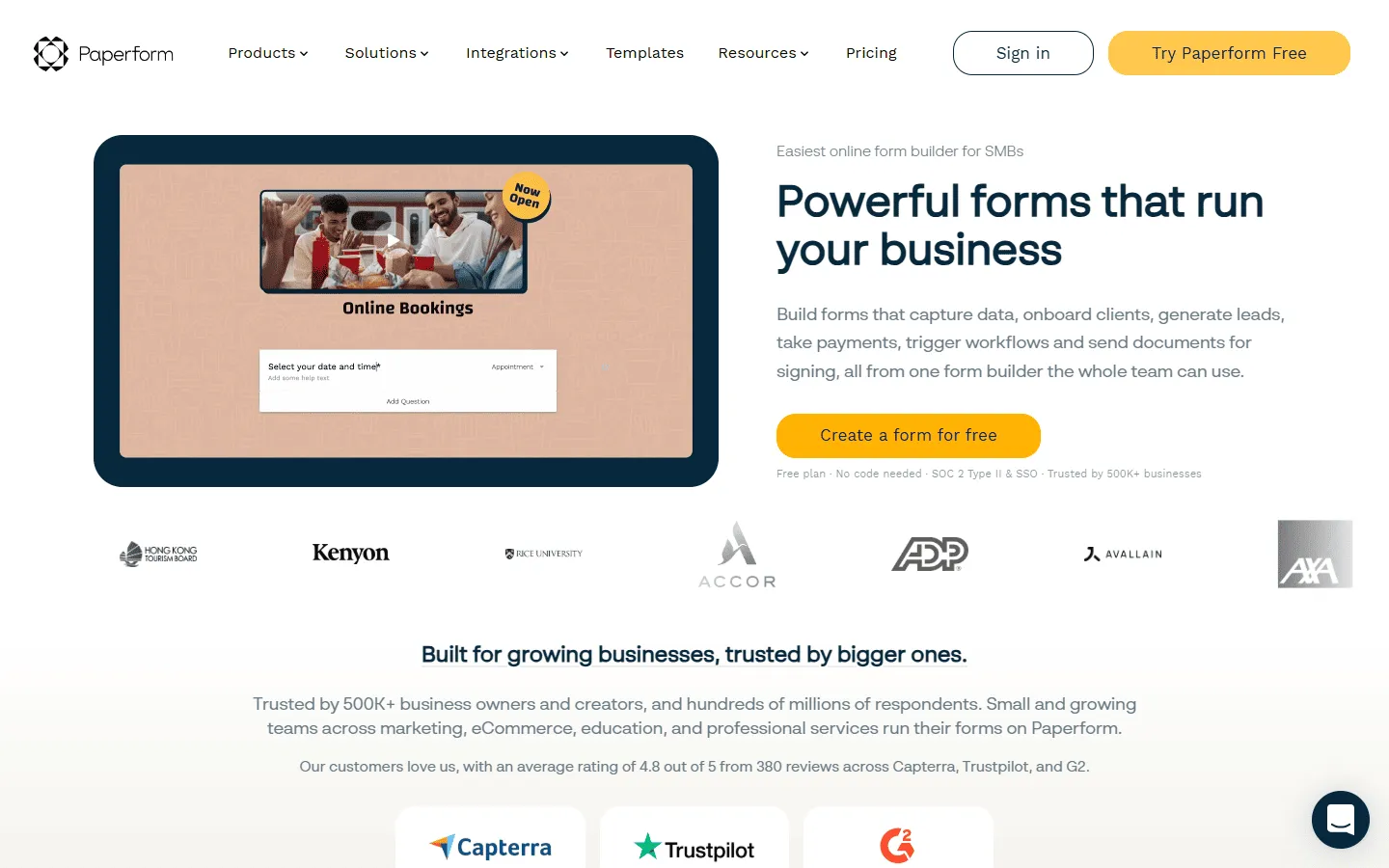 Paperform is the alternative for when a form needs to do more than just ask questions. It combines a form builder with a landing page builder. Unlike Wufoo’s standalone forms, Paperform lets you add rich text, images, and video to tell a story or explain a product before the user types a single word. It feels like writing a Medium article that happens to have questions in it.
This makes it a better fit than Wufoo for selling products, services, or tickets. Wufoo forms look like administrative paperwork; Paperform looks like a professional storefront. If you are using Wufoo for payments, switching to Paperform is an instant upgrade for your brand. You can sell physical products, digital files, or subscriptions with a checkout experience that inspires confidence.
Paperform also includes built-in booking and appointment scheduling. Wufoo can collect a date and time, but it cannot check your calendar availability or handle conflicting bookings. Paperform can, making it a complete solution for service businesses.
For a deeper dive into tools that prioritize design and landing pages, our list of Paperform alternatives covers similar options.
Key features
- Doc-style editor with rich media support
- Built-in appointments and booking
- Custom pricing and calculations
- Distinct “landing page” feel
- Automated emails and PDF receipts
Pros
- Polished designs
- Great for e-commerce and bookings
- Easy to use editor
Cons
- Very limited free plan
- Can be overkill for simple contact forms
Paperform pricing
- Free: 30 responses/month
- Essentials ($24/month): 1,200 responses/year
- Pro ($49/month): 12,000 responses/year, custom CSS, custom form links
- Business ($99/month): Unlimited forms, 120,000 responses/year, SSO
Why choose Paperform over Wufoo?
Switch to Paperform if you are selling something. Wufoo’s payment forms look like invoices; Paperform’s look like product pages. The difference in conversion rate can be significant.
7. Formstack
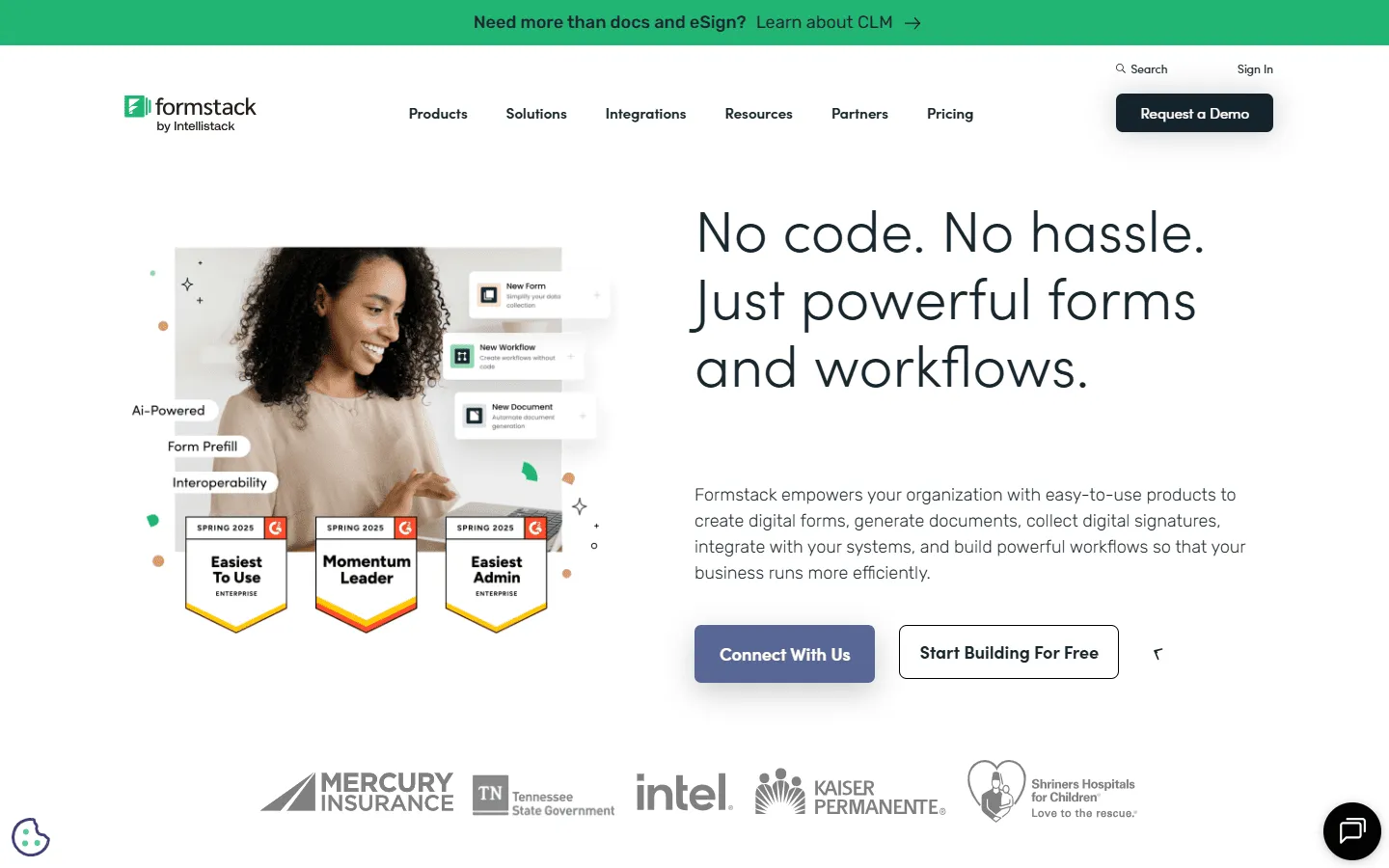 Formstack is the choice for teams that need enterprise-grade workflows. If you have outgrown Wufoo because it cannot handle HIPAA compliance, document generation, or complex approval routes, Formstack is the natural next step. It is built for regulated industries like healthcare and finance where data security is non-negotiable.
It focuses on what happens after the form is filled. Submissions can trigger document creation, digital signatures, and secure data routing. While Wufoo is a form builder, Formstack is a platform for automating business processes in regulated industries. You can set up a form so that a submission is automatically turned into a PDF, emailed to a manager for approval, and then saved to a secure server.
The analytics and A/B testing features are also much more capable than Wufoo’s. You can test two versions of a form against each other to see which one converts better, giving you data-backed insights into how to improve your forms.
If you need enterprise features but want to see who else competes in this space, our guide to Formstack alternatives is a good resource.
Key features
- Workflow automation visualizer
- HIPAA, GDPR, and Section 508 compliance
- Native Salesforce integration
- A/B testing for forms
- One-click data analysis
Pros
- Powerful automation
- High security standards
- Great for Salesforce users
Cons
- Expensive starting price
- Design options are fairly basic
Formstack pricing
- No free plan
- Forms ($83/month): 25 forms, 1,000 responses/form, core form builder, integrations, storage
- Suite ($250/month): 100 forms, 5,000 responses/form, automation, document generation, e-signatures
- Enterprise: Custom pricing, compliance features, advanced governance
Why choose Formstack over Wufoo?
Move to Formstack if customization means “workflow” to you, not just “colors.” If you are automating a business process in a regulated industry, Formstack is the professional choice.
8. Formsite
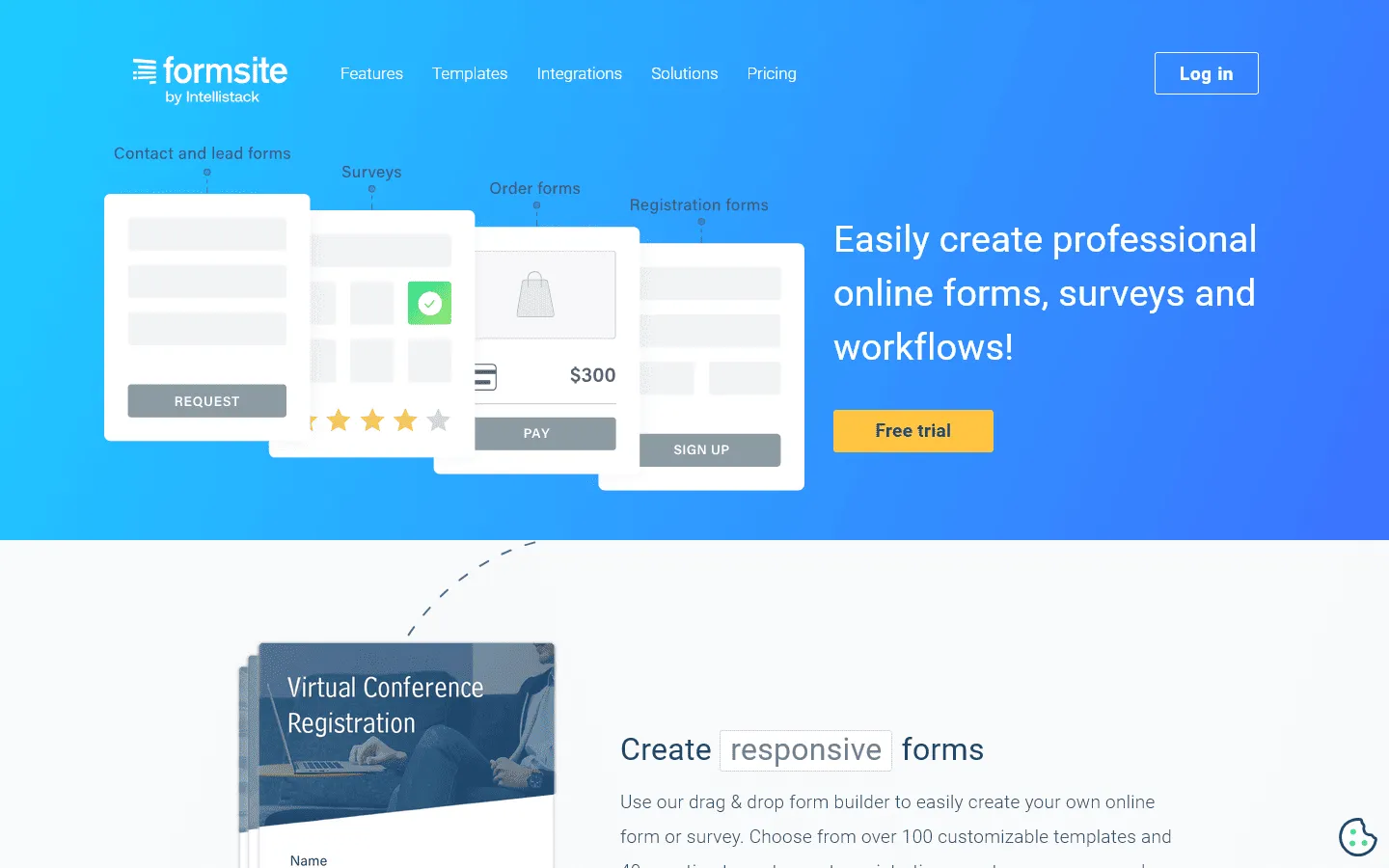 Formsite is the most direct “classic” alternative to Wufoo. It doesn’t focus on flashy design but doubles down on security and data reliability. It is often preferred by large organizations and government bodies that need to collect sensitive data without the “startup” feel of newer tools. It feels very similar to use, so the learning curve for a Wufoo user is minimal.
It offers precise control over data formats and validation, reducing bad data entry. Linking multiple forms together to create a chain of data collection is a unique feature that Wufoo lacks. If you like Wufoo’s no-nonsense approach but need better security tools, Formsite is a safe bet. You can pass data from one form to another, allowing for multi-stage applications.
Feature sets like “Save and Return” allow users to save their progress on long forms and come back later. This is critical for lengthy applications or government forms, a feature that is often clunky to implement in other tools.
Key features
- Secure links and encrypted data
- Workflow logic to link forms
- Save and return feature
- QR code generation
- Payment integration
Pros
- Very secure and reliable
- Excellent tools for managing large datasets
- “Save and Return” is built-in
Cons
- Interface feels dated (similar to Wufoo)
- Design templates are not very modern
Formsite pricing
- No free plan
- Personal ($21/month): 5 forms, 500 responses/form
- Professional ($34/month): 10 forms, 1,000 responses/form
- Business ($59/month): 25 forms, 2,500 responses/form
- Business Plus ($84/month): 100 forms, 10,000 responses/form
- Enterprise ($209/month): 1000 forms, 50,000 responses/form
Why choose Formsite over Wufoo?
Choose Formsite if you need a secure, reliable data bucket. It is a good lateral move from Wufoo if you want similar functionality but with better security controls and data management features.
9. Zoho Forms
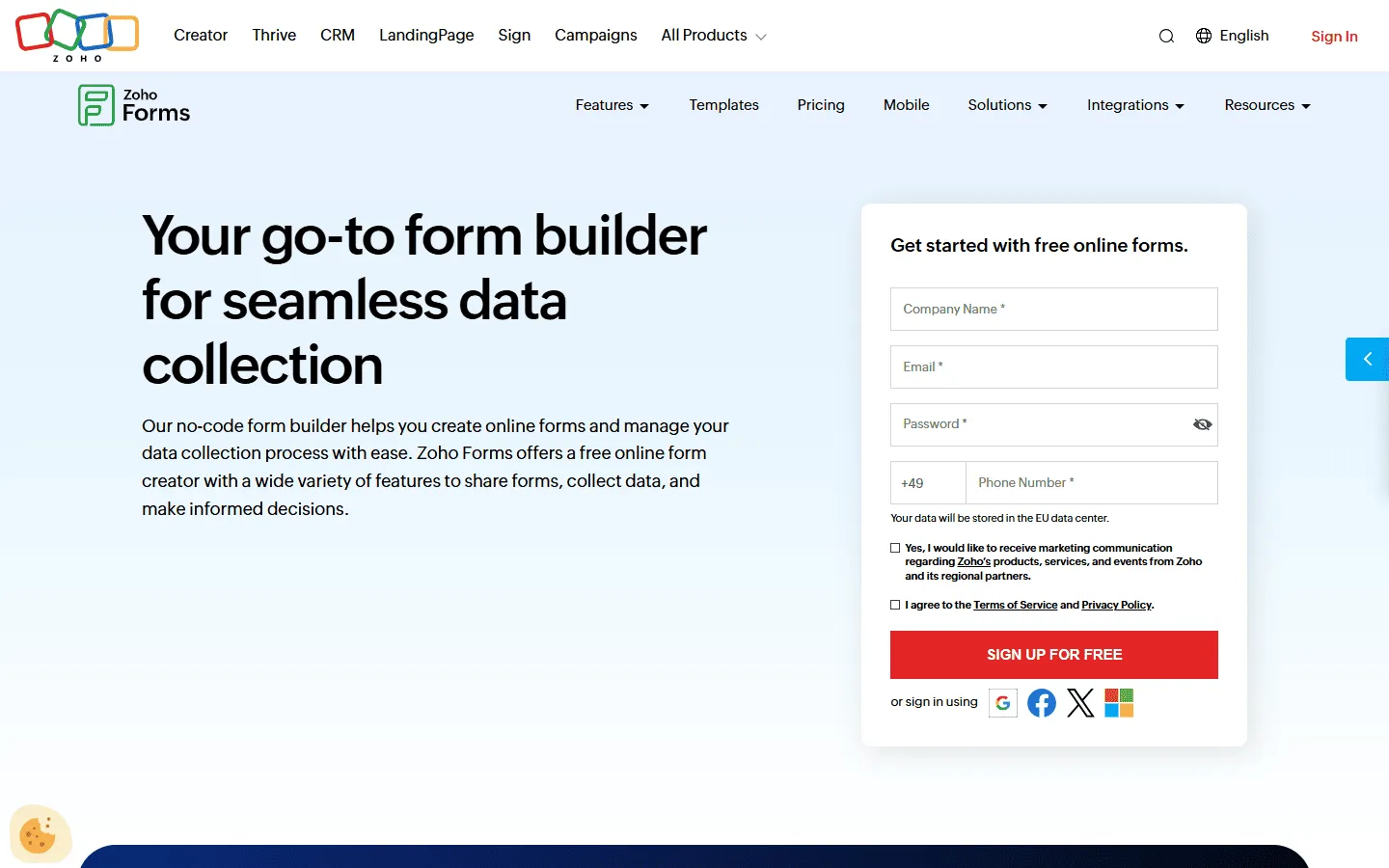 Zoho Forms is the obvious replacement if your business runs on the Zoho ecosystem. While Wufoo requires connectors like Zapier to talk to other apps, Zoho Forms works natively with Zoho CRM, Desk, and Projects. You can push data directly into your CRM modules without a single line of code or a third-party connector.
It also beats Wufoo in the field. Its mobile app allows for offline data collection, meaning your team can fill out forms without an internet connection, something Wufoo cannot do well. It is a practical, business-first upgrade for operations teams. Personnel can be out on a job site, fill out an inspection form on their phone, and have it sync as soon as they get back online.
The approval workflows in Zoho Forms are also excellent. You can set up a system where a form submission triggers an approval request to a manager, who can then approve or deny the request with a click. Wufoo has no native notification system that is this robust.
Key features
- Native integration with Zoho apps
- Offline data collection
- Task assignment and approvals
- Multi-page forms
- Public or private sharing options
Pros
- Native integration for Zoho users
- Good mobile app functionality
- Very affordable starting price
Cons
- Templates are functional, not beautiful
- Editor can feel a bit clunky
Zoho Forms pricing
- Free: 3 forms, 500 responses/month
- Basic ($10/month): 10,000 responses/month, custom branding and themes
- Standard ($25/month): 25,000 responses/month, approvals
- Professional ($50/month): 75,000 responses/month
- Premium ($90/month): 150,000 responses/month, HIPAA compliance, record audit
Why choose Zoho Forms over Wufoo?
Pick Zoho Forms if you need to take your forms offline or if you are already in the Zoho ecosystem. The mobile app alone makes it a better tool for field work than Wufoo.
10. Microsoft Forms
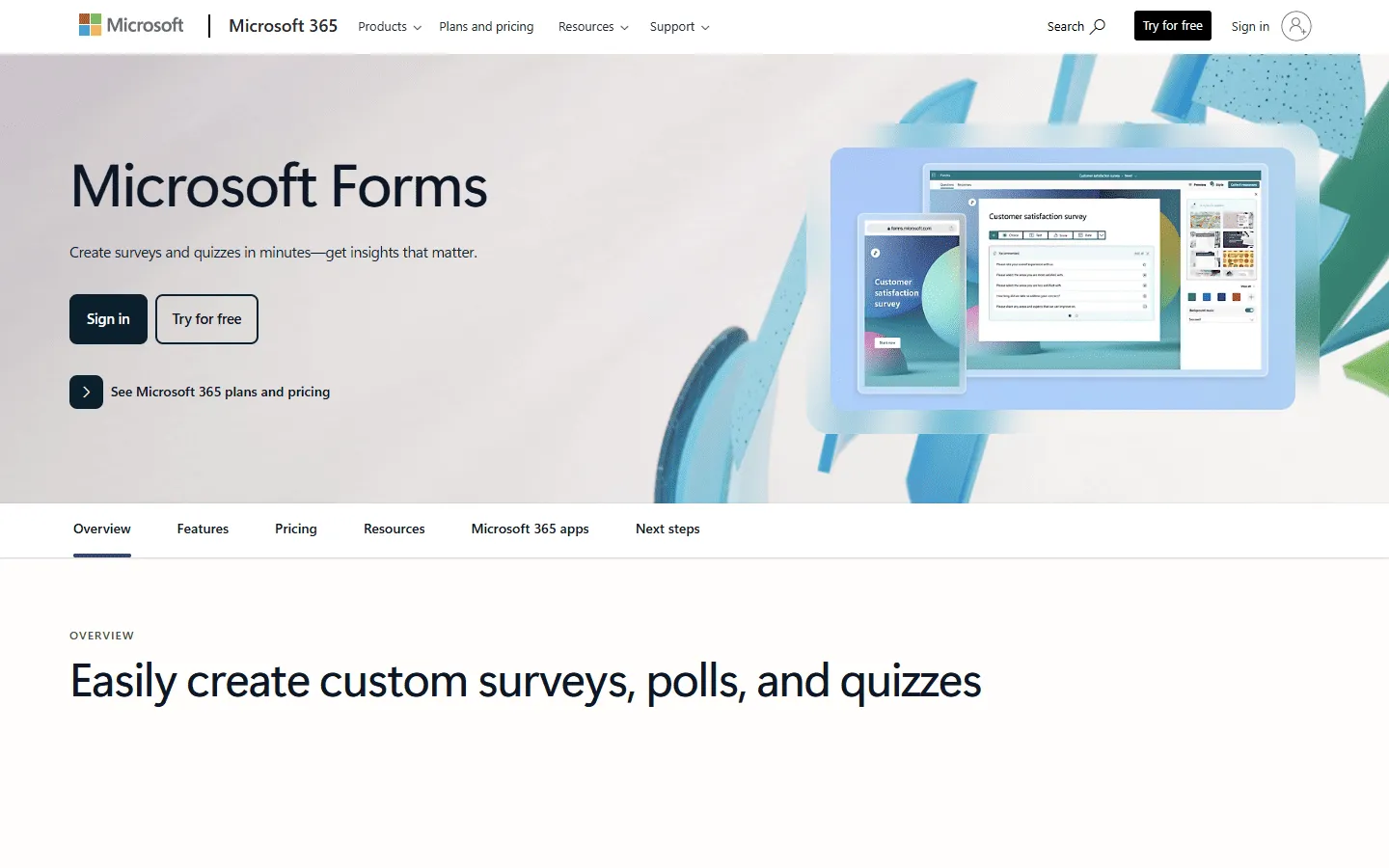 Microsoft Forms is the corporate alternative to Wufoo for Microsoft 365 users. If your company uses Microsoft 365, you likely already have this tool for free. It is a good internal alternative to Wufoo for employee surveys, quizzes, and feedback loops. Instead of signing up for a separate Wufoo account and worrying about another monthly bill, you can just use what you already have.
Because it lives inside your organization’s Microsoft tenant, it is more secure by default than a third-party tool like Wufoo. Responses flow directly into Excel, removing the need for manual exports. It is not for marketing, but for internal data ease, it is unbeatable. You can embed forms directly into Microsoft Teams channels or Outlook emails, meeting your employees where they already work.
Wufoo often sits outside the corporate firewall, which can be a compliance headache. Microsoft Forms is inside the perimeter, meaning it adheres to the same security policies as your email and documents.
If you are locked into the Microsoft ecosystem but want to see what else is out there, check out our article on Microsoft Forms alternatives.
Key features
- Deep Excel integration
- Smart branching logic
- Multilingual support
- Automatic visual charts for results
- Secure internal sharing
Pros
- Often free with existing subscriptions
- Secure and compliant
- Very easy to use
Cons
- Very limited design options
- No payment integrations
Microsoft Forms pricing
- Free: With personal Microsoft account
- Business: Included in Microsoft 365 Business plans
Why choose Microsoft Forms over Wufoo?
Choose Microsoft Forms if you are in a corporate environment. It removes the need to sign up for a separate vendor like Wufoo and keeps all your data safely inside your company’s existing infrastructure.
Other notable Wufoo alternatives
The tools above are the best fit for most people leaving Wufoo. If you have a more specific setup, these are also worth a look:
- WPForms and Gravity Forms: Best if you want a WordPress-native plugin and prefer managing forms inside your WP admin instead of embedding from a standalone builder. (See our full list of Gravity Forms alternatives.)
- 123FormBuilder: A classic form builder with good templates and integrations, often used by teams that want something familiar but more modern than Wufoo.
- HubSpot Forms: A good pick if your main goal is lead capture into HubSpot CRM and marketing automation (the form is mainly a front-end for your CRM workflow).
- SurveySparrow: Better fit for surveys and feedback programs than for straightforward “website form” use cases. It offers a more conversational flow, which we compare against other tools in our SurveySparrow alternatives guide.
- Fillout: A modern, lightweight builder that focuses on speed, clean UX, and flexible form logic for small teams.
If you are primarily switching because of design control and submission limits, stick with the main list above. If your priority is a specific platform (WordPress, HubSpot, Zoho, Microsoft), choosing a tool that fits that ecosystem usually saves time later.
How we tested these Wufoo alternatives
We reviewed 27 form builders and shortlisted the 10 that make the most sense as Wufoo replacements.
Each tool was tested hands-on by rebuilding the same set of forms and checking the areas that usually trigger a switch from Wufoo:
- Design flexibility and layout control
- Response limits and pricing tiers
- Logic depth (branching, calculations, repeating sections)
- Payment support and file uploads
- Integrations (Sheets/Excel, CRM, Zapier, webhooks)
- Embedding, mobile behavior, and submission management
We also reviewed official documentation, pricing pages, and user feedback on sites like G2 and Capterra to spot recurring complaints that do not show up in a quick demo.
This page is updated regularly. Pricing, limits, and major feature changes are re-checked and adjusted when vendors make noteworthy updates.
What to look for in a Wufoo alternative
When you start comparing options, keep these three factors in mind:
Modern design capabilities
Wufoo’s biggest weakness is its look. Ensure your new tool allows you to customize layouts, fonts, and spacing so your forms don’t look like they were built ten years ago. Tools like FormGrid and Paperform lead the pack here.
Submission limits
Wufoo is strict about how many responses you can receive. Check the pricing pages of alternatives carefully. Google Forms and FormGrid offer unlimited responses, while others usually have tiers. Make sure the tier you pick can handle your volume.
Logic and payments
If you used Wufoo for payments, ensure your alternative connects to your gateway (Stripe, PayPal, etc.). If you used it for logic, test the new builder to make sure it can handle the rules you need. Cognito Forms is often the safest bet for complex logic migration.
Conclusion: Which Wufoo alternative should you choose?
Wufoo had its day, but today there are better options for almost every use case.
- For better design: Switch to FormGrid. It is free, unlimited, and lets you build modern forms that look nothing like a generic template.
- For more power: Switch to Jotform. It can do everything Wufoo does, plus signatures, PDFs, and apps.
- For better engagement: Switch to Typeform. The conversational style will likely boost your completion rates.
- For complex logic: Switch to Cognito Forms. It handles math and conditional rules better than anyone.
- For simple free forms: Switch to Google Forms. It is the reliable standard for a reason.
Wufoo alternatives FAQs
What are the best free Wufoo alternatives?
Google Forms is completely free for personal use. FormGrid is a newer free alternative that offers unlimited forms and responses with better design customization than Google Forms. Both are excellent if you want to avoid monthly fees.
Who owns Wufoo?
Wufoo was acquired by SurveyMonkey in 2011. Since then, development has slowed compared to standalone competitors, which is why many users feel the platform has become stagnant.
Is Wufoo HIPAA compliant?
Wufoo offers HIPAA compliance, but only on its higher-tier enterprise plans. Alternatives like Jotform and Formstack also offer HIPAA compliance, often with more modern features attached.
What do Wufoo reviews say?
Most Wufoo reviews praise its reliability but criticize its lack of updates. Users often describe it as a “solid but dated” tool. Negative reviews frequently mention the strict submission limits on paid plans and the lack of modern design options compared to newer competitors.
What is the best Wufoo alternative for WordPress?
If you want a native plugin, WPForms and Gravity Forms are the top choices. If you prefer to embed a modern form, FormGrid and Jotform allow you to create forms that embed cleanly into any WordPress site without adding plugin bloat.
How do I cancel my Wufoo subscription?
To cancel Wufoo, log in to your account, go to the Account tab, select Billing, and choose downgrade to the Free plan. This stops future payments while keeping your account active on the free tier.
Can I import my Wufoo forms to another builder?
Some builders, like Jotform, have specific import tools that can pull your Wufoo forms in directly. For others, you will likely need to rebuild them. Since Wufoo forms are usually simple, this is often a quick process.