10 Best Cognito Forms Alternatives in 2026 (Free & Paid)
Cognito Forms is built for logic-heavy forms: repeating sections, advanced calculations, and intricate conditional logic. It handles data-heavy workflows better than almost any other builder in its price range.
The trade-off is day-to-day usability. The builder can feel dense, design control is limited, and it takes work to get a modern, branded result. Some teams also outgrow it when they need better approvals, more native integrations, or stronger compliance features.
We evaluated the best Cognito Forms alternatives for specific goals: Cognito-like power (logic, payments, PDFs), better design for public-facing forms, WordPress-native forms, database-connected forms, research-grade surveys, and more.
Cognito Forms alternatives: Quick summary
If you want the short version, this table compares the top Cognito Forms competitors based on use cases, pricing, and free plan availability:
| Cognito Forms alternative | Best Cognito Forms replacement for | Free plan | Starting price |
|---|---|---|---|
| FormGrid | Modern, beautiful forms | Available | $29/month |
| Jotform | Feature-rich payments & widgets | Available | $34/month |
| Typeform | Conversational surveys | Available | $29/month |
| WPForms | WordPress websites | Not available | $49.50/year |
| Paperform | Selling products & services | Available | $24/month |
| Tally | Simple document-style forms | Available | Free |
| Formstack | Regulated industries (HIPAA) | Not available | $83/month |
| SurveyMonkey | Market research | Available | $39/month |
| 123FormBuilder | Complex enterprise workflows | Available | $18.50/month |
| Fillout | Database integrations (Airtable) | Available | $15/month |
What is Cognito Forms?
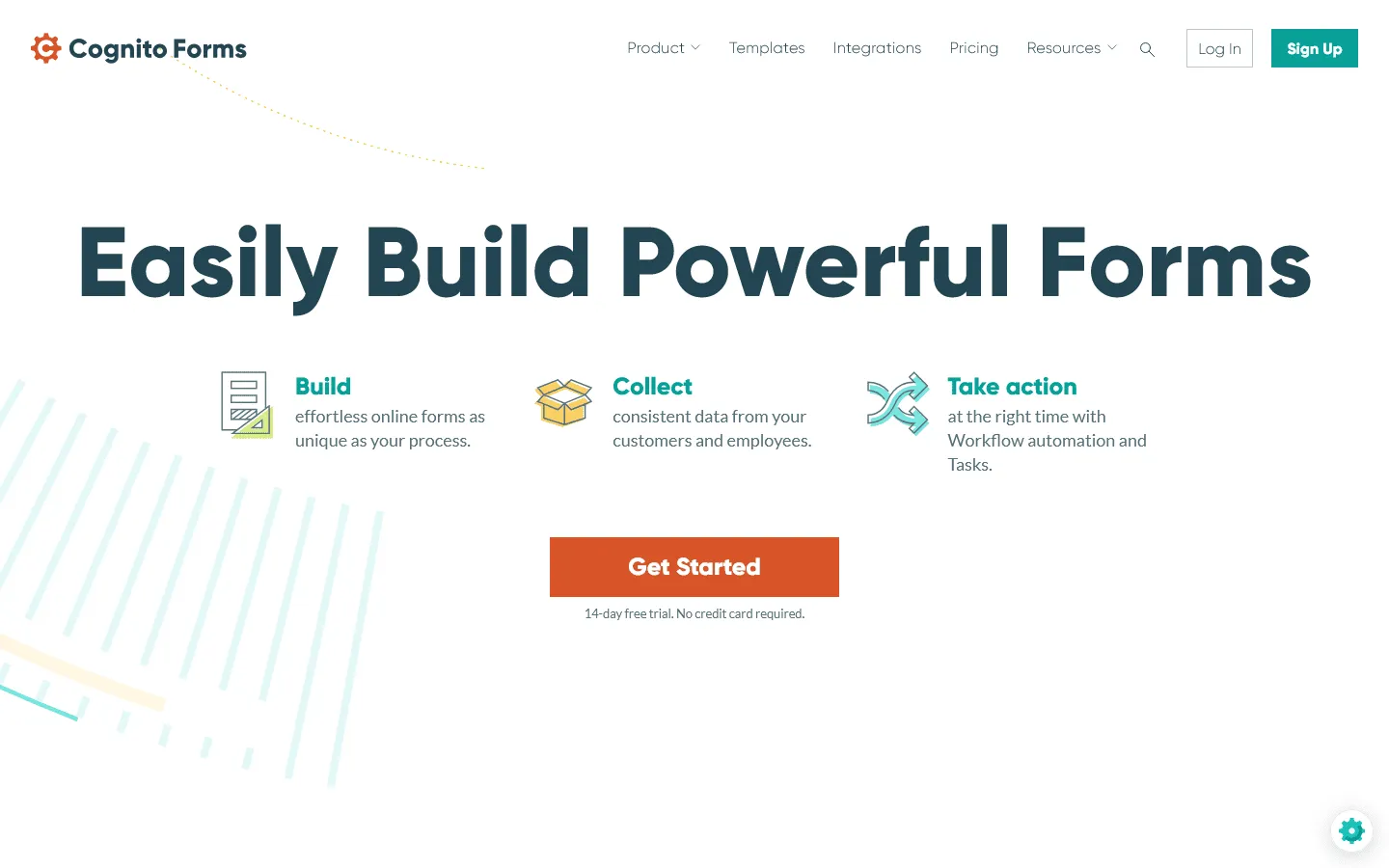 Cognito Forms is a form builder that leans heavily into data and logic. It is less about “design” and more about “function.” It allows you to build complex calculations, repeating sections, and intricate conditional logic that most other builders struggle with.
It is often used for internal business applications, complex registrations, and order forms where math matters more than looks.
Why people look for Cognito Forms alternatives
People usually switch away from Cognito Forms for two reasons: they want their forms to look better, or they want the builder to feel simpler day to day.
Outdated and rigid design
Cognito forms tend to look utilitarian by default. You can change colors and fonts, but it’s hard to get to a modern, branded result without extra work. For lead capture and other customer-facing forms, the default look can feel dated.
Steep learning curve
Because it is so powerful, it is also dense. Even simple logic and calculations can push you into syntax that feels closer to scripting than form building. For a non-technical user just trying to set up a contact form or a simple survey, the interface is overwhelming and unintuitive.
Lack of native integrations
While it connects to Zapier, its list of native, deep integrations is shorter than competitors like Jotform or Typeform. If you want direct integrations into your CRM or marketing stack, Cognito’s native options can feel limited compared to the bigger platforms.
10 best Cognito Forms alternatives and competitors
1. FormGrid
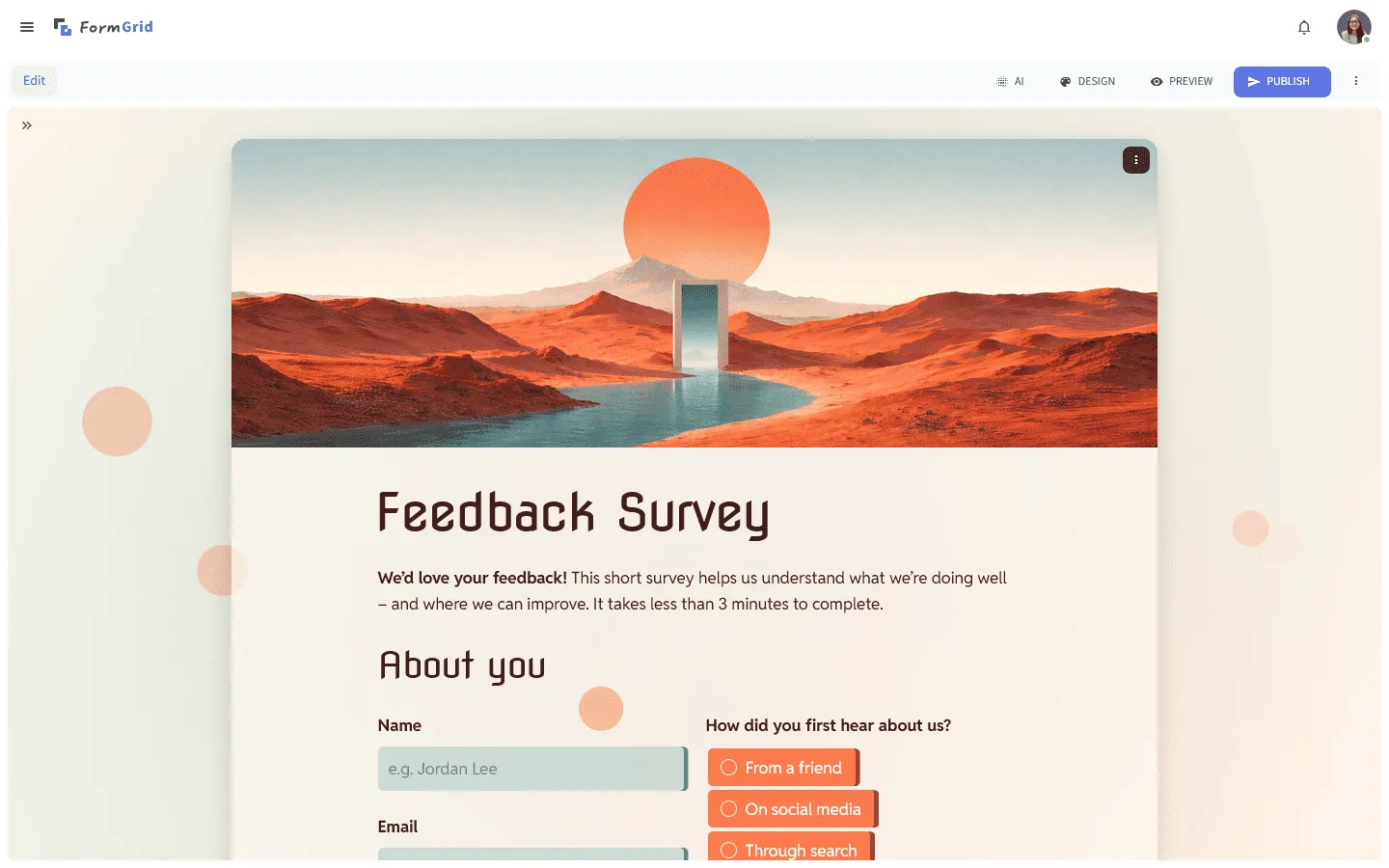 FormGrid is the best alternative if you are leaving Cognito Forms because you need better design. While Cognito Forms focuses on raw logic, FormGrid focuses on making forms that actually look good on a modern website.
The editor feels closer to writing a page than configuring a form. You don’t need to learn any special syntax or dig through complex menus to build a form. You just type, drag, and drop. FormGrid can also create a custom form for you for free. Describe the form you need, and it generates the questions, content, layout, and theme.
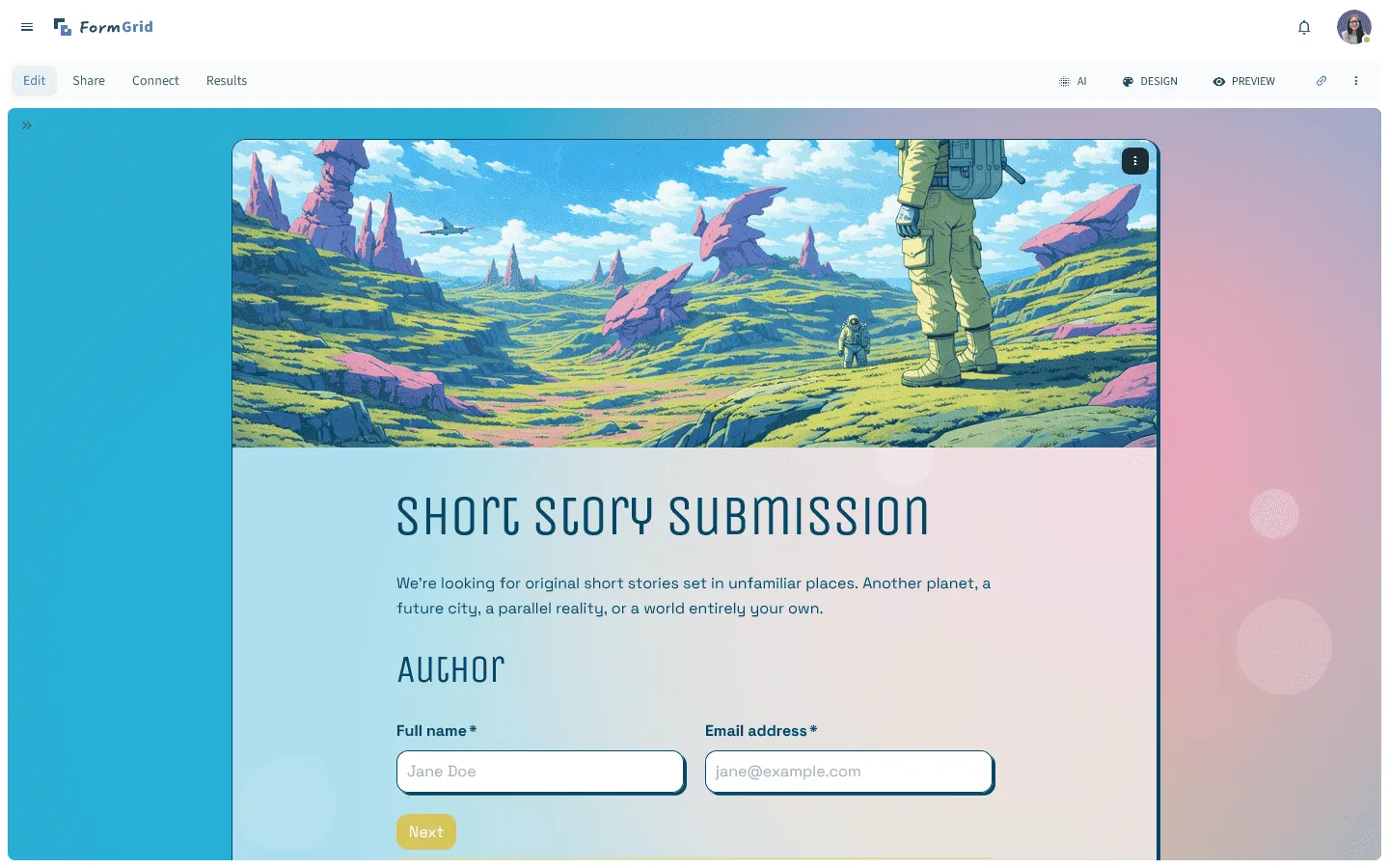
For public-facing forms (waitlists, contact pages, feedback forms), it’s a noticeable step up from Cognito’s default look.
Key features
- Flexible document-style editor for custom layouts
- Modern, responsive designs that look great on mobile
- Complete control over typography and branding
- AI-assisted form generation to save time
FormGrid pricing
- Free: Unlimited forms and responses, access to all core features
- Plus ($29/month): Collaboration, remove FormGrid branding, version history
- Business ($79/month): User roles and permissions, advanced link settings
Why choose FormGrid over Cognito Forms?
Choose FormGrid if your priority is presentation: marketing forms, lead capture, waitlists, and any form where layout and branding matter.
2. Jotform
 Jotform is the closest direct competitor to Cognito Forms in terms of raw feature count. If you rely on Cognito for its complexity (like payments, signatures, or PDF generation), Jotform is the most logical next step. It matches Cognito’s power but wraps it in a slightly more modern, drag-and-drop interface.
It has a large library of templates and widgets that let you do almost anything, from taking appointments to collecting voice recordings. It can still feel busy because there’s so much packed in, but the navigation is usually easier than Cognito’s.
If you are curious about how Jotform stacks up against other tools, check out our guide to Jotform alternatives.
Key features
- Over 20,000 templates for every industry
- Powerful mobile app for offline data collection
- Native electronic signatures and smart PDF generation
- 100+ integrations with payment gateways and CRMs
- HIPAA compliance features (on higher plans)
Jotform pricing
- Free: 5 forms, 100 responses/month
- Bronze ($34/month): 25 forms, 1,000 responses/month, no branding
- Silver ($39/month): 50 forms, 2,500 responses/month, more storage and integrations
- Gold ($99/month): 100 forms, 10,000 responses/month, HIPAA, priority support
- Enterprise (custom pricing): Unlimited usage, SSO, SLA
Why choose Jotform over Cognito Forms?
Switch to Jotform if you need the power of Cognito Forms (payments, logic, PDFs) but want a wider range of native integrations and a large library of templates to get you started faster.
3. Typeform
 Typeform takes a different approach to Cognito Forms. Where Cognito displays everything at once in a long list, Typeform shows one question at a time. This “conversational” approach is designed to keep people engaged and reduce the fatigue of filling out a long, complex form.
If your main issue is that people don’t finish longer forms, Typeform’s one-question-at-a-time flow can help. It can make long questionnaires feel lighter because respondents only focus on one step at a time. It handles logic well (you can jump between questions based on answers), but it does so visually, making it much easier to understand the flow of your form than Cognito’s text-based conditional logic rules.
If the conversational approach appeals to you, you may also want to explore other tools similar to Typeform.
Key features
- One-question-at-a-time interface for higher completion rates
- Video and image support for interactive questions
- Visual logic map to see your form’s flow
- Built-in analytics to see drop-off points
- Clean, premium feel that builds trust
Typeform pricing
- Free: 10 responses/month, limited features
- Basic ($29/month): 100 responses/month, basic integrations
- Plus ($59/month): 1,000 responses/month, more logic, branding options, and integrations
- Business ($99/month): 10,000 responses/month, team features, advanced analytics, priority support
- Enterprise (custom pricing): Custom limits, SSO, custom domains, HIPAA compliance
Why choose Typeform over Cognito Forms?
Choose Typeform for surveys, quizzes, and feedback forms where completion rate matters more than layout control.
4. WPForms
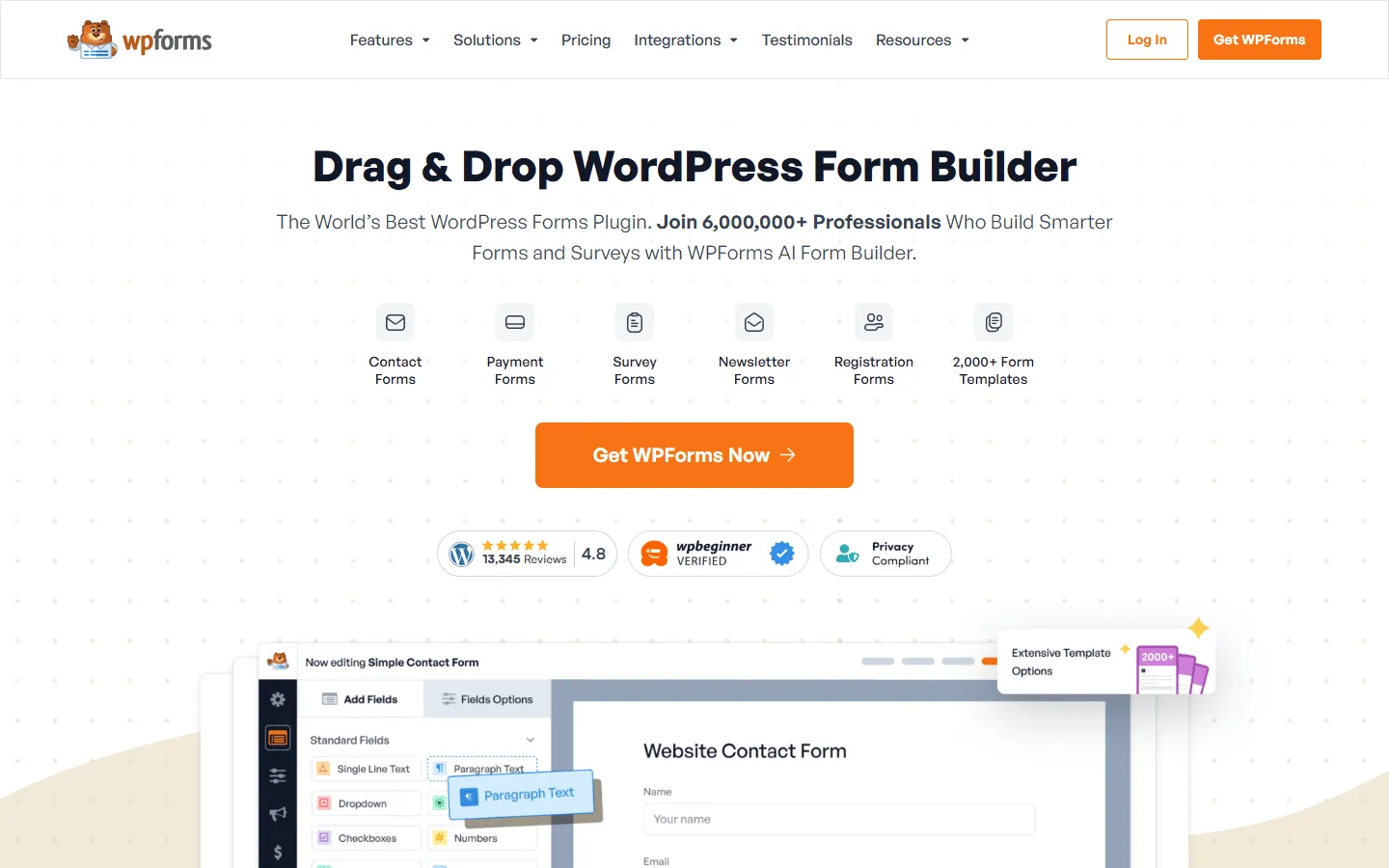 If your website runs on WordPress, WPForms is often a smarter choice than embedding a hosted tool like Cognito Forms. It is a plugin that lives directly inside your WordPress dashboard, meaning you don’t have to log into a separate site to manage your entries or edit your forms.
For a WordPress plugin, it covers the basics well. You can build multi-page forms, accept payments, and use conditional logic, all while keeping the data on your own server. It is much easier to style than Cognito because it inherits the CSS from your WordPress theme, so your forms fit your site visually with less styling work.
Key features
- Drag-and-drop builder directly inside WordPress
- Smart conditional logic for showing/hiding fields
- Instant notifications for you and your team
- Add-ons for payments, signatures, and surveys
- Great compatibility with page builders like Elementor and Divi
WPForms pricing
- Lite: Free (limited features)
- Basic ($49.50/year, renews at $99/year): Unlimited forms, one site
- Plus ($99.50/year, renews at $199/year): Marketing integrations
- Pro ($199.50/year, renews at $399/year): Payments, conversational forms
- Elite ($299.50/year, renews at $599/year): Advanced integrations, client management
Why choose WPForms over Cognito Forms?
Choose WPForms if you are a WordPress user who wants everything in one place. It simplifies your workflow by keeping your form building and data management inside your existing website dashboard.
5. Paperform
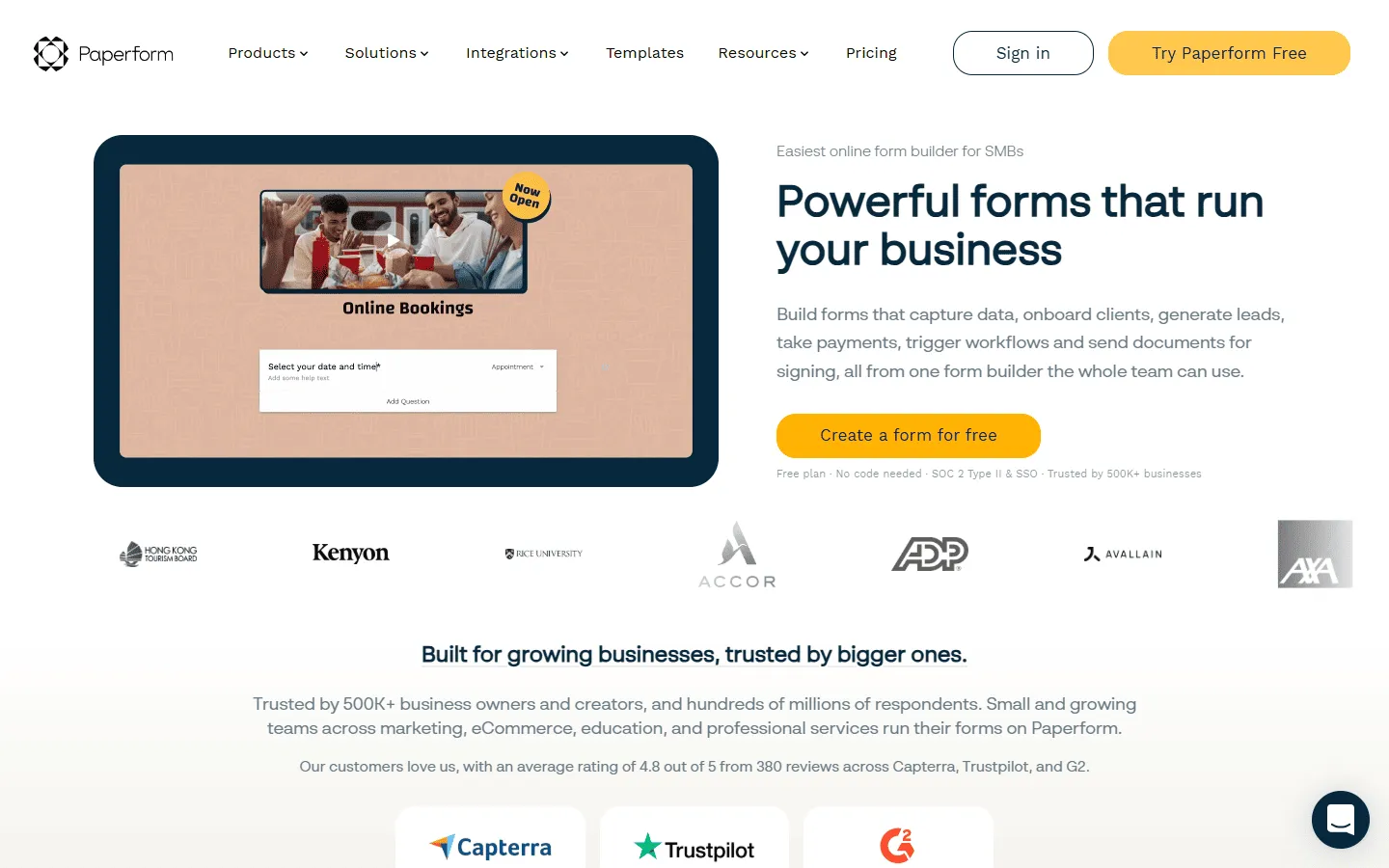 Paperform is a unique hybrid between a form builder and a landing page builder. It allows you to add rich text, images, and videos directly into the form body, letting you tell a story or explain a product before asking for information. This works well for order forms and registrations where you want to add context before asking questions.
Cognito Forms can handle orders, but the checkout experience is dry. Paperform makes buying something feel like a proper e-commerce experience. You can manage inventory, calculate complex pricing, and even book appointments, all within a beautifully designed page that you can control completely.
If you’re evaluating Paperform, our guide to Paperform alternatives covers similar content-first form builders.
Key features
- Free-text editor that works like a document
- Dedicated booking and appointment scheduling
- Inventory management for selling products
- Calculations that handle complex pricing models
- Over 3,000 integrations via Zapier and direct connections
Paperform pricing
- Free: 30 responses/month
- Essentials ($24/month): 1,200 responses/year
- Pro ($49/month): 12,000 responses/year, custom CSS, custom form links
- Business ($99/month): unlimited forms, 120,000 responses/year, SSO
Why choose Paperform over Cognito Forms?
If you are using forms to sell services or products, Paperform gives your customers a much better buying experience. It is easier to make it look professional and trustworthy than Cognito’s standard payment fields.
6. Tally
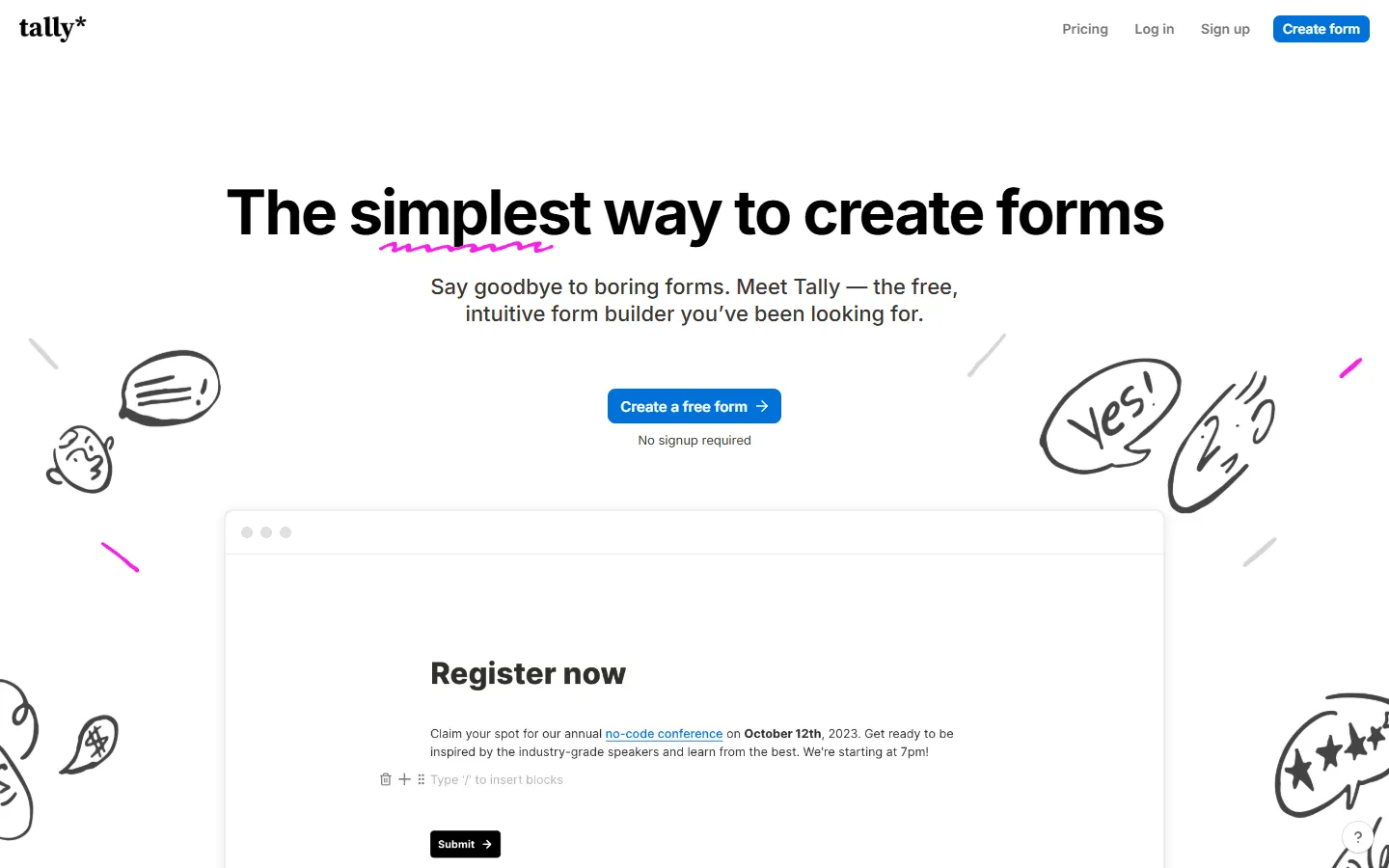 Tally is a good fit if you like a clean, document-style builder and don’t want a busy interface. It has a completely clean, white interface where you just type to build. You use slash commands (like
 /question) to insert fields, similar to writing in Notion.
Despite its minimal look, it is deceptively powerful. It handles calculations, payments, and logic flows that rival Cognito Forms, but keeps the experience simple for both the builder and the user. Plus, its free plan is one of the most generous in the industry, offering unlimited forms and submissions without forcing you to upgrade.
If you are leaning toward Tally but still want to compare a few similar tools, this list of Tally alternatives might be useful.
Key features
- Minimalist, distraction-free editor
- Works just like a Notion doc
- Unlimited forms and submissions for free
- Hidden fields and calculations included in the free tier
- Clean, modern default design
Tally pricing
- Free: Unlimited forms and submissions, basic logic, payments, file uploads
- Pro ($29/month): Custom domains, remove Tally branding, advanced integrations
- Business ($89/month): Email verification, form version history
Why choose Tally over Cognito Forms?
Tally is the answer if you want simplicity. If Cognito Forms feels like navigating a cockpit, Tally feels like writing in a notebook. It works well for creators and startups who need functionality without the enterprise bloat.
7. Formstack
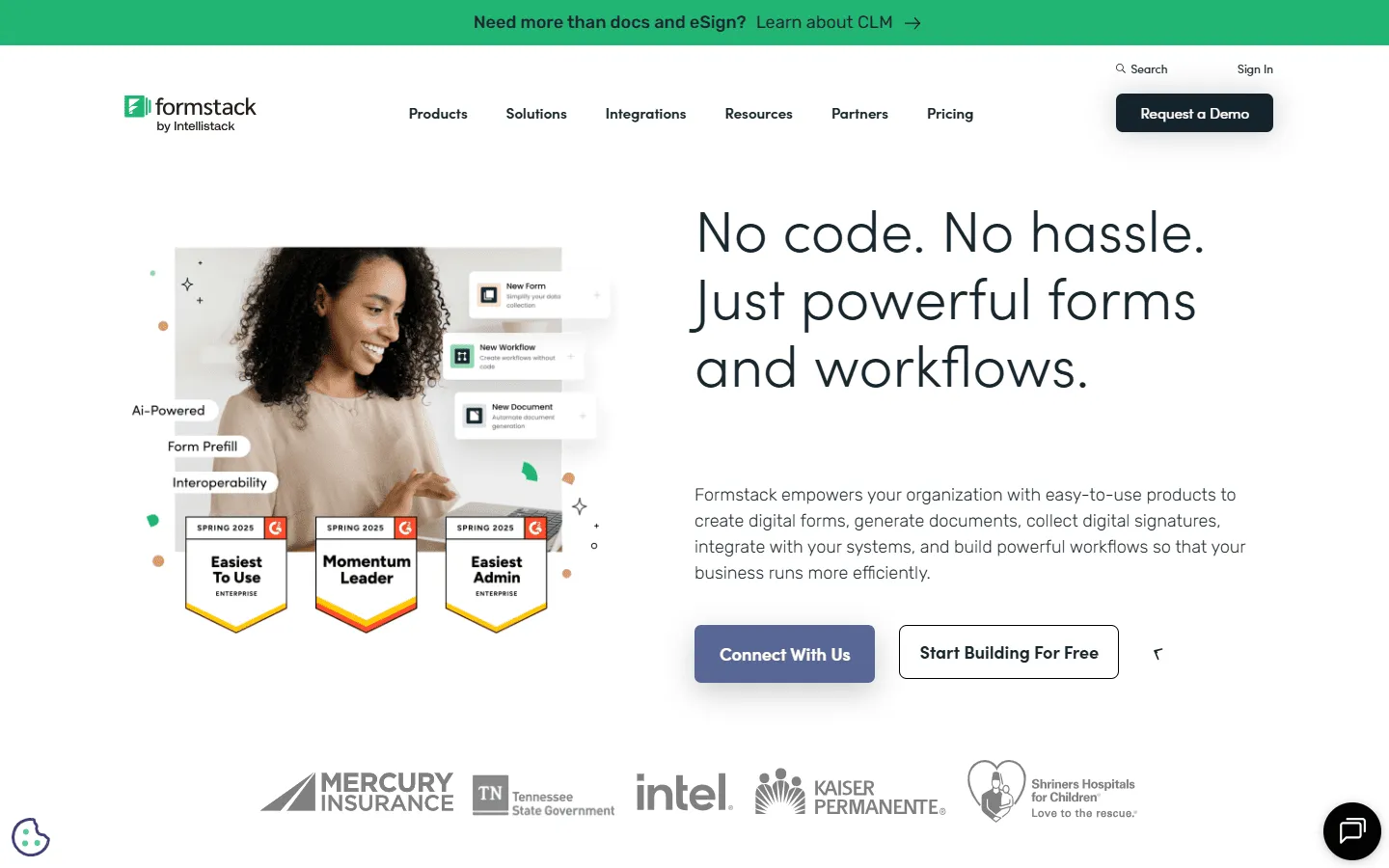 Formstack is for organizations that have outgrown Cognito Forms and need enterprise-grade compliance. It is widely used in healthcare and finance because of its strict adherence to security standards like HIPAA and GDPR.
Beyond just forms, Formstack is a platform for automating entire document workflows. You can have a form submission trigger the generation of a custom contract, send it for a digital signature, and archive it in your secure cloud storage. It is less of a “form builder” and more of a “business process automation” tool.
If you are considering Formstack but want to compare it against other tools in the same category, our Formstack alternatives guide is a great resource.
Key features
- HIPAA and GDPR compliance features
- Workflow automation for approvals and routing
- Native document generation (Word, PDF)
- Formstack Sign for legally binding e-signatures
- Salesforce integration that is deeper than most competitors
Formstack pricing
- No free plan
- Forms ($83/month): 25 forms, 1,000 responses/form, core form builder, integrations, storage
- Suite ($250/month): 100 forms, 5,000 responses/form, automation, document generation, e-signatures
- Enterprise: Custom pricing, compliance features, advanced governance
Why choose Formstack over Cognito Forms?
Move to Formstack if your usage is strictly corporate and compliance-heavy. If you need to manage patient data or sensitive financial contracts, its security and workflow features may justify the higher price tag.
8. SurveyMonkey
 Cognito Forms is great for transactions, but it is less optimized for research. If your goal is to understand customer sentiment or gather market data, SurveyMonkey is the better tool. It includes features that Cognito completely lacks, like benchmarking your results against industry averages and using AI to analyze open-ended text responses.
It helps you write better questions with a built-in AI tool that checks for bias. The reporting dashboard is also more capable, allowing you to filter, cross-tabulate, and visualize your data in ways that Cognito’s simple spreadsheet view cannot match.
If SurveyMonkey feels like a step up but you want to see how it compares to other research tools, our SurveyMonkey alternatives guide looks at that landscape in more detail.
Key features
- AI-powered analysis of text responses
- Large bank of methodologically tested questions
- Benchmarks to compare your data to peers
- Advanced branching and skip logic
- Tools for running A/B tests on your questions
SurveyMonkey pricing
- Free: 25 responses/survey, 10 questions/survey, basic features
- Standard Monthly ($39/month): 1,000 responses/month, more question types, custom themes
- Advantage Annual ($432/year): 15,000 responses/year, payments, A/B testing, recurring surveys
- Premier Annual ($1,188/year): 40,000 responses/year, no SurveyMonkey branding, advanced logic
- Team Advantage (~$30/user/month): 50,000 responses/year, collaboration features
- Team Premier (~$75/user/month): 100,000 responses/year
- Enterprise: Custom limits, advanced governance, SSO, HIPAA compliance
Why choose SurveyMonkey over Cognito Forms?
Choose SurveyMonkey for surveys. Cognito Forms is built for specific data input (like an order), while SurveyMonkey is built for understanding trends and opinions.
9. 123FormBuilder
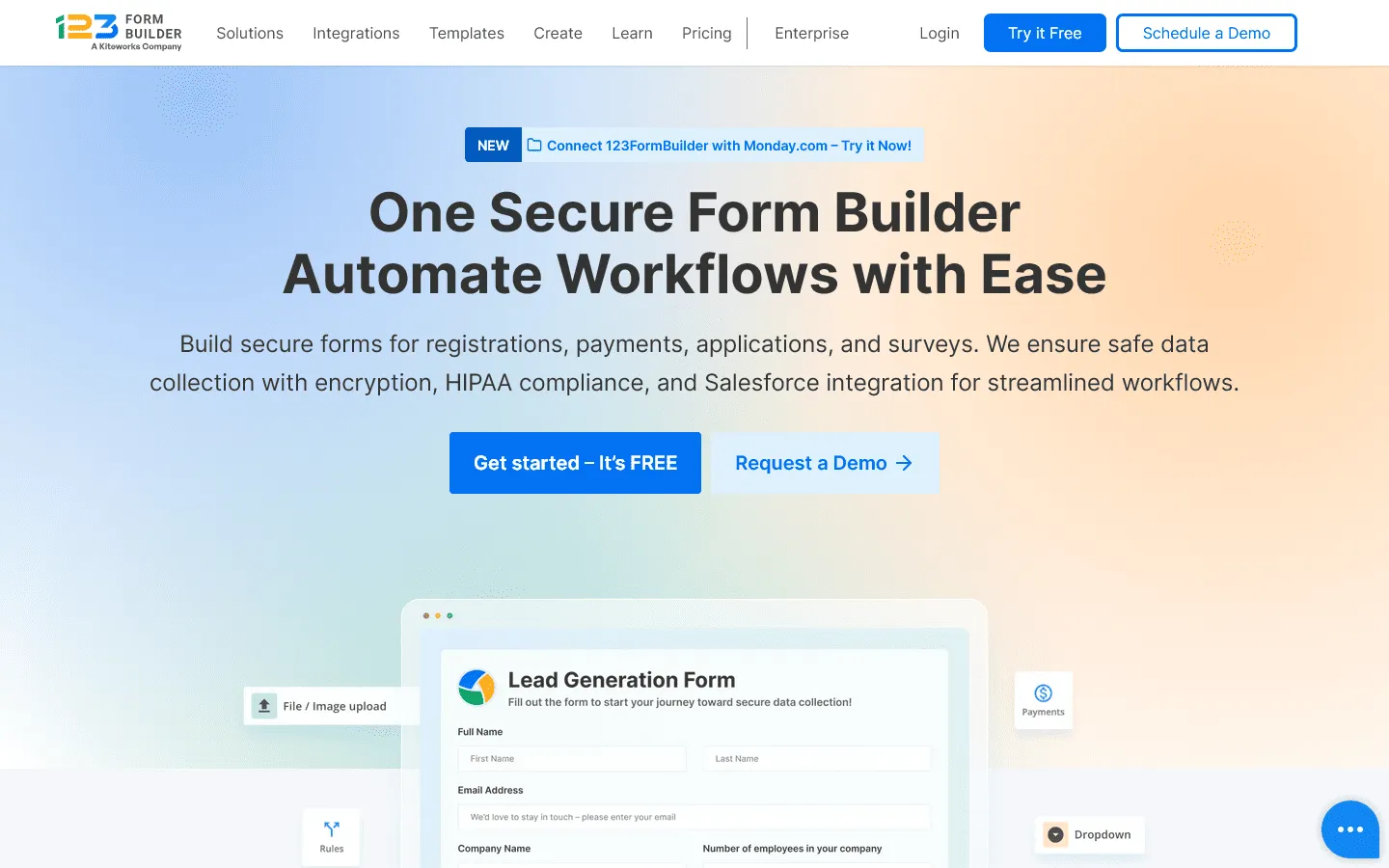 123FormBuilder sits in a similar space to Cognito Forms, it is a versatile tool. However, it stands out for connectivity. It has a wide range of real-time integrations that allow you to push data into almost any system you can think of.
It can be easier to manage for multi-page, multi-language setups than Cognito because of its visual flow. It allows you to build sophisticated data collection pipelines that can handle multiple languages and user groups from a single account, making it a favorite for operations managers.
If you’re considering this tool, you can check our detailed comparison of 123FormBuilder alternatives.
Key features
- Real-time data integration with Salesforce and others
- Multi-language support for global teams
- Drag-and-drop editor with 2,000+ templates
- Enterprise-grade security features
- Smart conditional logic for complex workflows
123FormBuilder pricing
- Basic: 5 forms, 100 responses/month, limited features
- Gold ($18.50/month): 5,000 responses/month, no 123FormBuilder branding, data export
- Platinum ($24.50/month): 20,000 responses/month, custom domain, advanced analytics
- Diamond ($49.50/month): 100,000 responses/month, more integrations
- Enterprise (starting from $225/month): Unlimited responses, custom compliance and support
Why choose 123FormBuilder over Cognito Forms?
If you need a tool that feels similar to Cognito but offers better native integrations with enterprise systems like Salesforce or SAP, 123FormBuilder is a strong contender.
10. Fillout
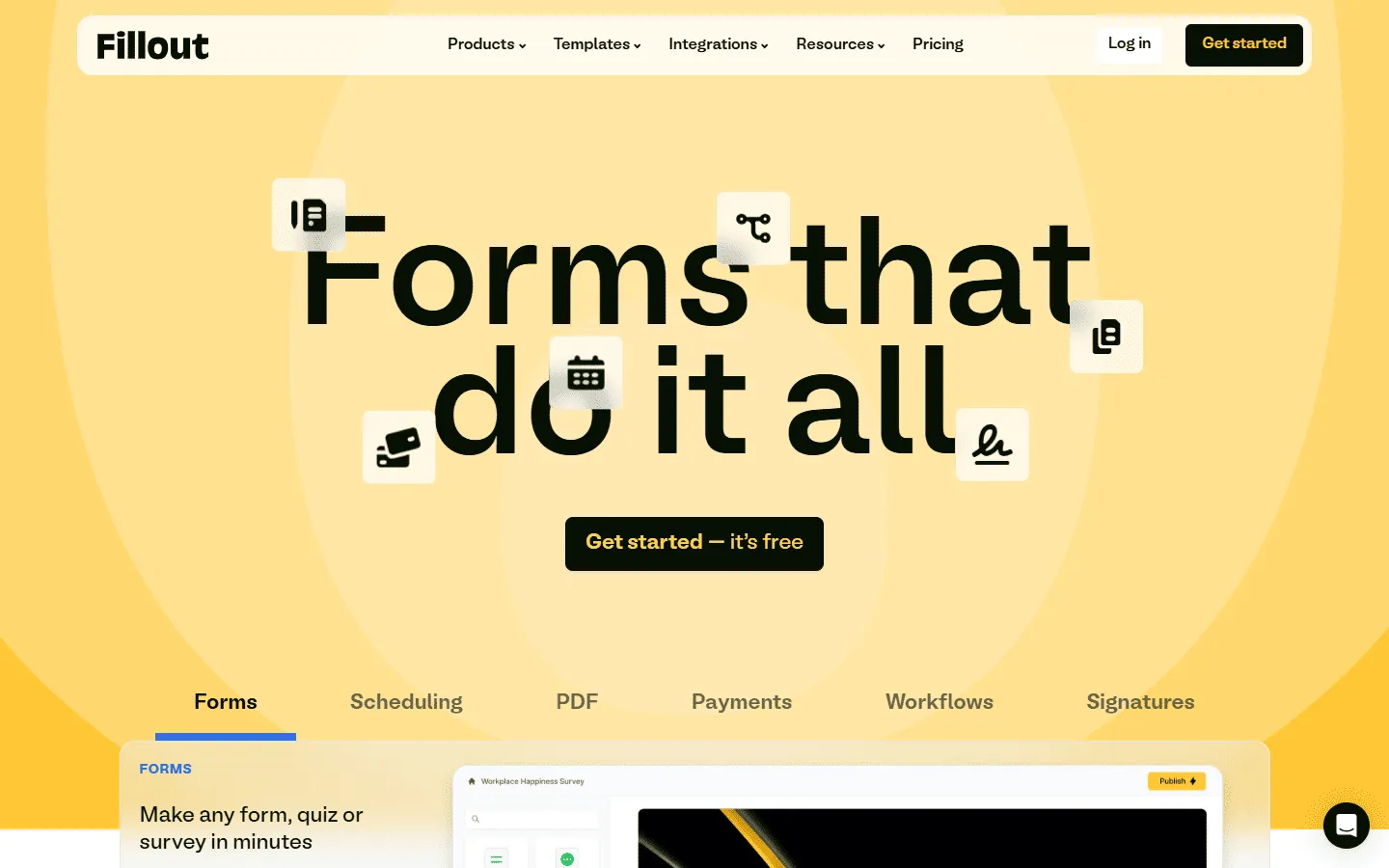 Fillout is solving a problem Cognito Forms ignores: working with data you already have. It is designed to sit on top of databases like Airtable, Notion, and HubSpot. Instead of just collecting new data, Fillout can pull existing records, let users update them, and sync the changes back instantly.
This is useful for portals, update forms, and workflows where users need to edit existing records. The logic builder is also one of the most modern and readable interfaces on the market, making complex flows much easier to visualize than Cognito’s text-heavy rules.
Key features
- Native two-way sync with Airtable, Notion, and HubSpot
- Ability to update existing records, not just create new ones
- Modern, clean visual form builder
- Powerful logic that is easy to read and edit
- Secure login portals for your users
Fillout pricing
- Free: 1,000 responses/month
- Starter ($15/month): 2,000 responses/month, increased limits and logic
- Pro ($40/month): 5,000 responses/month, advanced logic and integration capacity
- Business ($75/month): Unlimited responses, team use
Why choose Fillout over Cognito Forms?
If your data lives in Airtable or Notion, Fillout is a strong fit. Unlike Cognito Forms, it can update existing records instead of treating every submission as a new row.
Other notable Cognito Forms alternatives
Sometimes the tools above might not fit your specific niche. Here are a few more options depending on your exact needs:
- Zoho Forms: Works well if you’re already on Zoho (CRM, Desk, Campaigns) and want forms that plug into that setup.
- Gravity Forms: A WordPress option that’s flexible, especially if you’re comfortable with add-ons and custom development. You can find more Gravity Forms alternatives in our dedicated guide.
- Ninja Forms: Another WordPress plugin that starts simple and expands via add-ons.
How we evaluated these Cognito Forms replacements
To select these alternatives, we focused on the areas where Cognito Forms users struggle most: design flexibility, ease of use, and integration depth. We tested each tool by building a standard “complex” form (one containing conditional logic, a payment field, and a file upload) to see how the experience compared.
We specifically looked for:
- Ease of logic: How hard is it to say “If X, then show Y”? Cognito makes this powerful but complex. Alternatives needed to make it easier.
- Design quality: Can I make this form look professional? This is Cognito’s biggest weakness, so we weighted beautiful tools like FormGrid and Typeform highly.
- Support and reliability: When things break, can you get help? We checked user reviews on G2 and Capterra to ensure these tools have a reputation for stability.
What to look for in a Cognito Forms alternative
Cognito Forms is popular because it handles data-heavy forms: repeating sections (line items), calculations, and logic that can get pretty intricate. When you switch, make sure the alternative can cover the parts you actually use:
- Repeating sections / line items: If you build order forms, registrations with add-ons, or anything with “Add another item”, check whether the tool supports repeatable groups without hacks.
- Calculations: Many builders can do simple totals. Fewer can handle conditional math cleanly across pages and sections.
- Logic you can debug: Look for a visual logic builder or at least rules you can scan and troubleshoot quickly.
- PDFs, signatures, and workflows: If your form output becomes a document (quote, contract, intake), prioritize tools with PDF generation and e-signatures.
- Integrations that matter to you: If everything goes into a CRM or database, “Zapier support” is not the same as a deep native integration.
Conclusion: Which Cognito Forms alternative is right for you?
Cognito Forms is built for structured, logic-heavy forms. If you rely on repeating sections, calculations, and detailed conditions, keep that in mind when switching. Make sure your new tool can handle those workflows without turning simple changes into technical work.
Here’s how to choose:
- Choose FormGrid if design and layout control matter most. It is a strong fit for public-facing forms where presentation influences conversions.
- Choose Jotform if you need a broad feature set (payments, PDFs, signatures, and many native integrations).
- Choose Typeform if you want a guided, one-question-at-a-time experience to improve completion rates.
- Choose Tally if you want a lightweight editor with solid logic and generous free usage.
- Choose Fillout if your forms need to read from and update existing records in tools like Airtable or Notion.
- Choose Formstack if compliance and workflow automation are core requirements.
- Choose SurveyMonkey if your primary goal is research and data analysis.
Before migrating fully, rebuild your most complex Cognito form in your top two candidates. Test the parts that matter most to you: repeating sections, calculations, logic flows, and payments. You will quickly see which builder feels easier to work with.
FAQs
Is there a free alternative to Cognito Forms?
Yes, FormGrid and Tally are the best free alternatives. Both offer unlimited forms and responses on their free plans. Cognito Forms also has a free plan, but it is limited to 100 entries per month.
Which alternative is best for payments?
Jotform and Paperform are excellent for payments. Jotform supports over 30 payment gateways, while Paperform allows for dedicated product inventory and complex pricing models that feel like a real checkout experience.
Can I migrate my data from Cognito Forms?
Most tools do not have a “one-click import” from Cognito Forms because of how complex Cognito’s logic is. However, you can export your Cognito data as an Excel or CSV file and import that submission data into almost any of the tools on this list.
Is Cognito Forms HIPAA compliant?
Cognito Forms offers HIPAA support through a Business Associate Agreement (BAA), and that capability is tied to their Enterprise plan. If HIPAA is a hard requirement, Formstack is a common short list option, and some builders (like Jotform) also offer HIPAA support on specific plans.