Art Exhibition Registration Form Template

Free art exhibition registration form template for artist submissions, gallery shows, open calls, school exhibitions, and community art events.
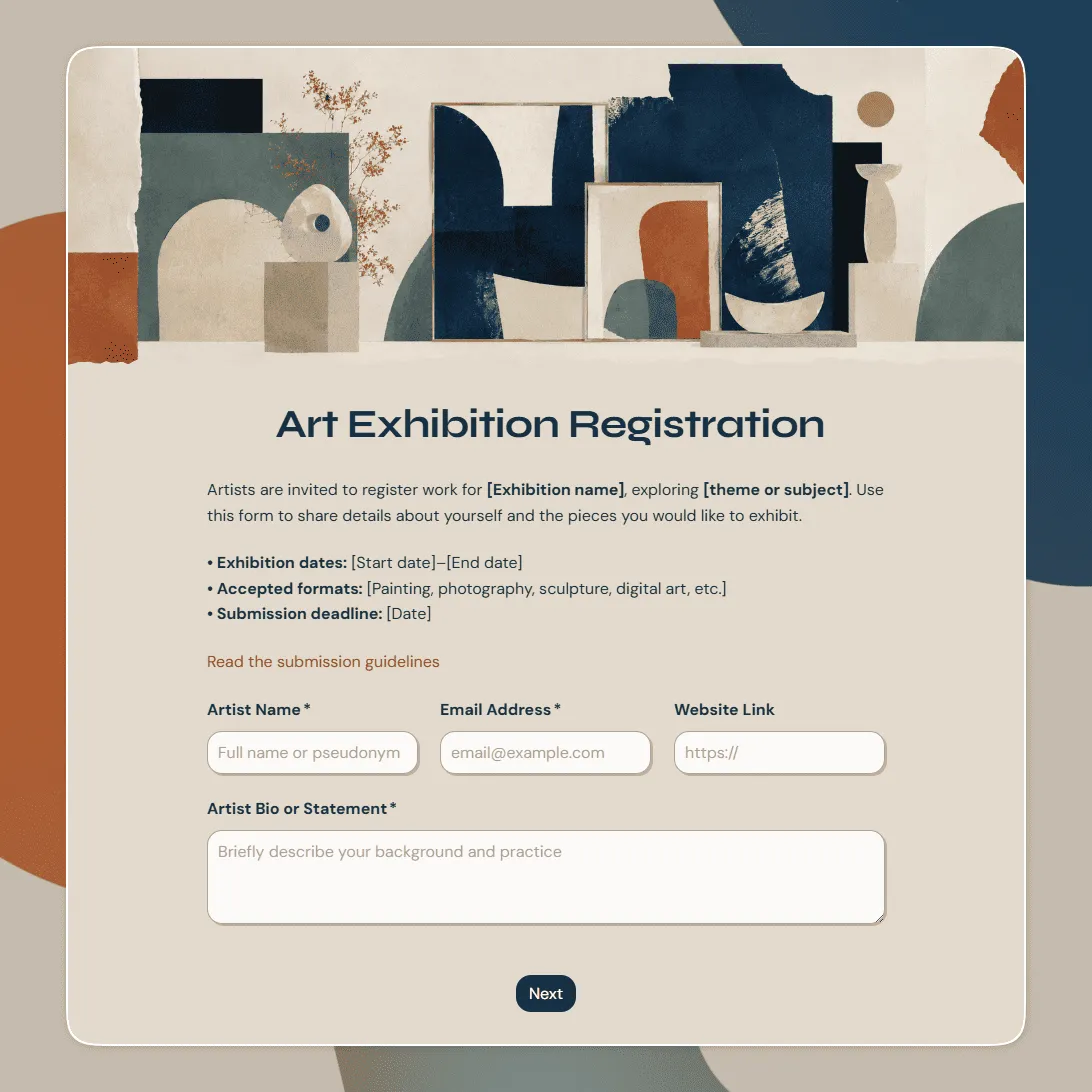
Use this free template
Fully customizable
Free unlimited submissions
No signup required
Art Exhibition Registration Form Template

Need a custom art exhibition registration form?

Describe your exhibition and FormGrid will generate a tailored registration form for you.

About this art exhibition registration form template

Art exhibitions need organized details before anything is hung, printed, labeled, insured, promoted, or scheduled for drop-off. Artists need a clear way to submit their work, and organizers need consistent information for review, installation, wall labels, catalogs, sales, and follow-up.

This art exhibition registration form template is made for gallery shows, juried exhibitions, open calls, student exhibitions, community art shows, art fairs, pop-up exhibitions, charity art events, and creative showcases.

It is mainly designed for artist or exhibitor registration. If you are collecting guest signups for an exhibition opening, an event registration form template or event RSVP form template may be a better fit.

What this template includes

This template is set up to collect the details exhibition organizers usually need from artists and exhibitors:

  • Artist name and contact details
  • Artist bio or statement
  • Website, portfolio, or social links
  • Exhibition, open call, or category selection
  • Artwork title
  • Medium, materials, and technique
  • Dimensions and display format
  • Year created
  • Artwork description
  • Artwork image upload
  • Price, sale status, or not-for-sale note
  • Installation, framing, hanging, or equipment needs
  • Drop-off and pickup availability
  • Special handling notes
  • Photo, catalog, and publicity consent
  • Sales permission or commission agreement
  • Liability or exhibition policy agreement
  • Notes for the organizer

You can keep the form simple for a small local show, or add more detail for juried exhibitions, multi-artist events, art fairs, school shows, or exhibitions with sales.

How to use this template

Click “Use this template” to open the art exhibition registration form in FormGrid.

  1. Add the exhibition details. Update the title, intro text, exhibition name, venue, dates, submission deadline, organizer contact, and any eligibility notes.
  2. Review the artist information section. Keep the contact, bio, portfolio, and social link fields that help you identify artists and prepare exhibition materials.
  3. Update the artwork fields. Adjust the artwork title, medium, dimensions, year, description, price, and sale status fields around the type of work you accept.
  4. Add artwork upload requirements. Use a file upload field for images, PDFs, portfolios, permission slips, or supporting documents. Add notes about file type, size, image quality, and naming if needed.
  5. Check installation and display questions. Ask about framing, hanging hardware, pedestals, power, audio, video, projection, floor space, special handling, or accessibility needs when those details affect setup.
  6. Edit the agreement text. Replace the sample wording with your own exhibition rules, sales terms, commission policy, liability note, pickup deadline, image-use permission, or artist agreement.
  7. Use conditional questions for different artwork types. With conditional logic, 2D work, sculpture, video, performance, and installation pieces can show different follow-up questions.
  8. Publish and share the form. After you publish the form, send the link to artists, schools, community groups, gallery members, or open call applicants. You can also add it to your exhibition page with an embed code.

Responses appear in your response table, where you can review artist details, artwork information, uploads, prices, installation notes, and agreements. You can also export responses when you need a spreadsheet for jury review, wall labels, artwork lists, sales tracking, or installation planning.

Tips for managing art exhibition registrations

Good exhibition registration saves time later, especially when you need to turn submissions into labels, checklists, floor plans, or review files.

  • Be clear about what artists can submit. Include accepted media, size limits, theme requirements, number of artworks, eligibility rules, and submission deadlines before the form questions begin.

  • Collect label-ready artwork details. Artwork title, artist name, medium, dimensions, year, and price should be written exactly the way you want to review or copy them later.

  • Ask for images in a consistent format. If artwork images will be used for jury review, promotion, or catalog materials, explain the preferred file type, size, image quality, and background.

  • Separate sales details from artwork details. Price, not-for-sale status, commission terms, payment notes, and artist payout details are easier to manage when they have their own section.

  • Plan drop-off and pickup early. Ask about availability, delivery method, pickup timing, and special handling before the exhibition schedule gets crowded.

Need help planning the full registration flow? See how to create a registration form for field ideas, setup tips, confirmation messages, and sharing options.

Art exhibition registration form template FAQs

Can artists submit multiple artworks?

Yes. Add another artwork section or use repeatable sections if artists can submit more than one piece. Keep artist contact details separate so they do not have to enter the same information repeatedly.

Can I collect artwork images or portfolios?

Yes. Add a file upload field for artwork images, portfolios, PDFs, artist statements, or supporting documents. You can also add instructions for image size, format, and naming.

Can I ask for artwork price and sales permission?

Yes. Keep price, sale status, commission agreement, and sales permission fields if the exhibition includes artwork sales. Remove them if the show is display-only.

Yes. Add exhibition terms, liability language, publicity consent, or image-use permission before submission. You can also use a signature field when artists need to sign the agreement.

Can I use different questions for different artwork types?

Yes. Use conditional logic to show specific questions for paintings, photography, sculpture, video, installation, performance, digital art, or mixed media.

Yes. After publishing, you can add the form to your gallery, school, open call, or event page with an embed code, or share the form link directly.

Is this art exhibition registration form template free?

Yes. This template is free to use, and you can collect unlimited art exhibition registrations on the free plan.