Formstack vs Google Forms: Which form builder is better? (2026)
Formstack and Google Forms solve different problems.
Google Forms is the quick, free tool for surveys and basic data collection. Formstack is an enterprise-grade platform built for complex workflows, document generation, and strict compliance requirements like HIPAA.
If you’re deciding between the two, the real question isn’t which one is “better”, it’s whether you need that extra layer of complexity at all.
This guide compares Formstack vs Google Forms across pricing, design, ease of use, security, and the main features you need to consider before making a decision.
Formstack vs Google Forms: Summary & feature comparison
The main difference between Formstack and Google Forms is that they solve very different problems. They aren’t really competing head-to-head.
Google Forms is built for speed. Open it, write a few questions, send it out. Formstack is built for process. Submissions can kick off approvals, generate documents, or move through different teams.
If you want the short version, here is the high-level breakdown of how these two form builders compare:
| Feature | Formstack | Google Forms |
|---|---|---|
| Capterra rating | 4.0/5 (100+ reviews) | 4.7/5 (11,000+ reviews) |
| Price | Starts at $83/month | 100% Free |
| Best for | Enterprises, healthcare, complex workflows | Students, educators, personal use, quick surveys |
| Ease of use | Moderate learning curve | Very easy and intuitive |
| Customization | Advanced CSS capabilities | Basic colors and headers |
| Logic & Automation | Advanced routing and multi-step approvals | Basic branching logic |
| Security & Compliance | HIPAA, PCI, SOC 2 compliance available | Standard Google security, no specialized compliance |
| Document generation | Built-in (on higher plans) | Requires third-party add-ons |
| Payments | Supported natively | Not supported natively |
When to use Formstack vs Google Forms
Use Formstack if:
- you need approvals, workflows, or document automation
- you work with sensitive or regulated data (HIPAA, PCI)
Use Google Forms if:
- you need something free and quick
- your forms are simple (surveys, RSVPs, quizzes)
If Google Forms is too simple for your needs, but Formstack’s $83/month starting price is too expensive for your budget, you might also want to look at FormGrid. It comes with a modern, document-style editor, AI form generation, and unlimited responses for free.
What is Formstack?
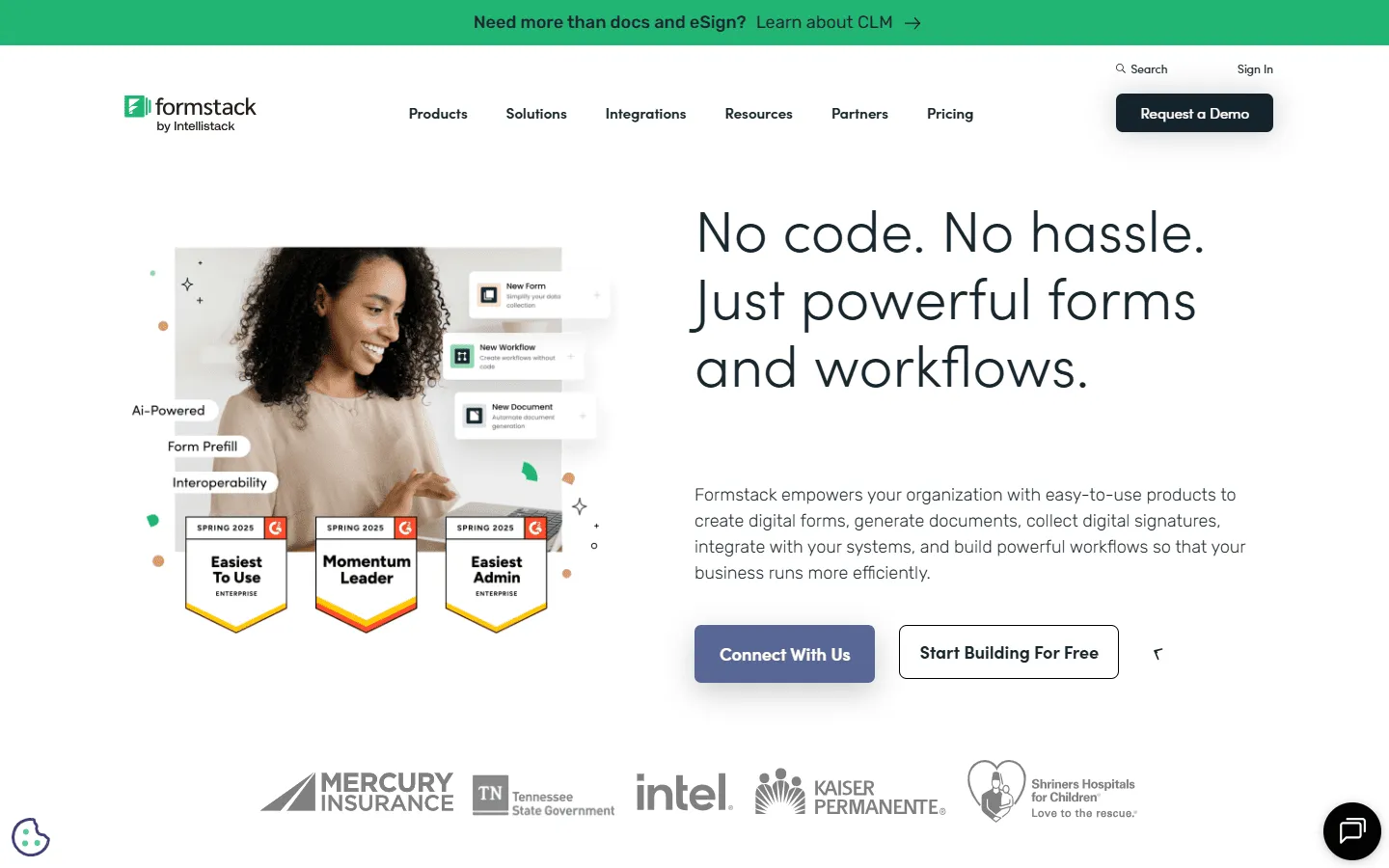 Formstack is an enterprise data collection and automation platform. While it includes a drag-and-drop form builder, it is primarily focused on what happens after the data is collected.
Formstack is widely used in healthcare, higher education, and corporate environments. It can route submissions through different departments for approval, securely collect payments, and automatically attach form data to formalized PDF documents.
What are the advantages of Formstack?
- High-level security and compliance, including HIPAA, GDPR, and PCI.
- Powerful workflow automation that can replace manual document approval processes.
- Native capabilities for generating documents and collecting electronic signatures.
- Pre-built integrations with major enterprise CRM tools, particularly Salesforce.
What are the disadvantages of Formstack?
- Pricing starts high ($83/month) and climbs quickly if you need add-ons like document generation or compliance.
- No free plan.
- There’s a learning curve, especially once you get into workflows and approvals.
- Too heavy for small businesses or individuals who just need to run a basic survey.
Formstack works well for:
- Patient intake forms (HIPAA)
- Insurance claims workflows
- Multi-step approval processes
What is Google Forms?
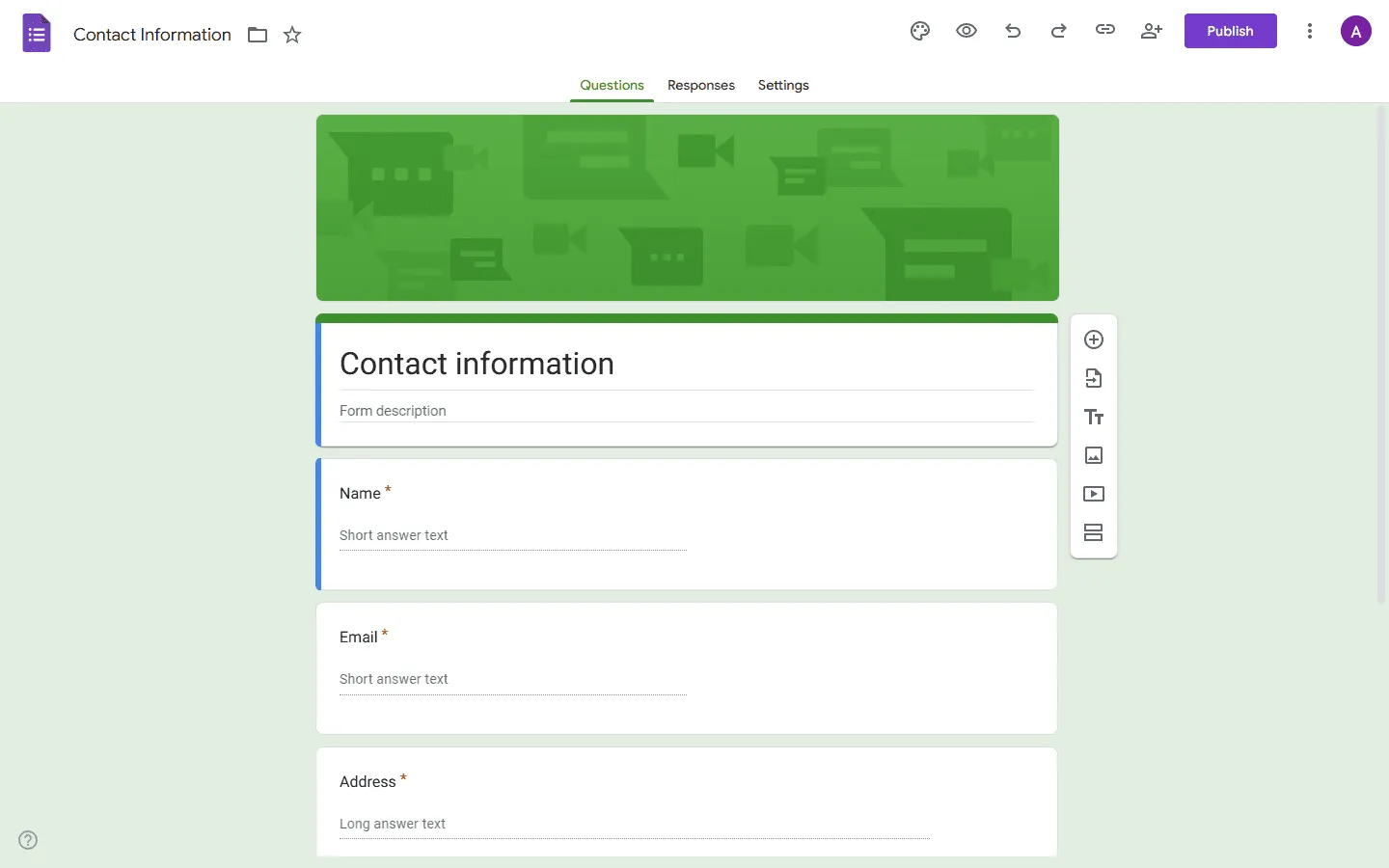 Google Forms is a completely free form builder included with every Google Workspace account. It is designed to be as accessible as possible. Anyone can open it, type a few questions, and send out a functional survey in a matter of minutes.
All responses are automatically saved into a Google Sheet, making it surprisingly powerful for basic data organization.
What are the advantages of Google Forms?
- It is 100% free with no limits on the number of forms or responses.
- Very little learning curve; it is intuitive even for complete beginners.
- Direct connection with Google Sheets, Drive, and other Google Workspace apps.
- Allows for real-time collaboration so multiple people can edit a form at the same time.
What are the disadvantages of Google Forms?
- Visual design is limited to a few color themes and a header image.
- No native payment options.
- Lacks advanced security certifications like HIPAA or SOC 2.
- Cannot handle complex approval workflows or automated document generation without external add-ons.
Google Forms works well for:
- Event registrations
- Internal feedback surveys
- Classroom quizzes
Pricing: Free vs Enterprise limits
The most apparent difference when comparing Formstack vs Google Forms is the cost.
Formstack pricing
Formstack is an investment. They do not offer a free version, and their entry-level plan is priced for established businesses.
- No free plan
- Forms ($83/month): 25 forms, 1,000 responses/form, core form builder, integrations, storage
- Suite ($250/month): 100 forms, 5,000 responses/form, automation, document generation, e-signatures
- Enterprise: Custom pricing, compliance features, advanced governance
Google Forms pricing
Google Forms does exactly what you expect from a Google product: it is completely free for anyone with a Google account. There are no paid tiers for the form builder itself. Whether you collect 10 responses or 10,000, you will not hit a paywall.
The verdict: Google Forms is the obvious choice on price. Formstack only makes sense if you actually use its workflows, automation, or compliance features.
Design and customization
Both Formstack and Google Forms are limited when it comes to design.
Formstack design
Formstack gives you more flexibility. You can use their built-in theme editor to adjust colors and spacing, and you have the option to organize fields into multiple columns. If you know how to write code, Formstack allows you to inject custom CSS to completely overhaul how the form looks.
Google Forms design
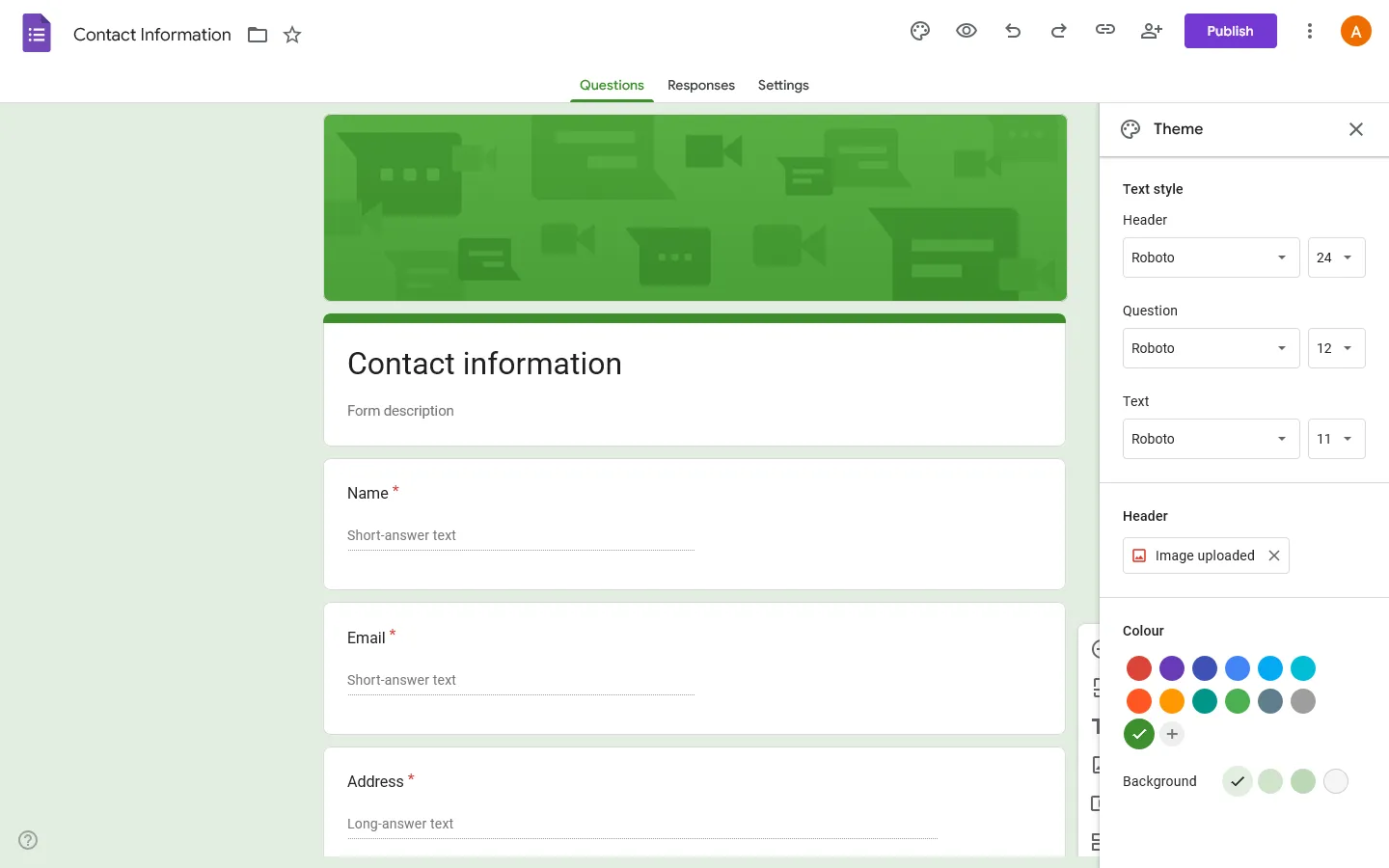
Google Forms provides very basic customization. You can change the background color, select a different font from a limited list, and upload a header image. The layout is always a single vertical column. This means every Google Form you create will instantly be recognizable as a Google Form.
The verdict: Neither tool is great for design. Formstack gives you more control, especially with CSS, but it still doesn’t feel modern compared to newer tools.
Security and Compliance
When it comes to handling sensitive data, the gap between the two tools is significant.
Formstack security
Security and compliance are Formstack’s main selling points. They offer HIPAA compliance for healthcare providers, PCI compliance for processing credit cards, and SOC 2 compliance for enterprise data governance. They also provide detailed audit logs and access controls for large organizations.
Google Forms security
Google Forms benefits from Google’s reliable infrastructure, meaning your data is safe from unauthorized access. However, it does not offer specialized compliance certifications out of the box. You cannot use a standard Google Form to collect patient health information legally under HIPAA regulations.
The verdict: Formstack is the clear winner for security and compliance. If you operate in a regulated industry, Formstack is built exactly for your needs.
Ease of use and learning curve
Google Forms is about as simple as it gets. The interface is clean, uncluttered, and requires zero technical knowledge. You can build and distribute a survey in less than five minutes.
Formstack has a more complex interface because it does much more. Setting up conditional logic, mapping data to PDF templates, and configuring approval workflows takes time and training. The drag-and-drop builder is accessible, but mastering the platform’s automation features will require a dedicated time investment.
The verdict: Google Forms is far easier for beginners. Formstack requires a time investment to learn.
Google Forms and Formstack alternatives
If Google Forms is too basic for your needs, but Formstack feels too expensive and complex, FormGrid can be a good middle ground.
While Formstack is built for enterprise workflows and Google Forms is built for maximum simplicity, FormGrid is built for teams who want beautiful, highly customizable forms without an enterprise price tag.

Compared to Formstack and Google Forms, FormGrid offers:
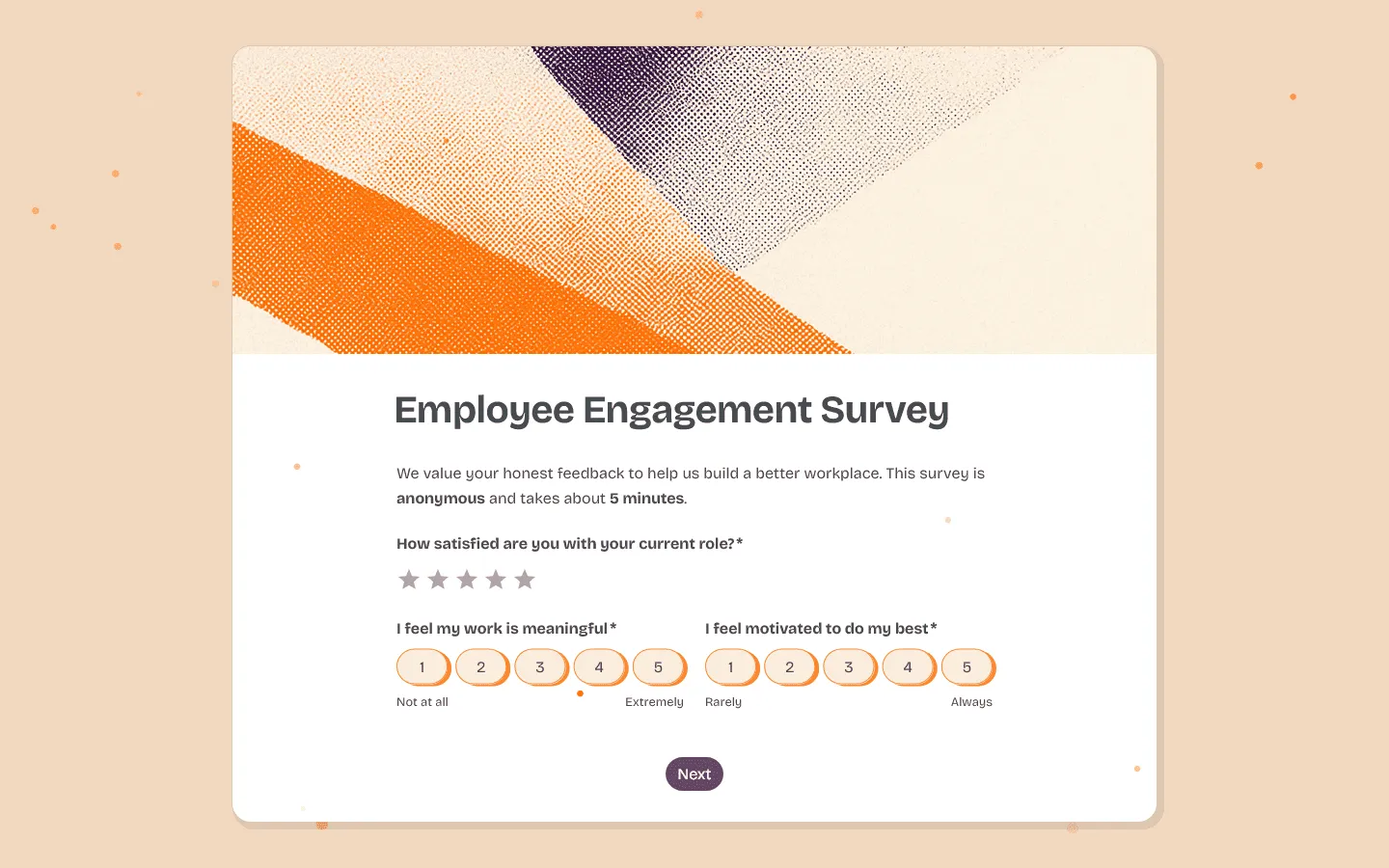
- More design control than Google Forms: FormGrid uses a flexible document-style editor. You can create multi-column layouts, adjust spacing, and style every element to match your brand—things that simply are not possible in Google Forms.
- More affordable than Formstack: Instead of paying $83 or more per month just to access basic features, FormGrid offers unlimited forms, unlimited responses, conditional logic, and AI-powered generation completely for free.
- Faster building experience: You do not need a training manual to use FormGrid. The interface works like a text editor, letting you type and build simultaneously. This creates a much faster setup experience than navigating Formstack’s rigid menus.
- AI form generation: You can describe what you need into a prompt, and FormGrid will generate a complete, beautifully styled form for you in seconds.
If you are looking for other tools, check out our full guides to Google Forms alternatives and Formstack alternatives.
Conclusion: Which tool should you choose?
Go with Google Forms if…
- You need a free tool to collect data with no response limits.
- You are running internal company polls, educational quizzes (or very simple personality quizzes), or personal event RSVPs.
- You do not need to process payments or generate PDF documents.
- You want the data to flow directly into a Google Sheet automatically.
Google Forms is the best default choice for most simple data collection tasks.
Go with Formstack if…
- You work in healthcare, finance, or government and require strict compliance (like HIPAA).
- Your forms need to trigger multi-step approval workflows across different departments.
- You need submitted data to automatically populate formalized PDF templates.
- You have the budget to support an $83+ monthly subscription.
Formstack is an enterprise tool that is worth the cost when a form is just the first step in a much larger, automated business process.
Go with FormGrid if…
- You need a generous free plan with unlimited responses, just like Google Forms.
- You care deeply about design and want your forms to look like a natural part of your website.
- You find Formstack’s $83/month starting price too expensive for your budget.
- You want the speed of building with a modern, document-style editor.
FormGrid gives you the design flexibility of a premium tool with the pricing structure of Google Forms, making it a good choice for marketing teams, startups, and creators.
FAQ: Formstack vs Google Forms
What is the main difference between Formstack and Google Forms?
Google Forms handles simple surveys. Formstack is built for workflows and automation.
Is Formstack better than Google Forms?
Formstack is better for complex workflows, approvals, and compliance. Google Forms is better for simple, free data collection.
Can Google Forms replace Formstack?
Only for basic use cases. It does not support approvals, document generation, or compliance features like HIPAA.
Why is Formstack so expensive?
Formstack is priced for businesses that need automation, integrations, and compliance. It replaces manual workflows, not just form building.
Does Google Forms have HIPAA compliance?
No. Standard Google Forms cannot be used for HIPAA-compliant data collection.