Typeform vs Jotform: Which form builder is better? (2026)
If you are comparing Typeform and Jotform, the real question is simple: do you want a form that feels polished to fill out, or a form that can handle more complicated business workflows?
Typeform is usually the better fit for customer-facing forms where the answering experience matters. It is cleaner, more polished, and easier to make look good.
Jotform makes more sense for forms used for internal processes, applications, or orders. It offers more field types, payments, file uploads, e-signatures, approvals, or more tools for handling what happens after someone submits.
So the short version is this: Typeform is better when the form experience matters. Jotform is better when the form needs to support a business process.
This guide compares Typeform vs Jotform across pricing, builder experience, design, features, and use cases.
Typeform vs Jotform: Quick summary & feature comparison
The main difference between Typeform and Jotform is that Typeform is a conversational form builder, while Jotform is a more traditional form builder.
Typeform treats a form like a guided conversation. Each question gets its own screen, the flow feels smooth, and the final result usually looks polished without much work. Jotform treats a form more like a flexible business tool. You get more field types, more templates, more payment options, e-signatures, approvals, PDFs, and a larger set of workflow features.
A lead generation form, customer survey, or quiz will often feel better in Typeform. A rental application, order form, client intake form, or approval process will usually be easier to build in Jotform.
Here is a quick comparison:
| Feature | Typeform | Jotform |
|---|---|---|
| Capterra rating | 4.7/5 (900+ reviews) | 4.7/5 (2,800+ reviews) |
| Best for | Customer surveys, lead gen, marketing | Orders, payments, intake forms, business workflows |
| Free plan | 10 responses/month | 100 responses/month, 5 forms |
| Starting price | $29/month | $34/month |
| Form style | One question at a time (conversational) | Traditional full-page or one-question mode |
| Design | High-end, polished out of the box | Customizable but requires more effort |
| Templates | ~3,000 | 20,000+ |
| Payments | Yes (paid plans) | Yes (40+ processors, free plan included) |
| E-signatures | No | Yes (Jotform Sign) |
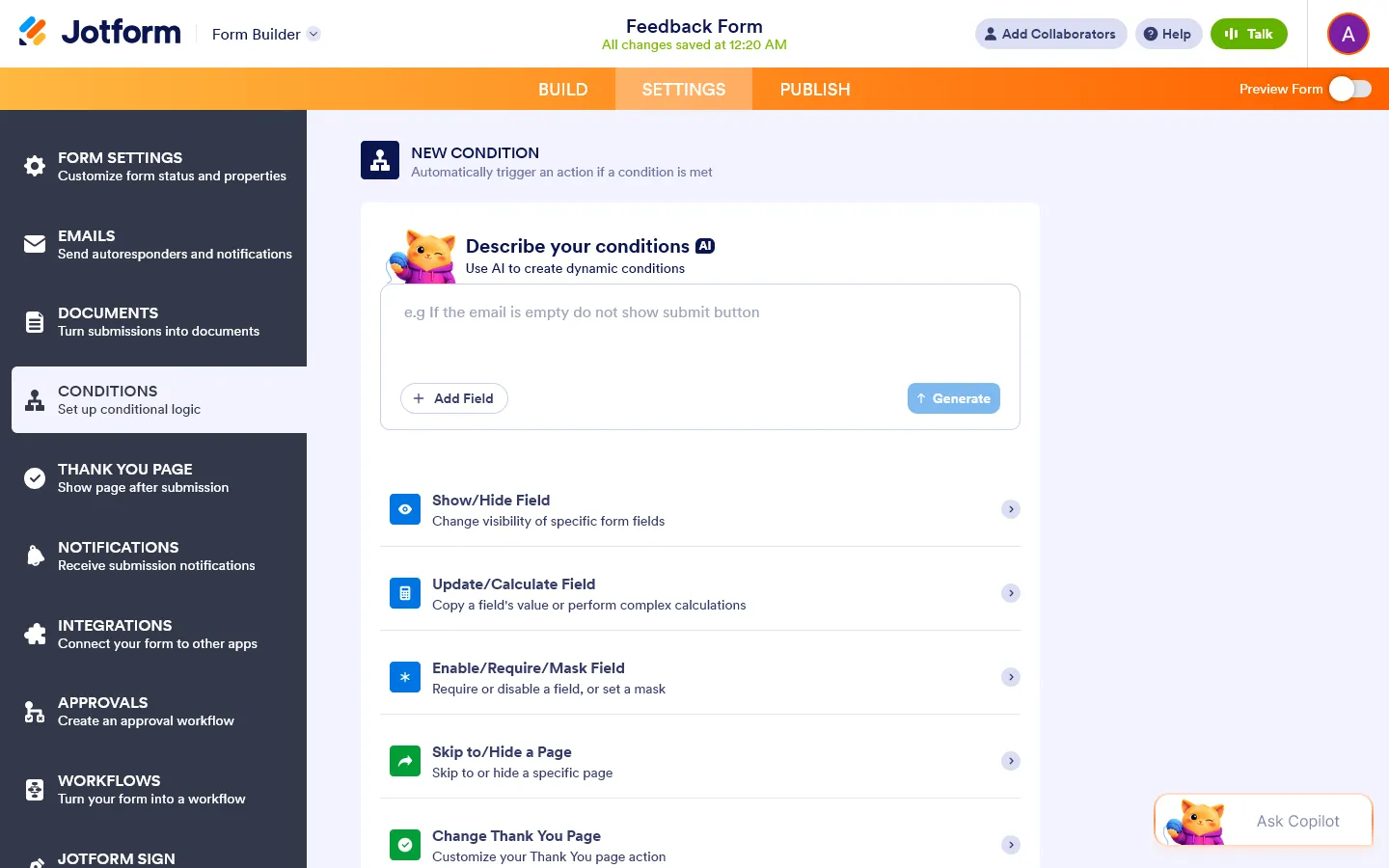
| Logic | Visual logic map, advanced branching | If/then conditional rules, show/hide fields |
| AI form builder | Yes | Yes |
| Native integrations | 300+ | 150+ (plus widgets for 1,000+ tools) |
The bottom line:
- Choose Typeform if you care most about how the form feels to fill out, especially for lead gen, surveys, quizzes, and customer-facing flows.
- Choose Jotform if you need a form that can handle a complex business process: collecting payments, capturing e-signatures, or routing approvals.
If Typeform is too expensive but Jotform feels too heavy, you might also want to look at FormGrid. It offers design quality closer to Typeform with a more generous free plan and no response limits.
What is Typeform?

Typeform launched in 2012 and became known for one thing in particular: forms that do not feel like standard forms.
Instead of showing every question on one long page, Typeform presents one question at a time. Respondents move through the form step by step, more like a guided conversation than a static questionnaire.
That format works especially well for lead capture, quizzes, customer feedback, and research surveys where drop-off matters. It can make longer or more personal forms feel less demanding.
The downside is limited flexibility. Typeform gives you a polished experience, but the structure is strict. You cannot freely arrange fields, create dense multi-column layouts, or build forms that behave more like full landing pages.
What are the advantages of Typeform?
- Polished respondent experience. The one-question-at-a-time format reduces cognitive load and tends to improve completion rates on longer or more personal forms.
- Good design with little effort. Clean typography, smooth transitions, and per-question images make Typeform forms look presentable quickly.
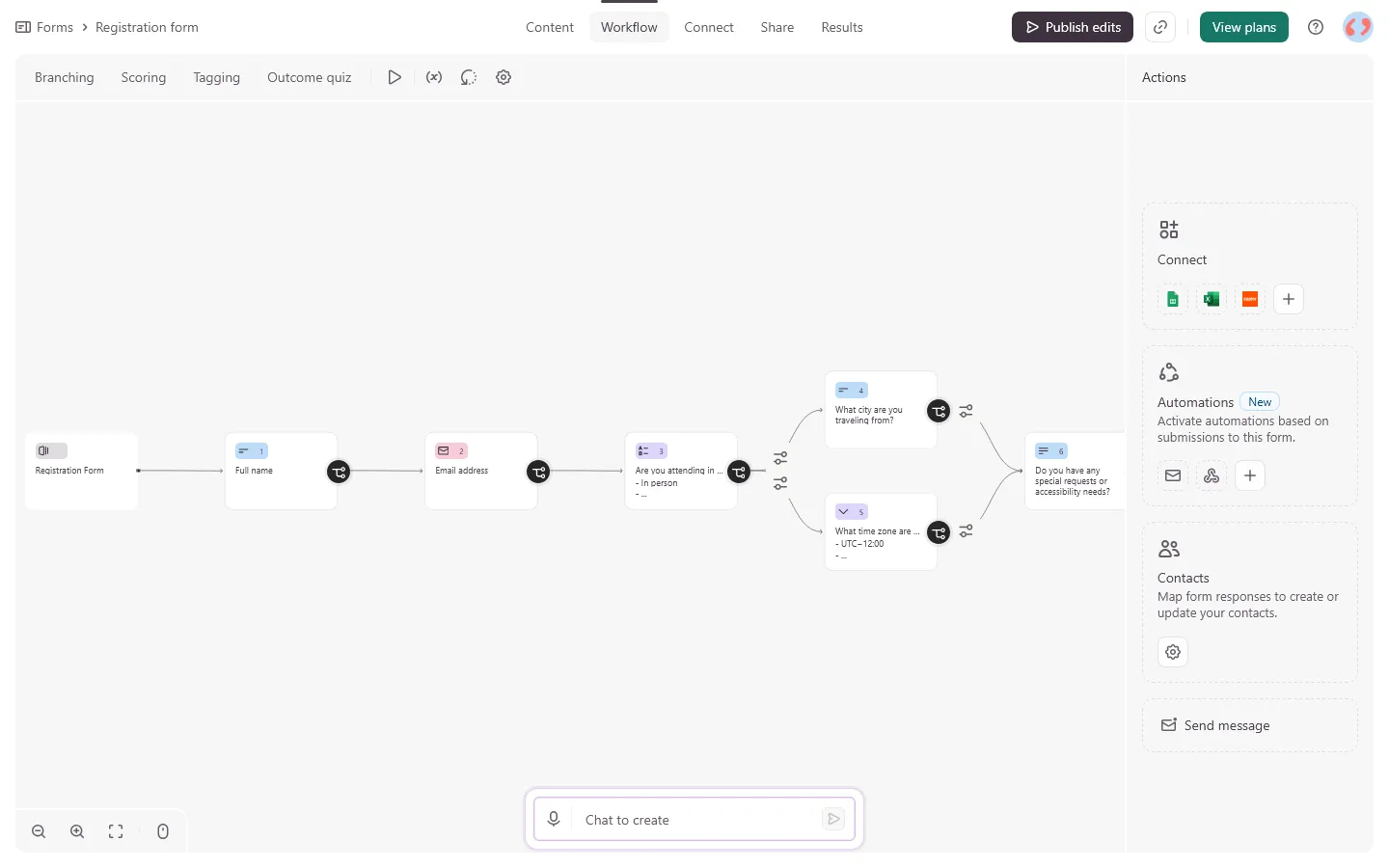
- Visual logic maps. Conditional branching is displayed as a flowchart, making it easier to review and debug complex paths than a list of if/then rules.
- AI tools built in. Typeform also includes AI tools for form generation and response analysis, though some of the more interesting features are reserved for higher plans.
- Brand kit. On Plus plans and above, you can apply your brand colors, fonts, and logo consistently across all forms.
What are the disadvantages of Typeform?
- Low response limits. The free plan allows only 10 responses per month. The entry-level paid plan ($29/month) moves that to 100. Getting to 10,000 responses/month costs $99/month.
- The format has limits. The one-question-per-page flow works well for shorter forms. For longer, operational forms where people need to see multiple fields at once, it can slow people down.
- No e-signatures. If you need a signed document as part of a form submission, Typeform cannot do it.
- Payments are gated. You need a paid plan to collect payments through Typeform.
- Layout is fixed. You cannot build a multi-column layout, mix text and inputs freely, or create anything that resembles a landing page. Everything follows the sequential flow.
What is Jotform?

Jotform has been around since 2006 and has grown into one of the most feature-heavy form builders available. It is more than a form tool. It also includes Jotform Tables, Jotform Sign, a PDF builder, approval workflows, an app builder, and an AI agent platform.
The editor supports a large number of fields and widgets, from appointment pickers and product lists to signature pads and payment processors. With more than 20,000 templates, it is easy to find a starting point for very specific use cases.
The downside is that all of this adds weight. The interface can feel busy, simple forms can involve more clicks than expected, and the default designs often need work before they look polished. Jotform is powerful, but it feels more like business software than a design-led form builder.
What are the advantages of Jotform?
- 20,000+ templates. Covers nearly every industry: healthcare intake, rental applications, event registrations, legal contracts, payment orders.
- Payments out of the box. Jotform supports 40+ payment processors including Stripe, PayPal, and Square, and payment collection is available even on the free plan (with a transaction fee).
- E-signatures. Jotform Sign lets you collect legally binding signatures as part of a form submission, something Typeform does not offer.
- Approval workflows. Submissions can be routed to team members for review or action before they are finalized.
- More generous free plan. The free tier allows 100 responses per month across 5 forms, which is more useful than Typeform’s 10-response limit.
- Traditional form layout. Shows all questions on one page, which works better for longer, operational forms where users may need to refer back to earlier answers.
What are the disadvantages of Jotform?
- Busy interface. The sheer number of widgets, settings, and options can make simple tasks feel complicated.
- Design takes effort. Default themes look functional but not polished. Getting a Jotform to look sharp takes manual customization, and even then it is harder than Typeform to make something that looks premium.
- Pricing has many variables. Jotform limits are set across forms, submissions, storage, and form views simultaneously. It is possible to hit one limit before another even if your usage feels light.
- Collaboration requires higher tiers. Multi-user access is limited on most plans, which creates friction for teams.
Typeform vs Jotform: Detailed comparison
Pricing
Pricing is one of the biggest differences between Typeform and Jotform.
Typeform is easier to understand, but the response limits are tight. Jotform gives you more room on the free plan and lower tiers, but its limits are spread across several areas: forms, submissions, views, storage, and sometimes payments.
Typeform pricing
Typeform’s pricing is organized around response volume, team size, and feature access:
- Free: 10 responses/month, 10 questions per form
- Basic ($29/month): 100 responses/month, unlimited forms and questions
- Plus ($59/month): 1,000 responses/month, branding removal, 3 users
- Business ($99/month): 10,000 responses/month, drop-off analytics, 5 users
- Growth plans ($199-$349/month): AI analysis tools, video questions, lead enrichment
The free plan is effectively for testing. Any real usage pushes you to paid plans quickly, and once you need team access or brand control, costs go up significantly.
Jotform pricing
Jotform’s pricing uses a different structure, limiting simultaneously on form count, monthly submissions, storage, and monthly form views:
- Free: 5 forms, 100 responses/month, 100MB storage
- Bronze ($34/month): 25 forms, 1,000 responses/month, no Jotform branding
- Silver ($39/month): 50 forms, 2,500 responses/month
- Gold ($99/month): 100 forms, 10,000 responses/month, HIPAA compliance
- Enterprise (custom): Unlimited usage, SSO, dedicated support
The free plan is more useful than Typeform’s, but the multi-dimensional limits (forms + responses + views + storage) can trip people up. Jotform also charges a 1% fee for payment collection on free plans.
Builder experience
Typeform and Jotform feel very different once you start building.
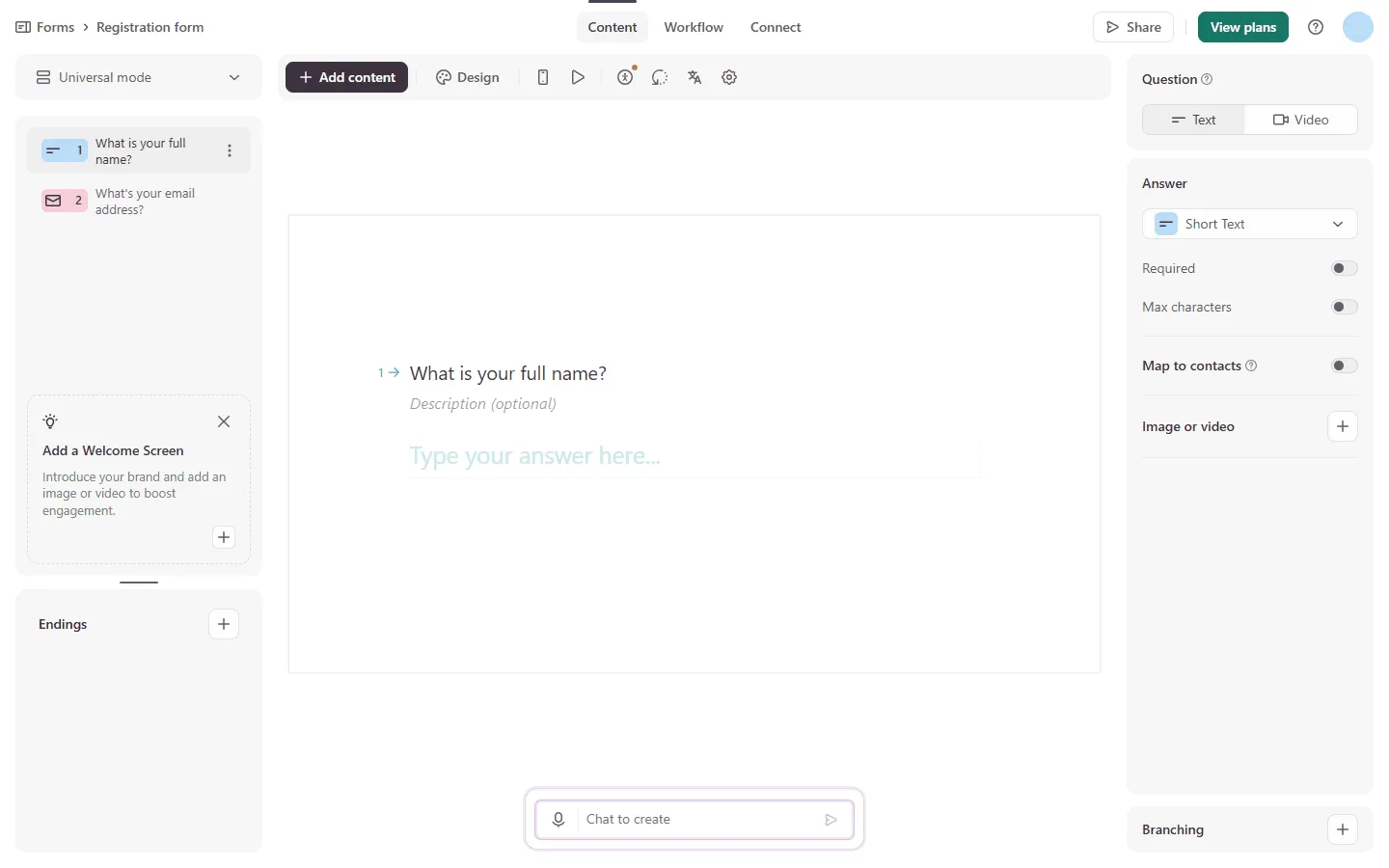
Typeform feels closer to building a slide deck. Each question sits on its own step, with settings in side panels and a preview of the final flow. This makes the builder feel focused. You are not managing a crowded page with dozens of fields at once.
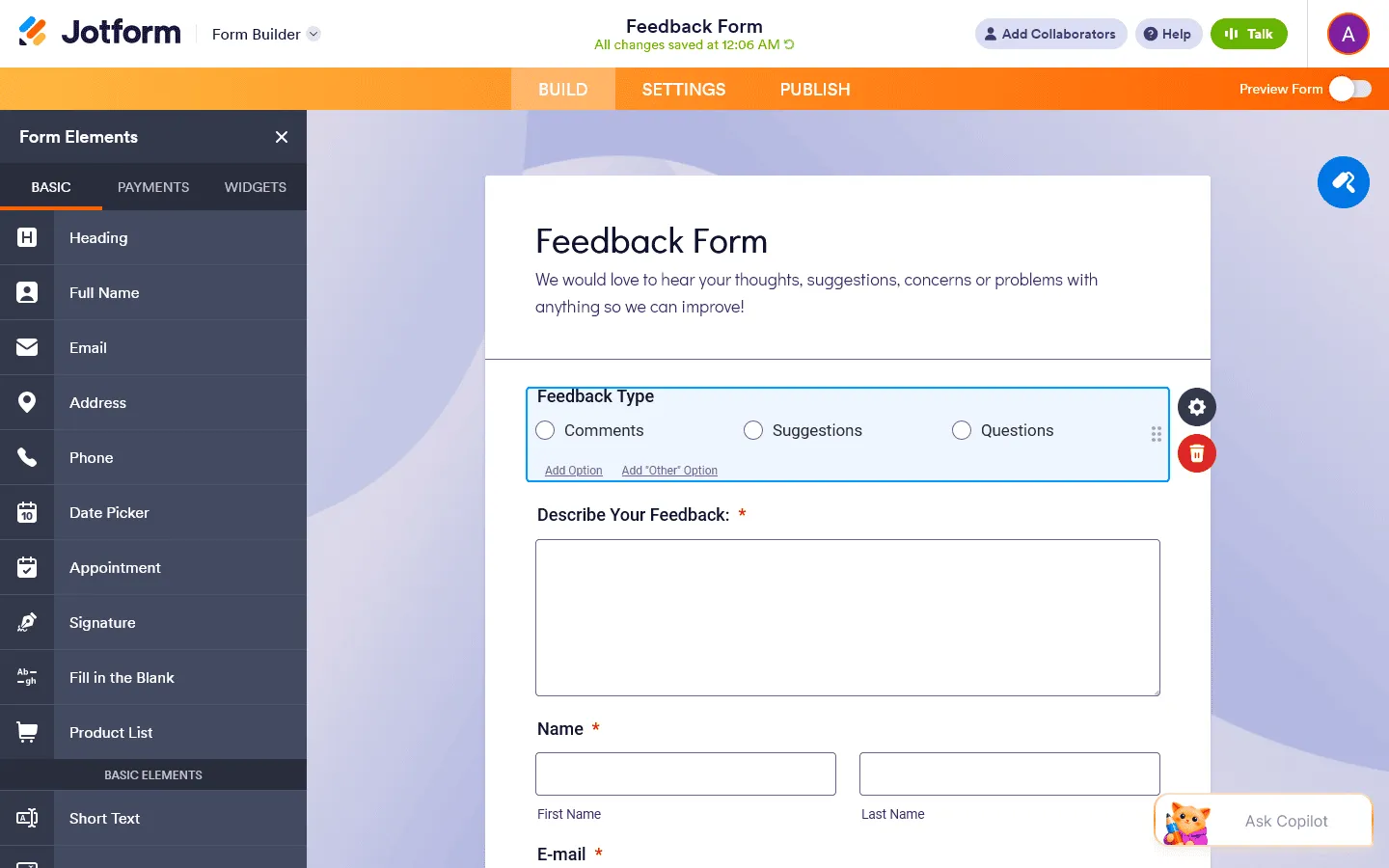
Jotform feels more like a traditional drag-and-drop form builder. You pick fields from a sidebar, place them on the form, adjust their settings, and manage layout manually.
That gives you more control, but it also means more decisions. Even a simple form can involve field settings, layout settings, widget settings, theme settings, and conditional rules in different places. The AI form builder helps with the first draft, but editing and polishing still tends to take more work than in Typeform.
Both tools have added AI generation, and both do it reasonably well. Typeform’s AI tends to produce cleaner output with better question phrasing by default. Jotform’s AI is more focused on fast structural setup.
The verdict: Typeform is faster when you want something polished without much setup. Jotform gives you more control, but you will spend more time working through settings, widgets, and layout details.
Design and respondent experience
This is the clearest difference between the two tools.
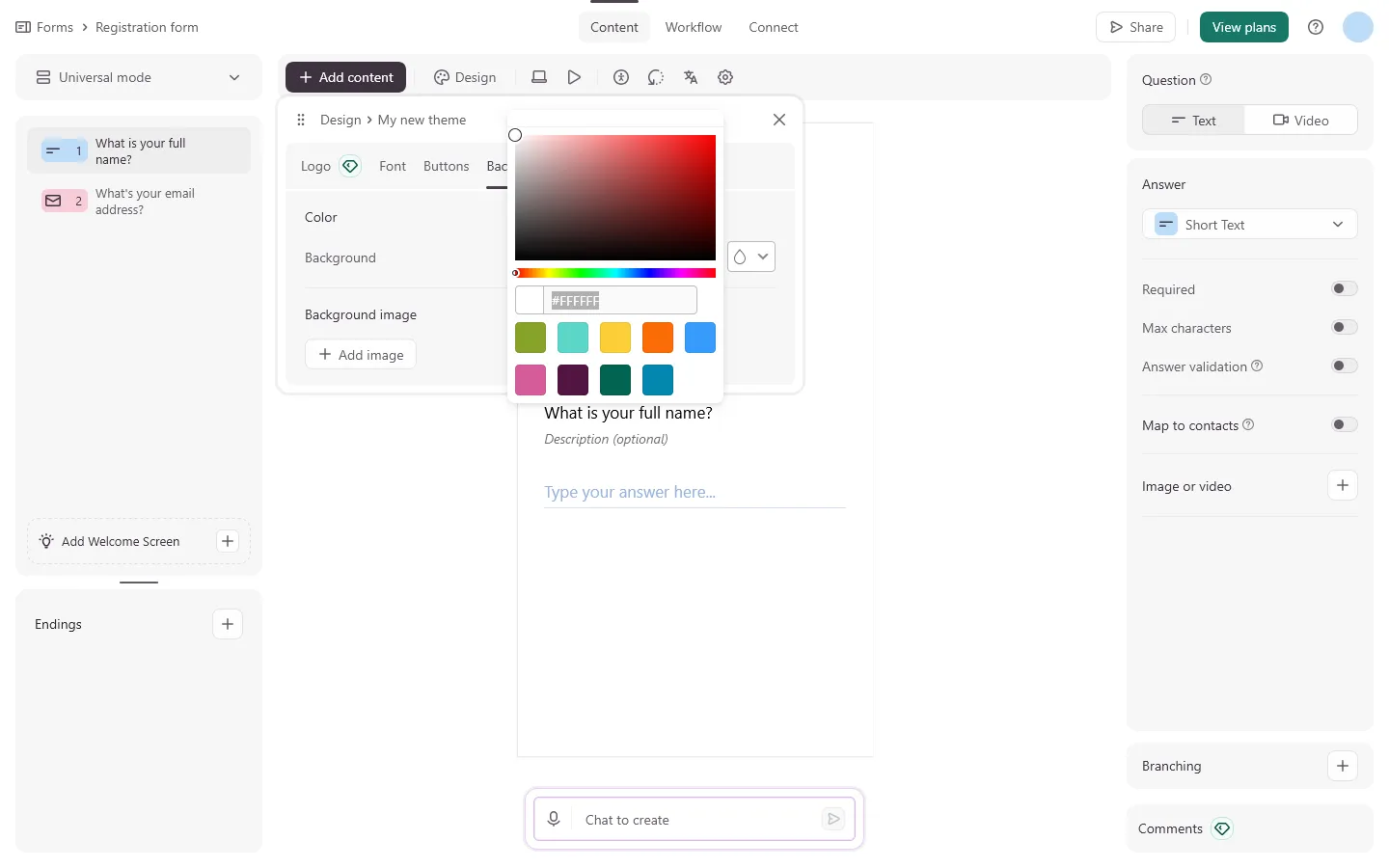
Typeform looks better by default. The full-screen layout, smooth transitions, clean typography, and per-question media support make even simple forms feel considered. You can build something presentable quickly, without touching CSS or spending much time on layout.
That is Typeform’s biggest strength. It is also its biggest limitation. Most Typeform forms still feel like Typeform forms. The structure is fixed, the flow is sequential, and there is not much room to create a layout that feels very different from the standard Typeform experience.
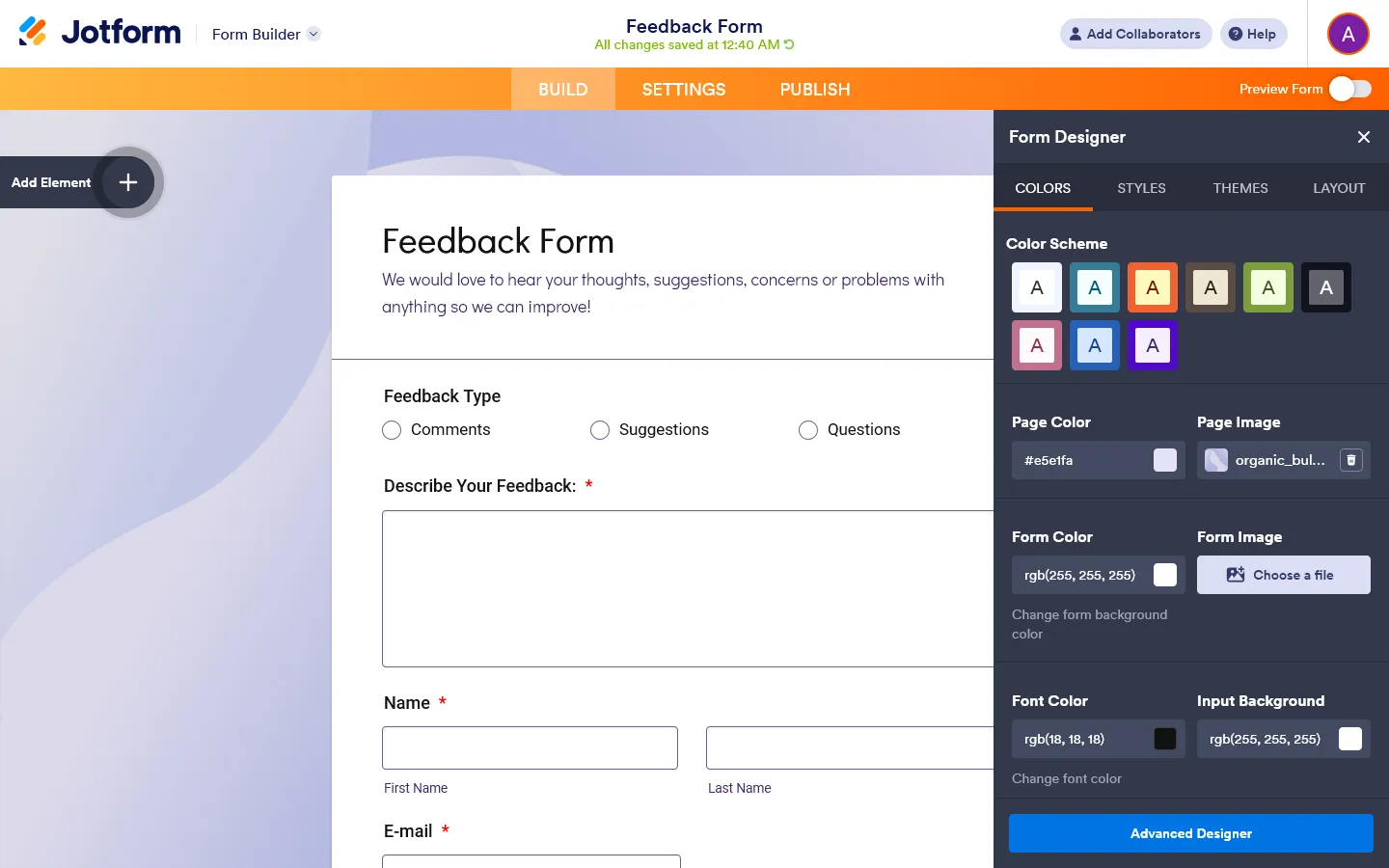
Jotform gives you more visual controls, including custom CSS and more layout options, but the defaults are weaker. A basic Jotform often looks more functional than polished.
You can make Jotform forms look good, but it takes more work. You have to spend time with themes, spacing, fonts, colors, and layout settings. For internal forms, that may not matter. For public-facing forms, it can be the difference between something that feels finished and something that feels like a default template.
Jotform does offer a “Card Form” mode that mimics Typeform’s one-question-per-page format. It works, but the transitions and animations are not quite as smooth, and the visual quality still generally lags Typeform’s native output.
The verdict: Typeform looks better with less effort. Jotform gives you more room to customize, but the starting point is weaker.
Features and logic
Typeform is built around the form experience itself:
- Conditional logic with a visual workflow map
- Calculations and score tracking across answers
- Hidden fields to pre-populate data from URLs
- Variable recall (addressing respondents by name mid-form)
- AI-generated follow-up questions (Clarify with AI, on Growth plans)
- Video questions and video answers (Growth plans)
- Drop-off analytics showing where people leave
Jotform is built around what happens when the form is submitted and after that:
- Show/hide individual fields based on any combination of answers
- Payment collection with 40+ processors, including recurring subscriptions
- E-signatures via Jotform Sign
- File uploads with format and size restrictions
- Approval workflows routing submissions to team members
- PDF generation from completed forms
- Integration with Jotform Tables, Boards, and AI Agents
- HIPAA compliance on Gold and Enterprise plans
Typeform’s feature set is most useful before and during the submission. It helps you create a smoother flow, ask better follow-up questions, personalize the experience, and understand where people drop off.
Jotform focuses more on what happens around the submission itself and what happens after it. Payments, file uploads, signatures, approvals, PDFs, and database-style submission management are all much more central to the product.
Analytics and reporting
Typeform offers a summary view showing responses per question, response counts, and drop-off rates. On Business plans, drop-off reporting per question is included. On Growth plans, the AI-powered Smart Insights tool can analyze open text responses across up to 1,000 submissions and surface sentiment and themes automatically.
Jotform provides more comprehensive analytics across all plans: form views, submission rates, completion time trends, and conversion rate tracking over time. Jotform Reports lets you generate PowerPoint-style presentations directly from your response data. Jotform Tables stores all submissions in a browsable database view with filtering and sorting.
The verdict: Jotform gives you more reporting features on regular plans. Typeform has more capable analysis features at the high end, but you need a Growth plan to get them.
Integrations
Both tools connect to a wide range of third-party apps.
Typeform has 300+ native integrations including Salesforce, HubSpot, Google Sheets, Slack, Mailchimp, Airtable, and Zapier. The integration setup is clean and well-documented.
Jotform has 150+ native integrations but also offers a large library of widgets and add-ons that extend what forms can do directly. Through Zapier and Make, both tools can connect to thousands more apps.
The verdict: Typeform has the more extensive native integration list. Jotform has fewer native integrations, but its widgets make the product more flexible inside the form itself.
Use cases: When to use which?
Use Typeform for:
- Lead capture forms where conversion rate matters
- Customer satisfaction (NPS or CSAT) surveys
- Marketing quizzes and interactive experiences
- Job application screening forms
- Research surveys where engagement affects data quality
- Any form where a polished, guided experience reflects on the brand
Use Jotform for:
- Payment collection (orders, registrations, donations)
- Client intake forms with e-signatures and file uploads
- HR and legal workflows requiring approvals
- Medical or healthcare forms requiring HIPAA compliance
- Complex conditional forms with many field types
- Any form that is part of a multi-step business process
Typeform and Jotform alternatives
If you are still undecided after comparing Typeform and Jotform, they aren’t your only options.
Typeform usually loses people on pricing, response limits, or the one-question format. Jotform usually loses people on complexity, design, or the way plan limits are spread across several areas. For Jotform, it’s usually the heavier interface, weaker design, or the way limits stack across forms, submissions, views, and storage.
That is why the next step depends on which set of tradeoffs bothers you more. If you are leaning away from Typeform, start with our Typeform alternatives guide. If Jotform is the one that feels off, our Jotform alternatives guide is the better next read.
If you want something more flexible and design-focused, with unlimited forms and responses for free, you could try FormGrid.
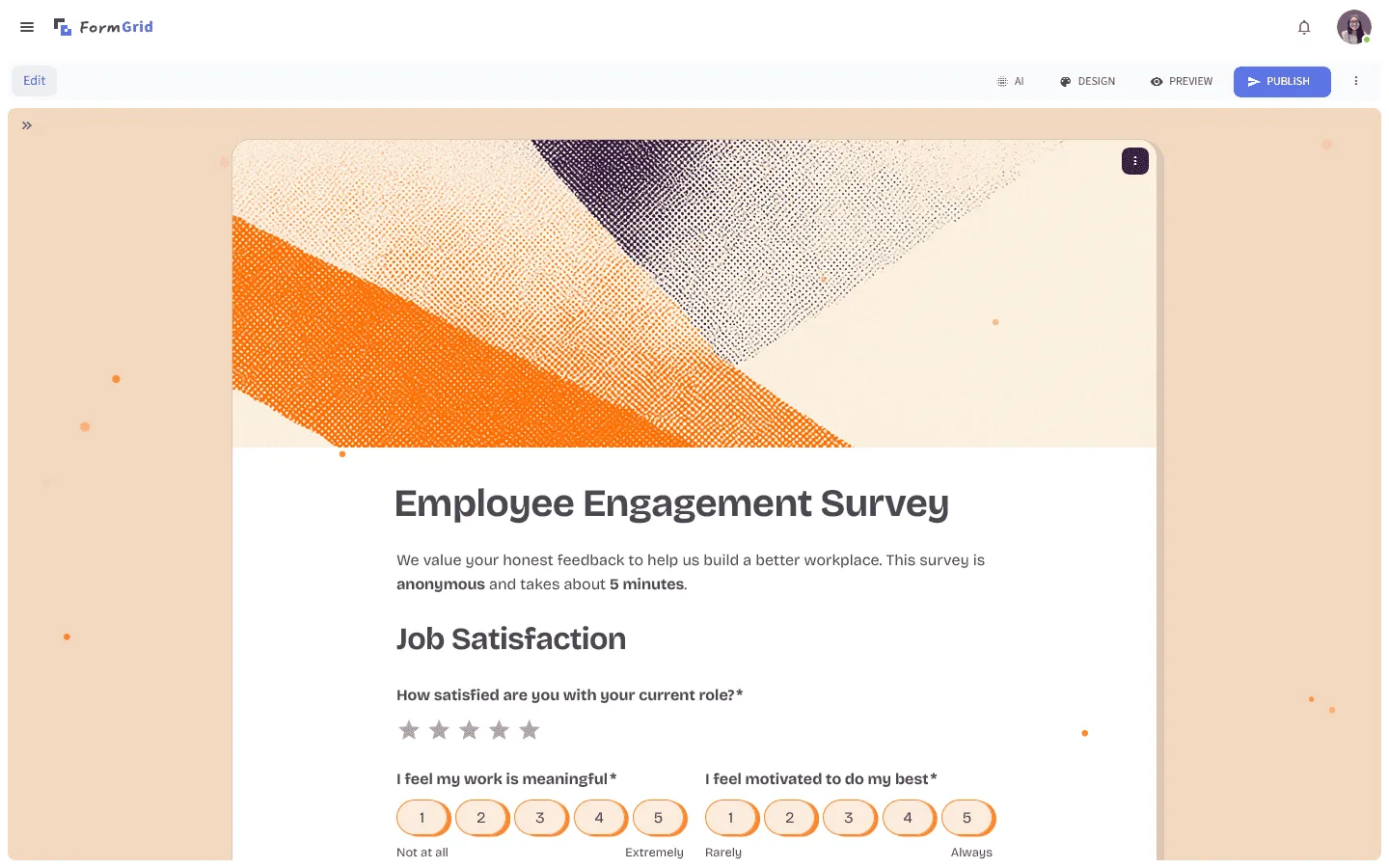
FormGrid takes a different approach from both. Instead of a sequential slide flow (Typeform) or a drag-and-drop canvas (Jotform), it uses a grid-based editor where you can arrange questions, text, and visual elements freely. Forms can look more like small branded pages than standard surveys, with multi-column layouts and custom typography.
The free plan includes unlimited forms and unlimited responses, which removes one of the main friction points of both Typeform and Jotform. The optional AI form builder can generate a complete form from a short prompt, including questions, structure, logic, and visual theme.
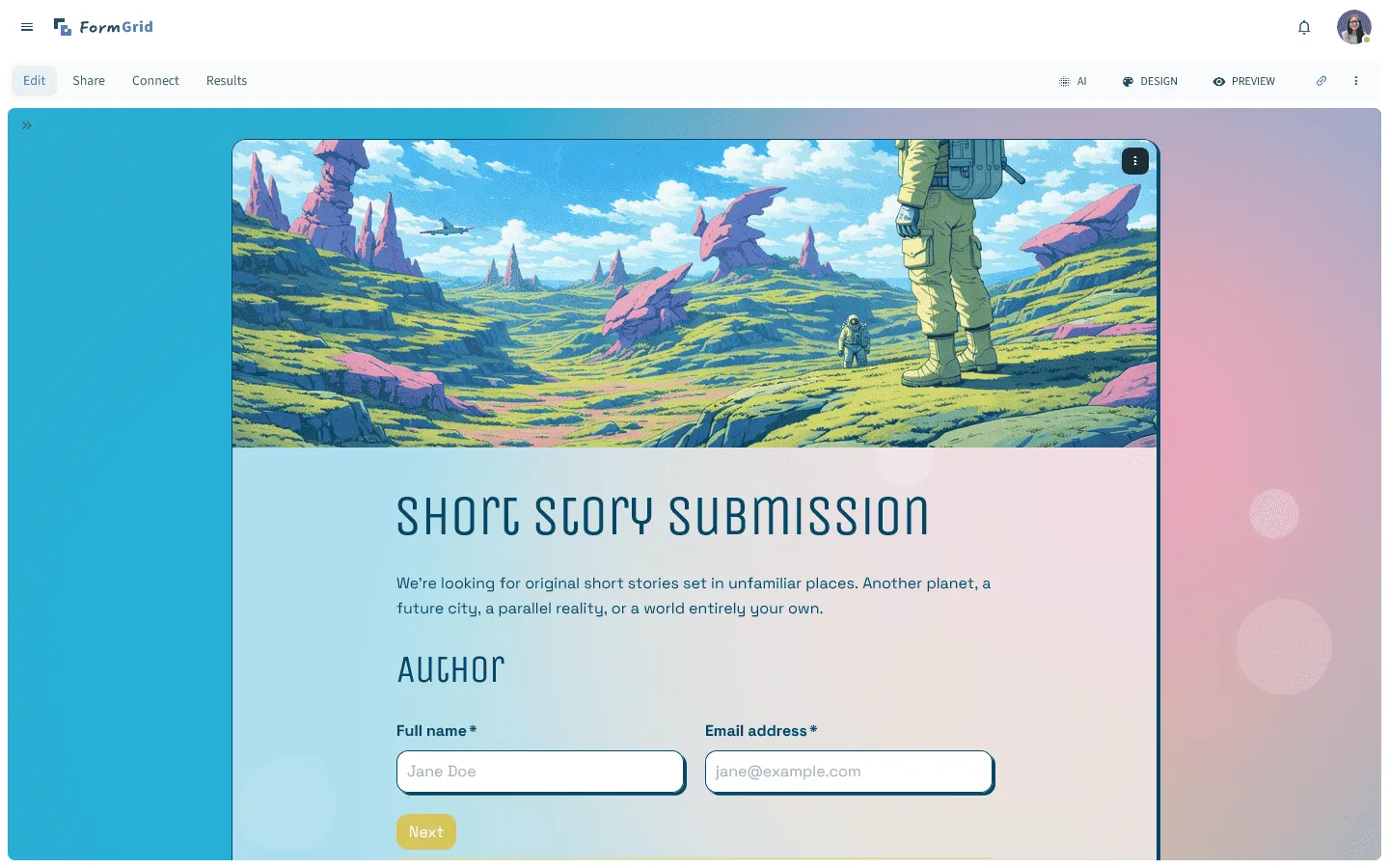
FormGrid is not trying to replace Jotform for complex back-office workflows with signatures, approvals, and dozens of operational tools. It is a better fit for public-facing forms where design matters, usage may be unpredictable, and you do not want response limits to become a problem.
For a closer look at how FormGrid compares to both tools, read our full FormGrid vs Typeform and FormGrid vs Jotform comparisons.
Conclusion: Should you choose Typeform or Jotform?
Go with Typeform if…
- Your form is part of a marketing, sales, research, or customer experience flow.
- You want the form to feel smooth and polished without much design work.
- You like the one-question-at-a-time format.
- You can live with the response limits or have the budget for a higher plan.
Typeform is the better choice when the form itself affects the experience. For lead gen, survey campaigns, quizzes, and onboarding flows, its polish can make a real difference.
Go with Jotform if…
- You need payments, signatures, file uploads, approvals, or PDFs.
- You are building forms for internal processes, client intake, orders, registrations, or healthcare workflows.
- You want a huge template library.
- You prefer more features over a cleaner interface.
Jotform is the better choice when the form needs to do more than collect answers. It has more moving parts than Typeform, but that is also why it works for more complex use cases.
Go with FormGrid if…
- You want more visual freedom than Typeform gives you.
- You want something cleaner and lighter than Jotform.
- You do not want response limits on the free plan.
- You want to generate a custom form from a prompt and still be able to edit everything.
FormGrid is worth considering if you care about design and cost at the same time. It is not as workflow-heavy as Jotform and it does not copy Typeform’s conversational format. It sits in the middle: flexible, visual, and easier to keep affordable when response volume is hard to predict.
Typeform vs Jotform: Common questions
Is Typeform better than Jotform?
It depends on what you need. Typeform is better if you want a polished, guided form experience for marketing and customer-facing use cases. Jotform is better if you need to handle payments, e-signatures, approvals, or complex multi-step workflows.
Which is cheaper, Typeform or Jotform?
For light usage, Jotform’s free plan (100 responses/month) is more generous than Typeform’s (10 responses/month). At mid-tier single-user pricing, they are similar ($29/month for Typeform Basic vs $34/month for Jotform Bronze), but Jotform has more form and storage limits at that level. For teams, Typeform bundles seats into its plans, which can make it more cost-effective.
Does Jotform have a Typeform-style conversational format?
Yes. Jotform offers a “Card Form” mode that presents one question at a time, similar to Typeform. It works, but the transitions and visual polish are generally not as refined as Typeform’s native format.
Can Typeform collect payments?
Yes, but payment collection is only available on paid Typeform plans. Jotform supports payment collection even on its free plan (with a transaction fee) and integrates with 40+ payment processors.
Does Typeform support e-signatures?
No. Typeform does not offer a native e-signature feature. Jotform does, through its Jotform Sign product.
Which has better analytics, Typeform or Jotform?
Jotform’s built-in analytics are more detailed at standard pricing tiers. Typeform offers impressive AI-powered analysis tools (Smart Insights), but these are locked behind Growth plans that start at $199/month.
Which has more templates, Typeform or Jotform?
Jotform has significantly more templates, with over 20,000 options spanning most industries. Typeform has around 3,000 templates, which are generally better designed but cover fewer specific use cases.
Typeform or Jotform: which is easier to use?
Typeform is easier to use if you want a cleaner builder and a more guided design system. Jotform is easier to use if your priority is finding a template for a specific workflow and customizing from there.