Tally vs Typeform: Which form builder is better? (2026)
If you are choosing between Tally and Typeform, you are not alone. These two tools often come up as the default options for modern online forms, but they solve very different problems.
Typeform is the established name. It popularized the one-question-at-a-time format and built its reputation on polished, guided experiences.
Tally is the newer challenger. It focuses on speed, simplicity, and a Notion-style editor, with a free plan that removes most usage anxiety.
This guide compares Tally vs Typeform across pricing, builder experience, customization, logic, and real-world use cases.
Tally vs Typeform: Quick summary & feature comparison
If you want the short version, here is the high-level breakdown:
| Feature | Tally | Typeform |
|---|---|---|
| G2 rating | 4.8/5 (70+ reviews) | 4.5/5 (900+ reviews) |
| Best for | Startups, creators, small teams | Enterprises, premium brands |
| Free plan | Generous, unlimited responses | Limited, 10 responses/month |
| Editor | Document-style (like Notion) | Slide-based (PowerPoint-style) |
| Layout flexibility | Low | Medium |
| Respondent experience | Simple scrolling page | Guided, one question at a time |
| Design | Modern and clean but basic | High-end, elegant themes |
| Analytics & reporting | Basic | Advanced |
| Payments | Included (with fee) | Paid |
| Branding removal | Paid | Paid |
The bottom line:
- Choose Tally if you want a powerful, free form builder and prefer a simple, document-style interface. It is the best value for money on the market. If price, speed, and flexibility matter more, Tally is the better default.
- Choose Typeform if you have a budget and need the absolute highest-quality “conversational” experience for lead generation or customer surveys. If presentation and guided experiences matter more, Typeform is worth the premium.
If Tally feels too rigid and Typeform feels too expensive, you might also want to look at FormGrid. It comes with a familiar Tally-style editor, extensive design customization options, an AI-powered form generator, and unlimited forms and responses on the free plan.
What is Tally?
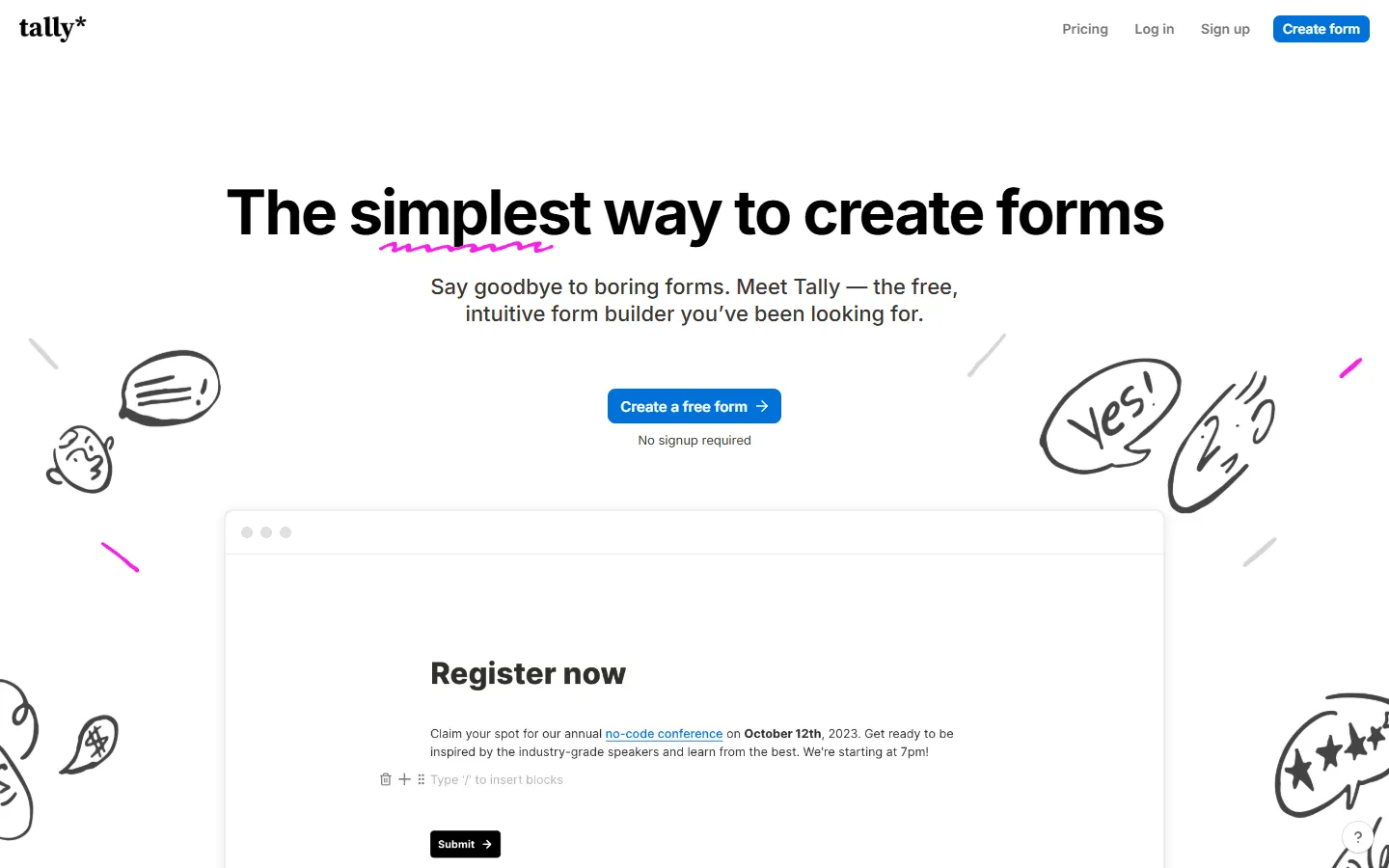 Tally is a form builder with a text-first editor that feels similar to Notion. You type questions into a page, insert input blocks with shortcuts, and publish. The free tier includes unlimited forms and unlimited submissions.
Tally supports conditional logic, file uploads, payments, calculations, multi-page layouts, and embedding. It also integrates directly with Notion so responses can land in a Notion database.
Its main promise is speed and simplicity. You write forms the same way you write documents.
What are the advantages of Tally?
- Very generous free plan with unlimited forms and submissions
- Fast to build long or complex forms without dealing with design setup
- Logic, calculations, and integrations available without early paywalls
- Simple pricing that stays predictable as usage grows
What are the disadvantages of Tally?
- Design and presentation feel more utilitarian out of the box
- Less control over layout compared to fully visual or page-based builders
- Branding and custom domains require Pro
- Fewer built-in analytics and reporting features than Typeform
What is Typeform?
 Typeform treats forms as guided experiences. Instead of showing everything on a single page, it walks respondents through one question at a time.
This format reduces cognitive load and often improves completion rates for long or personal forms. It also allows for more visual storytelling with animations, large media blocks, and branded layouts.
Typeform is built around presentation. The tradeoff is higher pricing and stricter usage limits.
What are the advantages of Typeform?
- Very polished, guided form experience that works well for lead capture and marketing flows
- Good visual consistency with themes and brand kits on higher plans
- Good documentation and learning resources for teams that need guidance
- Wide range of integrations and automation options on paid plans
What are the disadvantages of Typeform?
- Pricing climbs quickly once you need branding removal, higher response limits, or collaboration
- Submission limits can become restrictive for high-traffic forms
- Layout flexibility is limited compared to document-style or page-style builders
- Many features people expect are tied to specific plans
Pricing: The main difference
The biggest difference between Tally and Typeform is how they charge you. Typeform sells a premium, guided form experience with higher pricing tiers, while Tally gives you a lot of capability upfront and charges mainly for business features like branding removal and custom domains.
Tally’s pricing
Tally’s pricing model is very generous. Their Free plan includes almost everything:
- Unlimited forms
- Unlimited submissions
- Payment collection (5% commission)
- File uploads
- Logic jumps & calculations
You essentially only pay for the Pro plan ($29/month) if you need:
- Custom domains (forms.yourdomain.com)
- Collaborators (multiple team members)
- No Tally branding
- 0% commission on payments
Typeform’s pricing
Typeform is a premium product with premium pricing. Their Free plan is essentially a trial, limited to just 10 responses per month.
- Basic ($29/mo): 100 responses/month.
- Plus ($59/mo): 1,000 responses/month.
- Business ($99/mo): 10,000 responses/month.
The verdict: Tally wins on price, hands down. If you are bootstrapping or just need a simple form without worrying about hitting a response limit, Tally is the obvious choice. Typeform gets expensive quickly if your form goes viral.
Builder experience: How it feels to create forms
How you build forms in these two tools feels completely different.
Typeform: The visual slide deck
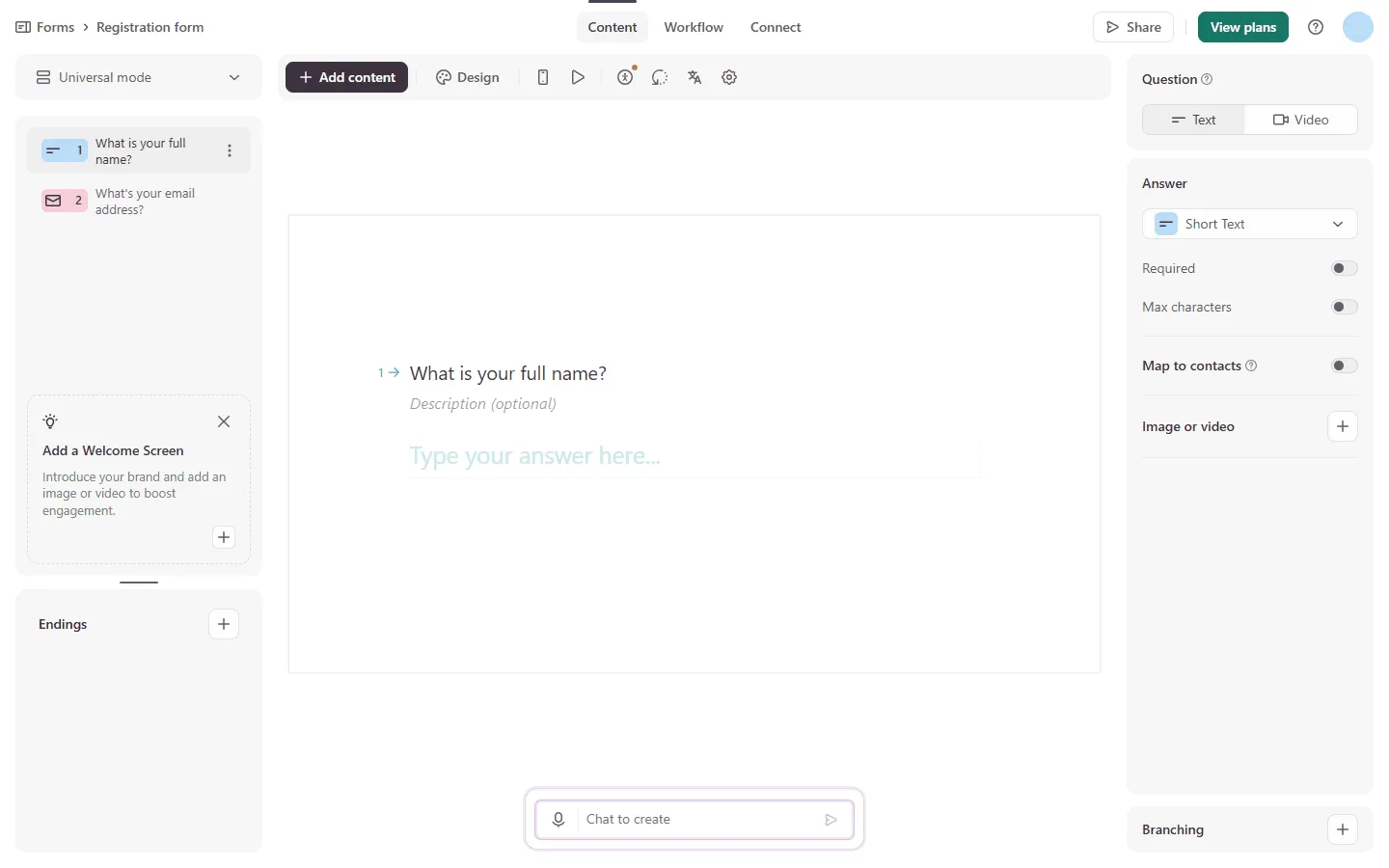
Building in Typeform feels like creating a presentation. You add “slides” (questions) to a timeline. You have a left sidebar for your question flow and a right sidebar for settings.
It is visual and intuitive, especially for complex logic paths. You can see the structure of your form at a glance.
Tally: The “Notion” experience
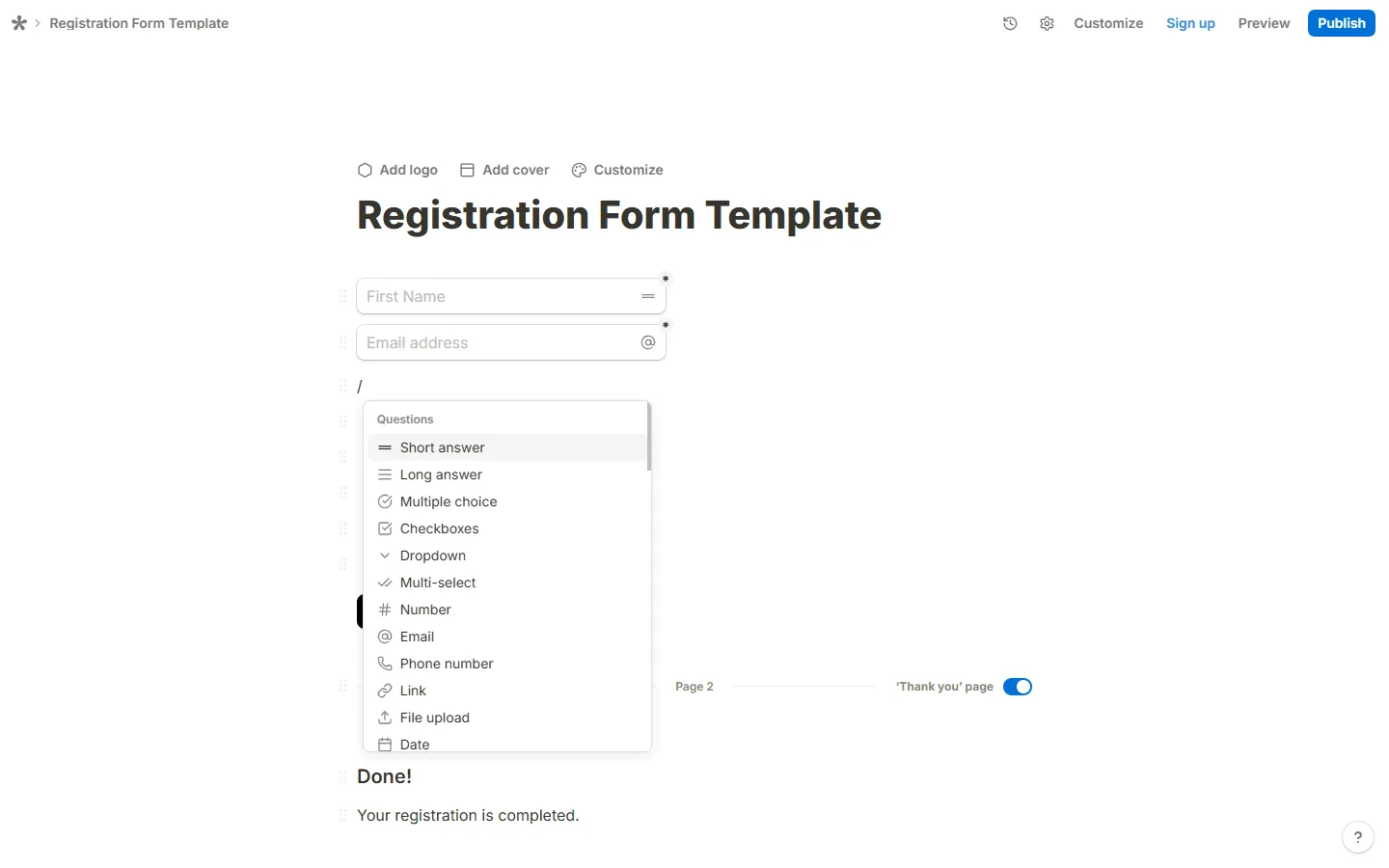
If you have used Notion, you already know how to use Tally. You start with a blank white page. You type / to open a menu and select blocks like “Input,” “Multiple Choice,” or “Heading.”
It feels very fast. You don’t click around in menus; you just type.
 The verdict: It depends on your preference. Prefer speed and writing? You will like Tally. Prefer visuals and structure? You will prefer Typeform.
The respondent experience
This is where Typeform built its reputation. It’s famous for the “one question at a time” flow. It automatically scrolls to the next question after you answer, uses smooth animations, and supports oversized images and video backgrounds. It captures attention. This is why marketers love it, it often converts better because it feels less like a “form” and more like a chat.
Tally uses a standard scrolling page, similar to a Google Form or a Notion doc. However, it can be configured to show one question per page, but it lacks the cinematic transitions and “polish” of Typeform. It feels cleaner, simpler, and more utilitarian.
The verdict: If experience and polish matter, Typeform wins. If clarity and speed matter, Tally is better.
Design and customization
Typeform really stands our here. You can make Typeforms look polished. They offer:
- Video backgrounds
- Custom layouts per question
- Unsplash integration for large, high-quality images
- Themes that look professionally designed out of the box
Tally is minimal by design. You can change fonts, colors, and add a logo or cover image, but you can’t fundamentally change the layout. It will always look like a clean, single-column document.
The verdict: If brand impression is your first priority (e.g., a luxury brand inquiry form), Typeform is the better tool. Tally looks professional, but “simple” professional, not “wow” professional.
Tally and Typeform alternatives
If you are stuck in the middle (you want the free/affordable pricing of Tally, but the visual personality of Typeform) you might want to look at other Typeform alternatives and Tally alternatives, such as FormGrid.
FormGrid allows for highly “styled” forms that go beyond the basic Notion-look of Tally, but without the high monthly cost of Typeform. It’s designed for those who want their forms to feel unique, playful, or branded, rather than just a standard document.

For a closer look at how FormGrid compares to both tools, read our full FormGrid vs Tally and FormGrid vs Typeform comparisons.
Conclusion: Should you choose Tally or Typeform?
Go with Tally if…
- You are an indie hacker, startup, or freelancer.
- You don’t want to worry about response limits (10 vs 10,000 is a huge difference).
- You love Notion and value speed over “flashiness.”
- You need advanced features like logic and payments but have $0 budget.
Tally is the best choice for most people. It gives you more than enough power, removes the stress around limits, and stays affordable even as usage grows. If you just want forms that work and do not want to think about pricing every time one performs well, Tally wins.
Go with Typeform if…
- You are a marketing agency or enterprise.
- You need to impress leads with a high-end, conversational experience.
- You have the budget to pay $50-$99/month.
- You need deep analytics and complex integrations ecosystem.
Typeform remains the premium option. It makes sense when the form itself is part of the brand experience and you are willing to pay for that polish. For lead-gen campaigns and high-touch marketing flows, the experience can justify the price. Outside of that, it often feels like overkill.
Go with FormGrid if…
- You like the doc-style editor and the generous free plan of Tally.
- You care about visual identity and design.
- You want your forms to look unique and don’t find the generic “template” look appealing.
- You like the idea of generating personalized, ready-to-use forms in seconds.
FormGrid is the right pick when neither Tally nor Typeform gives you enough control over how the form looks and feels. If you want layouts, visual structure, and forms that feel more like pages or microsites, this is the clear alternative.