Qualtrics vs Google Forms: Which form builder is better? (2026)
Google Forms and Qualtrics often come up in the same comparison, but they’re built for very different kinds of work.
Google Forms is a quick, free way to collect basic information. It works well for RSVPs, internal requests, simple feedback, classroom surveys, and lightweight research.
Qualtrics is a research and experience management platform. It’s used by universities, large companies, healthcare organizations, government teams, and research departments that need more control over survey design, data quality, reporting, and compliance.
So the useful question isn’t which tool is better overall. It’s which one fits the survey you are trying to run. This guide compares Qualtrics and Google Forms across ease of use, logic, analytics, integrations, security, pricing, and the kinds of projects each tool is best suited for.
Qualtrics vs Google Forms: Quick summary & feature comparison
The main difference between Qualtrics and Google Forms is that Google Forms is built for simple, low-cost surveys, while Qualtrics is built for research-heavy and enterprise use cases that need deeper logic, stronger controls, and more advanced analysis. They look similar at first because both collect survey responses, but they’re made for very different jobs.
If you want the short version, the table below breaks down the key differences:
| Feature | Google Forms | Qualtrics |
|---|---|---|
| Best for | Simple polls, quick feedback, internal use | Academic research, enterprise experience management |
| Ease of use | Very easy, no learning curve | Steep learning curve, professional interface |
| Question types | 12 types | 29 types |
| Logic | Basic one-level branching | Multi-level logic, quotas, randomization (Survey Flow) |
| Analytics | Basic charts, Google Sheets export | Stats iQ, Text iQ, crosstab reporting |
| Integrations | Google Workspace | Salesforce, Marketo, Slack, REST API |
| Security | Basic access controls | SSO, audit logs, GDPR controls, HITRUST certification, FedRAMP High, ISO 27001 |
| Pricing | Free | Custom enterprise pricing, self-serve Strategic Research plan starting at $420/month billed annually |
The bottom line:
- Choose Google Forms if you need a free, simple way to collect information. It works well for internal polls, event signups, basic feedback forms, classroom surveys, and anything where the data ends up in a Google Sheet.
- Choose Qualtrics if you need advanced survey logic, research-grade controls, built-in analysis, formal reporting, or enterprise compliance features.
If Google Forms feels too limited but Qualtrics feels like too much, FormGrid is a better middle ground. It gives you more control over design, layout, and logic without turning a simple survey into an enterprise implementation project.
What is Google Forms?
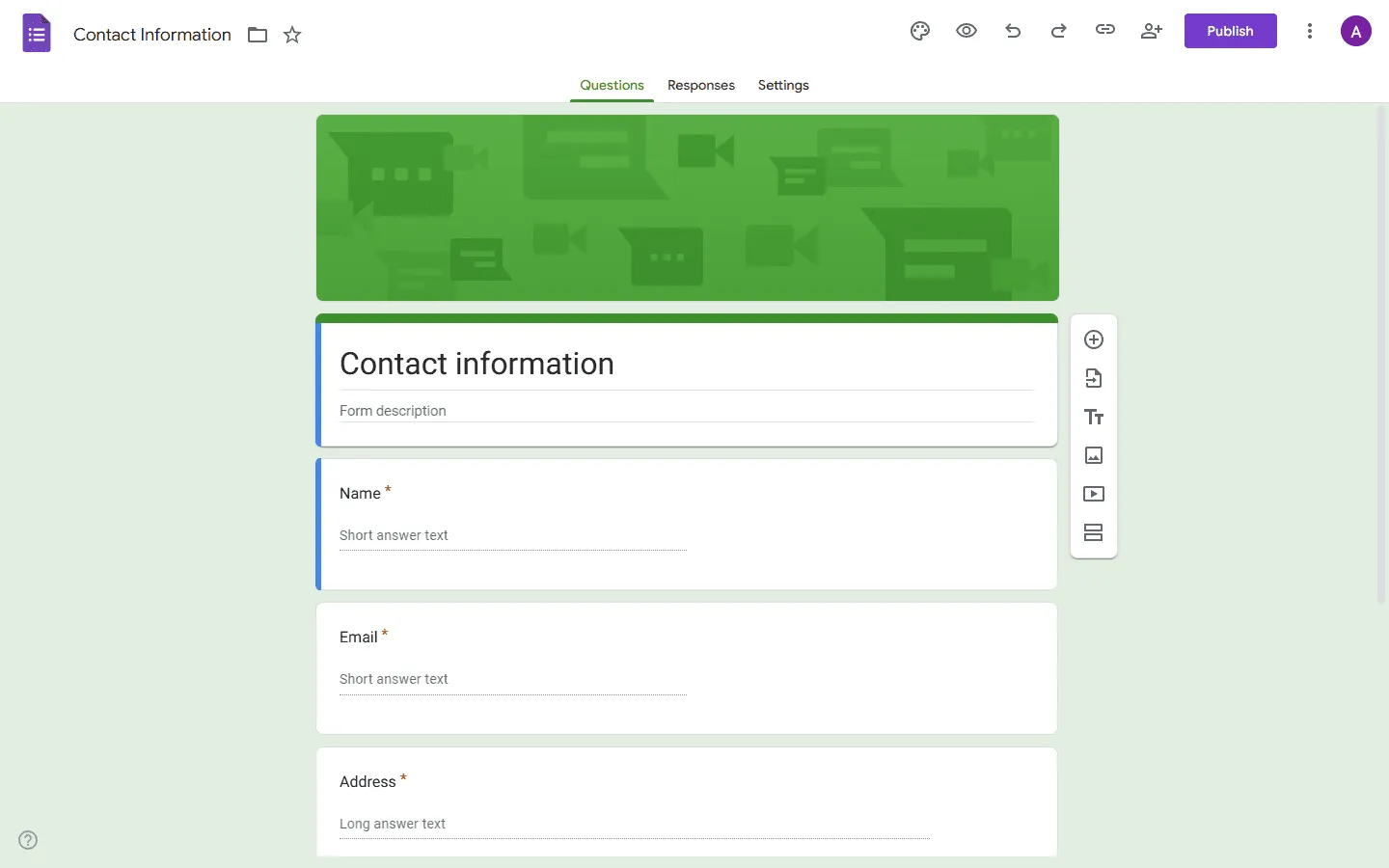
Google Forms is Google’s free form and survey builder. It’s part of Google Workspace and is mainly designed for simple data collection: quick polls, feedback forms, signups, quizzes, requests, and lightweight surveys.
Its biggest strength is how little you need to learn. You can create a form in a few minutes, share it with a link, and send responses directly to Google Sheets. For many teams, that’s enough.
At the same time, Google Forms doesn’t give you a lot of control over the look and structure of your form. The design options are basic, so most Google Forms look similar. And the conditional logic is limited to sending people to different sections based on an answer.
What are the advantages of Google Forms?
- Completely free: No response limits, no question limits, no paid tiers to worry about.
- Quick to set up: A form can be published in a few minutes with no training.
- Google Sheets integration: Responses sync automatically into a spreadsheet.
- Collaborative editing: Multiple people can work on the same form at the same time.
- Familiar to respondents: Most people recognize Google Forms, which can help with completion rates.
What are the disadvantages of Google Forms?
- Limited design options: Every form ends up looking more or less the same.
- One-level logic only: You can branch on a single answer, but nothing more complex than that.
- Basic analytics: The built-in summaries are useful for a quick overview, but not for deeper analysis.
- Not suited for enterprise security: No SSO, no audit logs, no role-based permissions.
What is Qualtrics?
Qualtrics is a survey and experience management platform built for serious research and enterprise feedback programs. It’s widely used by universities, large companies, healthcare organizations, government agencies, and market research teams.
Compared with Google Forms, Qualtrics gives you much more control over how a survey is structured. You can use advanced question types, survey flow, display logic, skip logic, quotas, randomized blocks, embedded data, and detailed reporting tools. Qualtrics also has stronger analysis and reporting tools. Stats iQ helps with statistical testing, while Text iQ helps analyze open-text responses.
However, Qualtrics is a fairly complex tool, with a lot of settings, menus, and terminology, so it is not for everyone.
What are the advantages of Qualtrics?
- Research-grade features: A much broader range of question types than Google Forms, including advanced formats for professional research, plus randomization, quotas, and deeper survey controls.
- Built-in analysis: Stats iQ for statistical analysis, Text iQ for sentiment analysis, and crosstab reporting for presenting results to stakeholders.
- Enterprise security: GDPR compliant, HITRUST certified, FedRAMP authorized, ISO-27001 certified, with SSO and audit logs.
- ExpertReview: Checks your survey for methodology problems before you send it out.
- Scale: Designed to handle large volumes of responses across distributed teams and organizations.
What are the disadvantages of Qualtrics?
- High cost: Pricing isn’t public. Most organizations are paying thousands of dollars per year under a custom enterprise contract.
- Steep learning curve: Getting comfortable with the platform takes time, and most teams need training to use it properly.
- Overkill for simple tasks: Using Qualtrics for internal event RSVPs is usually far more tool than the job requires.
- Limited free tier: The free account exists, but it’s essentially a preview. Almost everything useful requires a paid plan.
Qualtrics vs Google Forms: Detailed comparison
Here’s how Google Forms and Qualtrics stack up side-by-side.
Ease of use
Google Forms is much easier to learn. Most people can open it for the first time and build a working form without reading documentation. The interface is simple, the settings are limited, and the workflow is obvious.
Qualtrics takes longer to understand because it gives you many more options. You have survey blocks, survey flow, embedded data, quotas, display logic, skip logic, reporting tools, and admin settings. That control is useful when you need it, but it also makes the product feel heavier.
For quick forms, Google Forms wins. For trained survey teams, Qualtrics offers more room to work.
Logic and survey flow
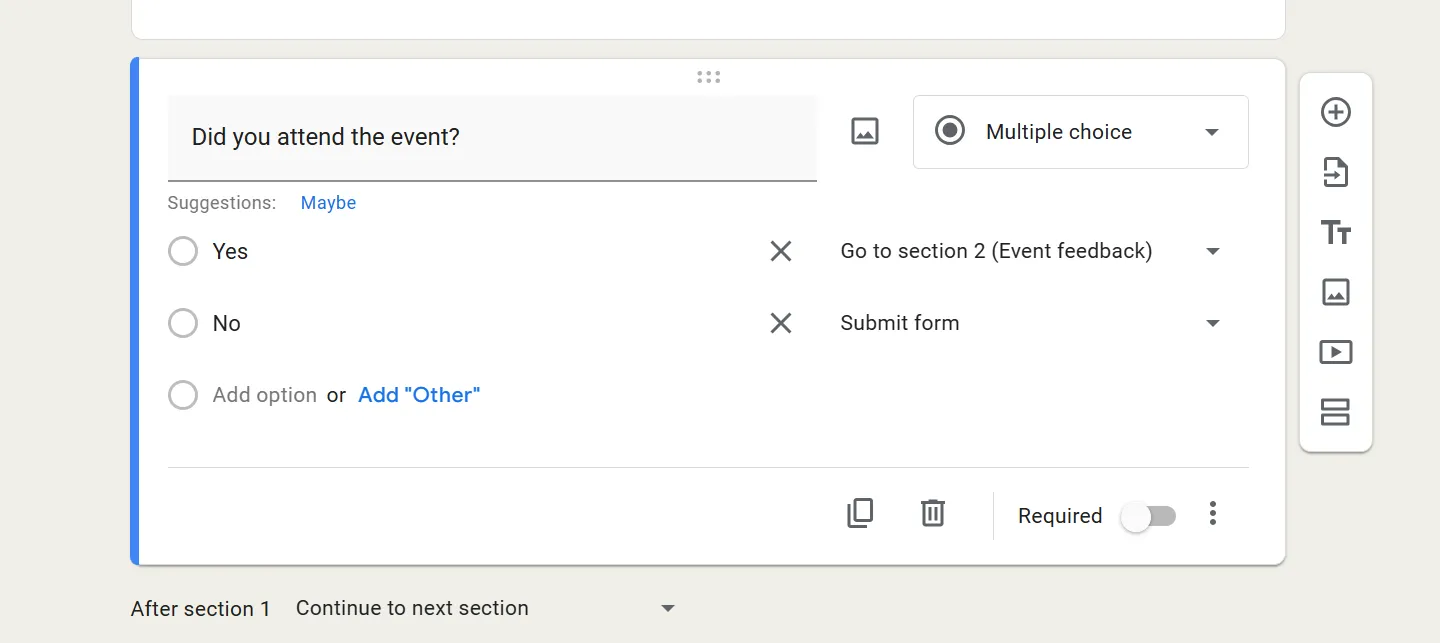
Google Forms has basic branching. You can send respondents to a different section based on one answer. For example, if someone says they are attending an event, you can send them to follow-up questions about meal preferences. If they aren’t attending, you can send them to the end of the form.
That is the full extent of its conditional logic.
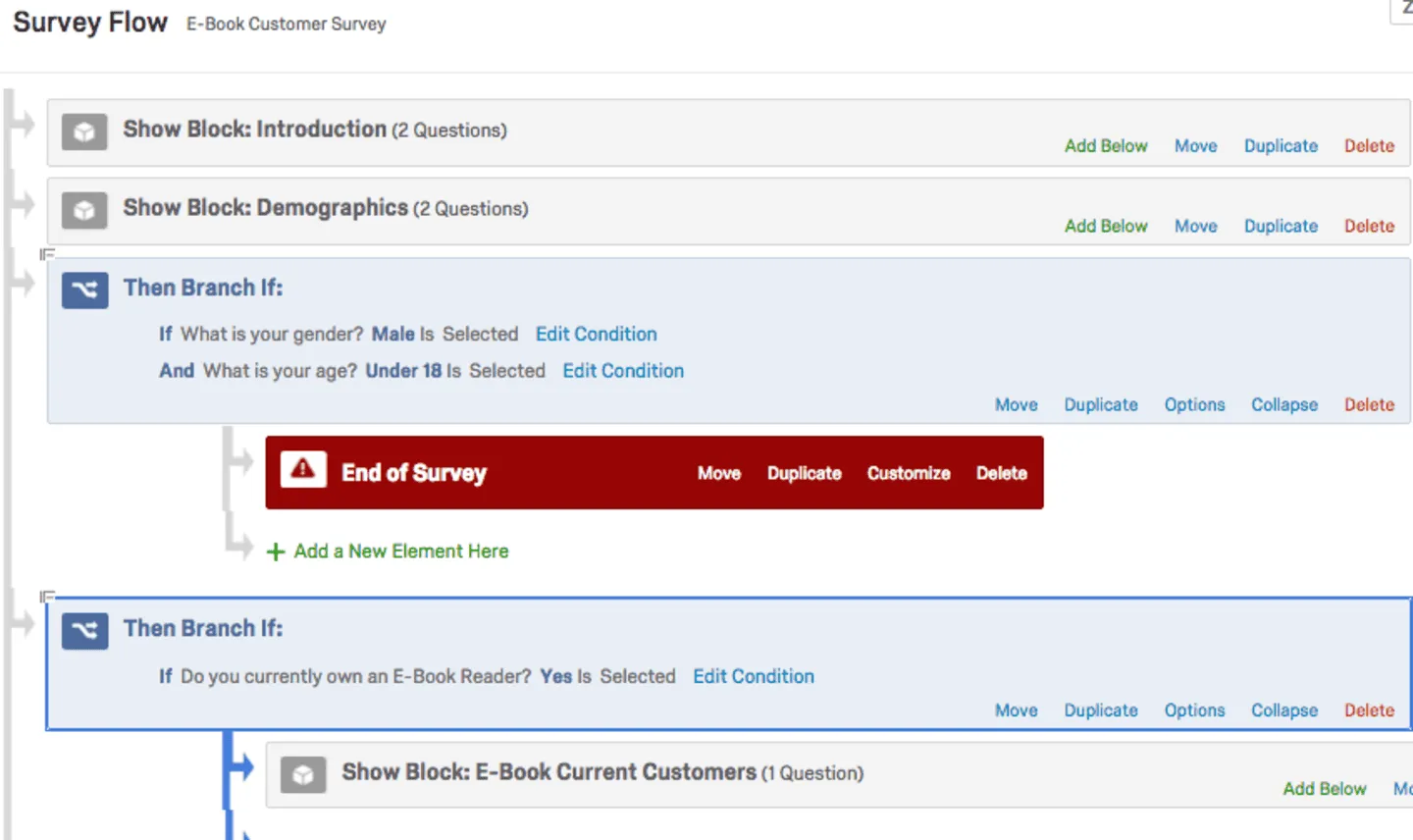
Qualtrics gives you much more control over the survey path. You can create multi-step branches, combine several conditions, set quotas, randomize question blocks, use embedded data, and control exactly which respondents see which questions.
If you need to control sample groups, reduce order bias, or handle complex respondent paths, Qualtrics is much better suited to the job.
Analytics and reporting
Google Forms gives you basic response summaries: counts, charts, and individual responses. For many simple forms, that is enough. If you need to do more, you can send the data to Google Sheets and work with it there.
Qualtrics is built for deeper analysis inside the platform. Stats iQ can help with statistical tests. Text iQ can help process open-ended responses. Dashboards make it easier to present results to different audiences, from executives to research teams.
The gap becomes obvious once you have more data than you can comfortably review by hand. Google Forms gives you the raw answers. Qualtrics gives you more tools for analyzing and presenting them.
Integrations
Google Forms connects natively with Google Workspace: Sheets, Drive, Gmail, Calendar. Connecting it to tools outside Google’s ecosystem requires add-ons or a third-party automation tool like Zapier.
Qualtrics has native integrations with Salesforce, Microsoft Dynamics 365, Marketo, Slack, and ServiceNow, plus a REST API for building custom integrations. For organizations that need survey data to flow automatically into other business systems, Qualtrics handles that more directly than Google Forms does.
Security and compliance
Google Forms is usually fine for everyday internal use. You can limit access, require sign-in, and keep responses inside Google Workspace. For basic team surveys, that may be all you need.
Qualtrics is built for organizations with stricter requirements. It supports enterprise controls like SSO, audit logs, centralized administration, and more granular access management. It also highlights compliance standards and certifications such as HITRUST, FedRAMP High, ISO 27001, and GDPR-related controls.
This only matters if your project has real governance or compliance requirements. If you are collecting lunch preferences, Google Forms is enough. If you are collecting sensitive research, healthcare, employee, or customer experience data, Qualtrics is much easier to justify.
Pricing
Google Forms is free for individual users, and teams that need business features can get Google Workspace starting at $7 per user per month on the Business Starter plan.
Qualtrics is priced very differently. It’s mainly sold through custom enterprise contracts, and those contracts are usually meant for organizations running serious research, customer experience, employee experience, or market research programs. Qualtrics also offers a public self-serve Strategic Research plan starting at $420 per month, billed annually.
For most small teams, this is one of the clearest differences. Google Forms is free and ready to use immediately. Qualtrics is a platform you buy when the survey work is important enough to justify the cost, setup, and training.
Qualtrics and Google Forms alternatives
A lot of teams are stuck between these two options. Google Forms is easy and free, but the forms look basic and the logic is limited. Qualtrics is powerful, but it’s expensive and far more complex than most teams need.
If you want something more flexible than Google Forms without moving into enterprise survey software, FormGrid is one option to consider. It lets you create forms with custom layouts, more visual control, and built-in logic, while still keeping the setup simple.
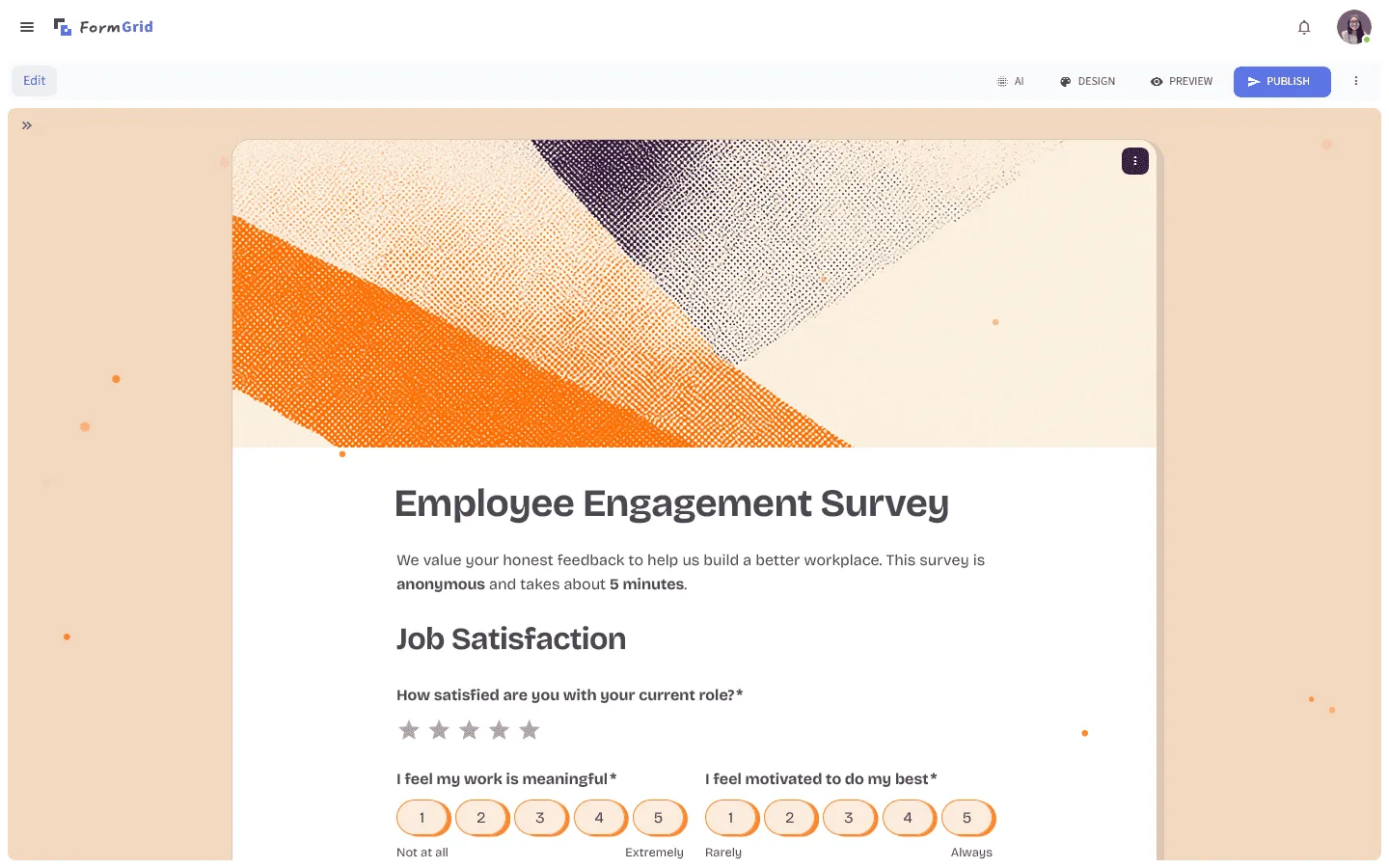
FormGrid is especially useful when you have a specific use case in mind and do not want to start from a generic template. You can generate a custom form from a short prompt, with the questions, design, and logic already included, and adjust everything afterward if needed.
It’s a good fit for teams that want forms to look more polished and feel more tailored than a standard Google Form, but do not need the research tools, compliance setup, or reporting depth of Qualtrics.
If you want to explore more options, our guide to Google Forms alternatives covers other tools in this space too.
Conclusion: Should you choose Google Forms or Qualtrics?
Go with Google Forms if…
- You need a simple survey, signup form, feedback form, or internal poll.
- You want something free and quick to set up.
- Your team already works in Google Workspace.
- You do not need advanced logic, detailed reporting, or much control over the design.
Google Forms is the better choice for most everyday forms and surveys. It is free, familiar, and easy enough for almost anyone to use. If your goal is to collect basic information and send the responses to a spreadsheet, Google Forms is usually enough.
Go with Qualtrics if…
- You are running academic research, market research, or an enterprise feedback program.
- You need advanced logic, quotas, randomization, or stronger data controls.
- You need built-in analysis, reporting dashboards, or SPSS export.
- Your organization has stricter compliance, security, or governance requirements.
Qualtrics is the right choice when the survey is part of a serious research or enterprise workflow. It gives you far more control over survey structure, data quality, analysis, and reporting. The tradeoff is cost and complexity, so it only makes sense when your project actually needs that level of depth.
Go with FormGrid if…
- Google Forms feels too basic.
- Qualtrics feels too expensive or complex.
- You want more control over design, layout, and logic.
- You want forms that feel more like custom pages or microsites.
- You like the idea of generating a ready-to-use form from a prompt.
FormGrid is a better fit when you want more flexibility than Google Forms, but do not need a research platform like Qualtrics. It gives you more room to shape how your form looks and works, without turning a simple survey into a large implementation project.
Qualtrics vs Google Forms FAQs
Is Qualtrics better than Google Forms?
For academic research and enterprise analytics, yes. For simple surveys with no budget, Google Forms is usually the better fit. The practical question is whether your project actually requires research-grade methodology. Most projects don’t.
Can I use Qualtrics for free?
There is a free account, but it’s limited. The features that make Qualtrics useful, including Stats iQ, Text iQ, advanced logic, and compliance tools, are behind a paid enterprise plan.
Does Google Forms have better logic than Qualtrics?
No. Google Forms supports one-level branching. Qualtrics has some of the most capable survey logic available in any tool, covering multi-level conditions, quota controls, embedded data, and block randomization.
Which is better for academic research?
Qualtrics is the standard choice in academic settings. Most universities provide institutional access. The randomization controls, data integrity features, and SPSS export are important for research that will be published or formally reviewed.
Is Google Forms HIPAA compliant?
Google Forms isn’t a good default choice for collecting protected health information. Whether it can be used in a HIPAA-sensitive setup depends on your Google Workspace configuration and agreements. Qualtrics is generally a stronger fit for healthcare-related use cases because it offers the compliance and admin controls those teams usually need.
Can Qualtrics export to SPSS?
Yes. Qualtrics exports response data in SPSS format, which is one reason it’s the standard tool in quantitative research settings where further statistical modeling is needed.
Why is Qualtrics so much more expensive than Google Forms?
Because it’s built for a very different kind of user. Google Forms is a lightweight free tool for basic surveys. Qualtrics is designed for organizations that need advanced logic, built-in analysis, stronger admin controls, and compliance features.
Is Qualtrics worth it for small teams?
Usually not. For most small teams, Google Forms covers the basics at no cost and with almost no learning curve. Qualtrics starts to make sense when your surveys need to support formal research, complex logic, advanced analysis, or stricter security and governance requirements.